59
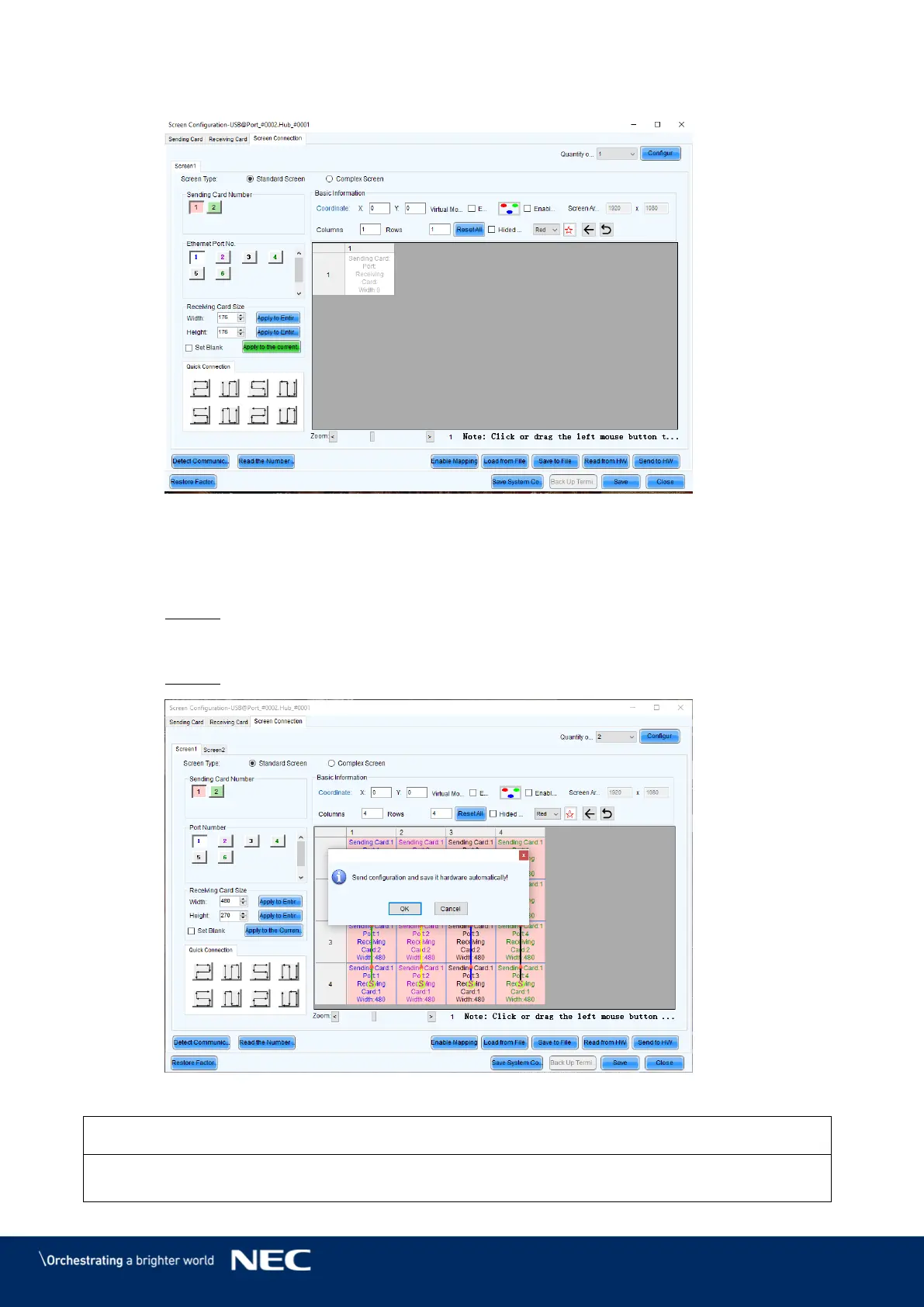
Switch from Sending Card tab to Screen Connection tab (see Figure 74). Step 6)
Figure 74: Start Screen – Screen Connection (Default View) before Configuration
Click the Load from file button (see Figure 74). Step 7)
Select the scr-file from the delivered USB flash drive and click Open button, confirm Step 8)
the loading message with OK button.
Result: The scr-file will be loaded.
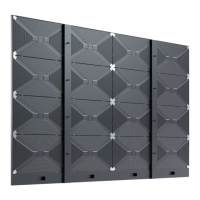
Click the Send to HW button to save the configuration. Confirm the upcoming pop-up Step 9)
message with OK.
Result: The scr-file will be saved. After restart, the configuration is available.
Figure 75: Save Configuration
If you do not save the configuration, the system will start with the default settings.



 To Next Page