68
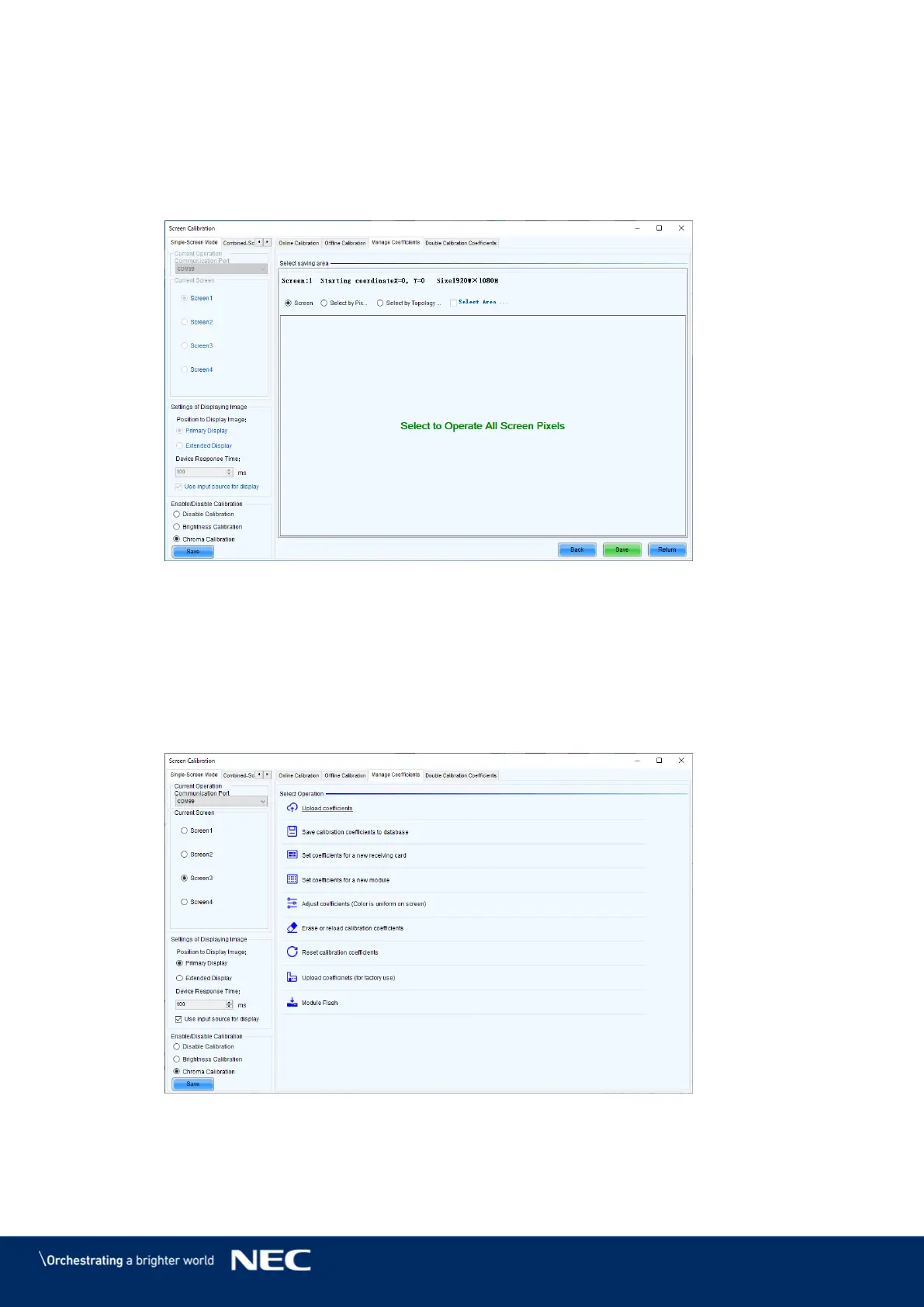
Send the data from the reception card to the computer. Step 6)
Select Screen and then click Save (Figure 91).
The data transfer begins. The transfer takes approximately 2 hours and 20 minutes.
When the screen indicating that the transfer finished successfully is displayed, click OK.
Click Return (Figure 91).
Figure 91: Transferring the calibration data
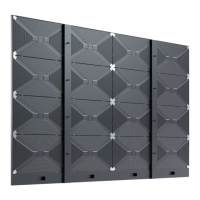
Under Current Screen, select the screen for calibration. Step 7)
Enable calibration. Step 8)
Under Enable/Disable Calibration, select Chroma Calibration and then click Save
(Figure 92).
Open the data transfer screen. Step 9)
Click Upload coefficients (Figure 92).
Figure 92: Selecting the screen for calibration



 To Next Page