71
8
SOFTWARE NOVALCT
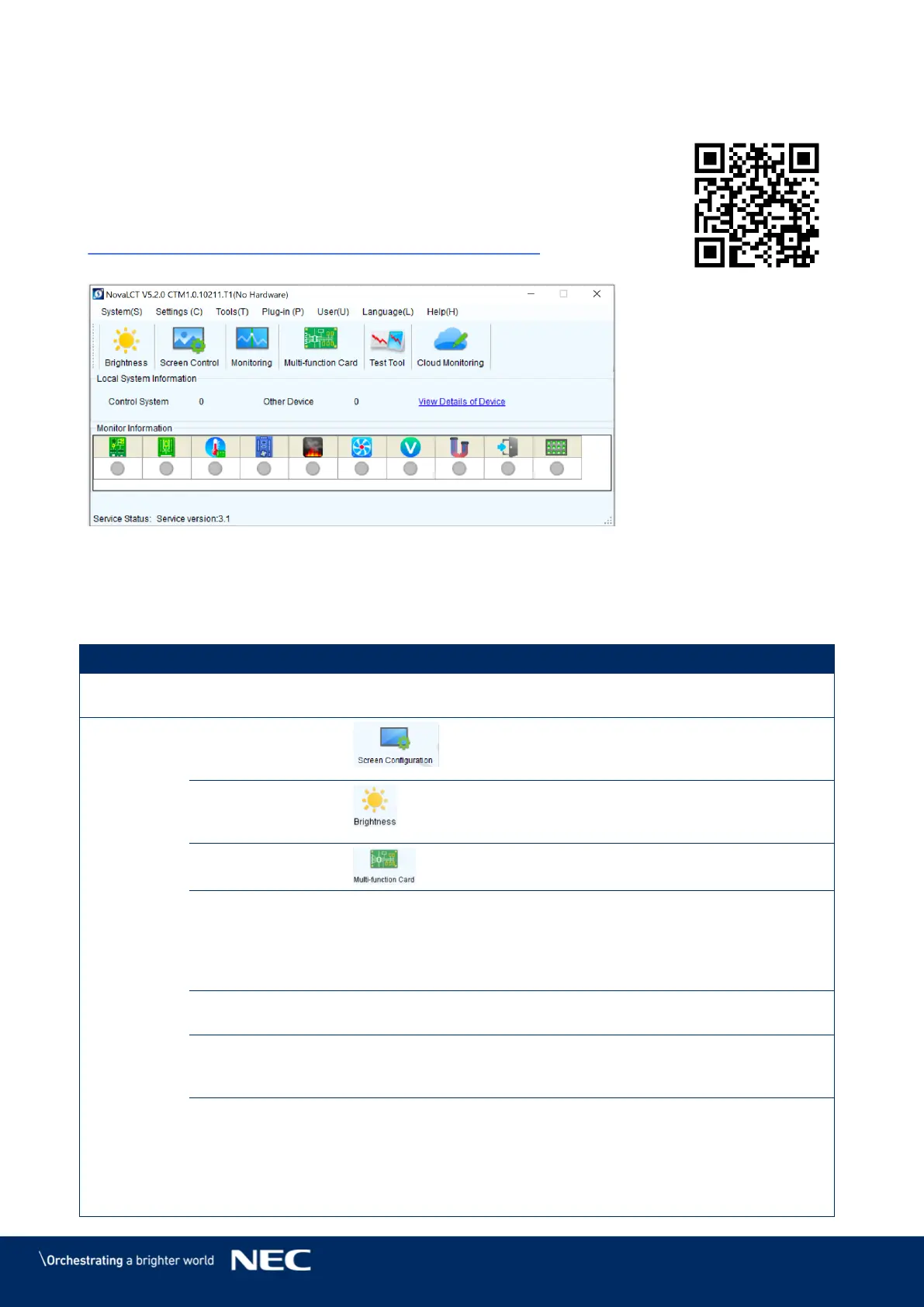
Control, configuration and calibration of the LED Wall is managed by
NovaLCT Software.
For detailed information, see the respective manual for NovaLCT Software.
Download the current version at:
https://www.novastar.tech/download/download-software/
Figure 96: Start Screen Software NovaLCT
8.1
Function Overview
Table 13: Main Menus and Functions
Reconnect the NovaLCT to the synchronous
system.
Screen
Configuration
(Advanced User)
Configure the LED screens.
Adjust the brightness of the LED display. There
are two ways for brightness adjustment,
automatic brightness and manual brightness.
Open the page for Multi-function card
configuration.
Multiple-screen
Management
Open the page for combined display
configuration. The management of brightness
control and monitoring of multiple LED displays
is easier when these LED displays are combined
together.
Check the information on the current control
system for the LED display.
Configure the settings for the restore screen,
booting screen and no signal screen (including a
disconnected network cable and no DVI signal).
Advanced Color
Configuration
(Advanced User)
Allows to configure the settings for:
Color temperature table
Factory setting (current gain, RGB
brightness).
Configuration color space (original color
space, target color space).



 To Next Page