79
Receiving Card and Power supplies 8.3.4
The Monitoring view of the Receiving card and the Power supplies offers checking the wiring.
Errors will be shown in colored surfaces. The color codes are defined in the interface itself.
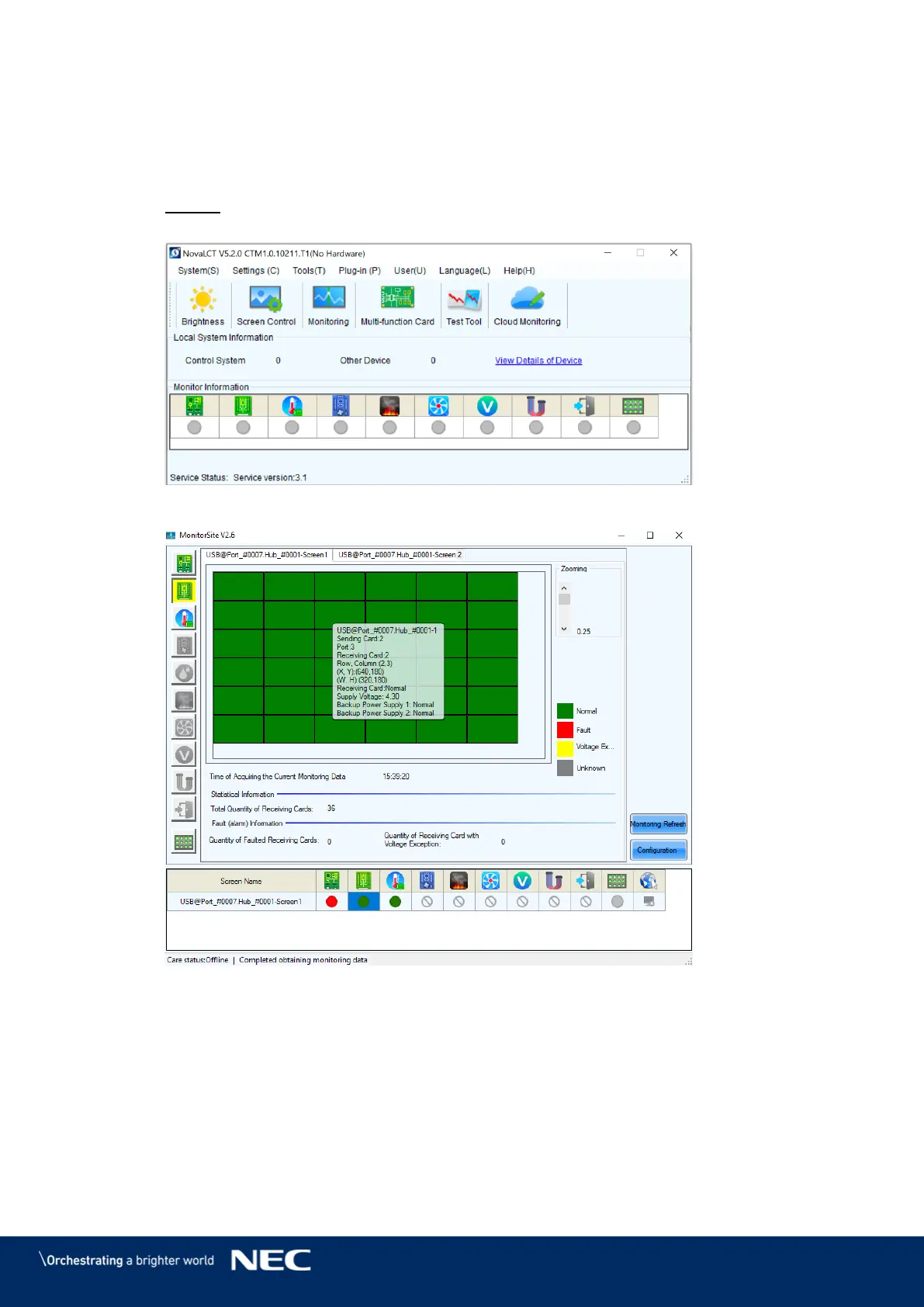
Click the Monitoring button to open the monitoring interface (see Figure 107). Step 1)
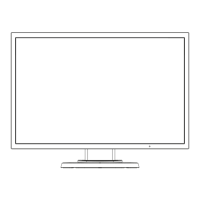
Result: The Monitoring interface will open. By default, the Monitoring view for the
Receiving cards is opened (see Figure 108).
Figure 107: Starting the Monitoring Function
Figure 108: Start Screen Monitoring Receiving Cards and Power Supplies



 To Next Page