53
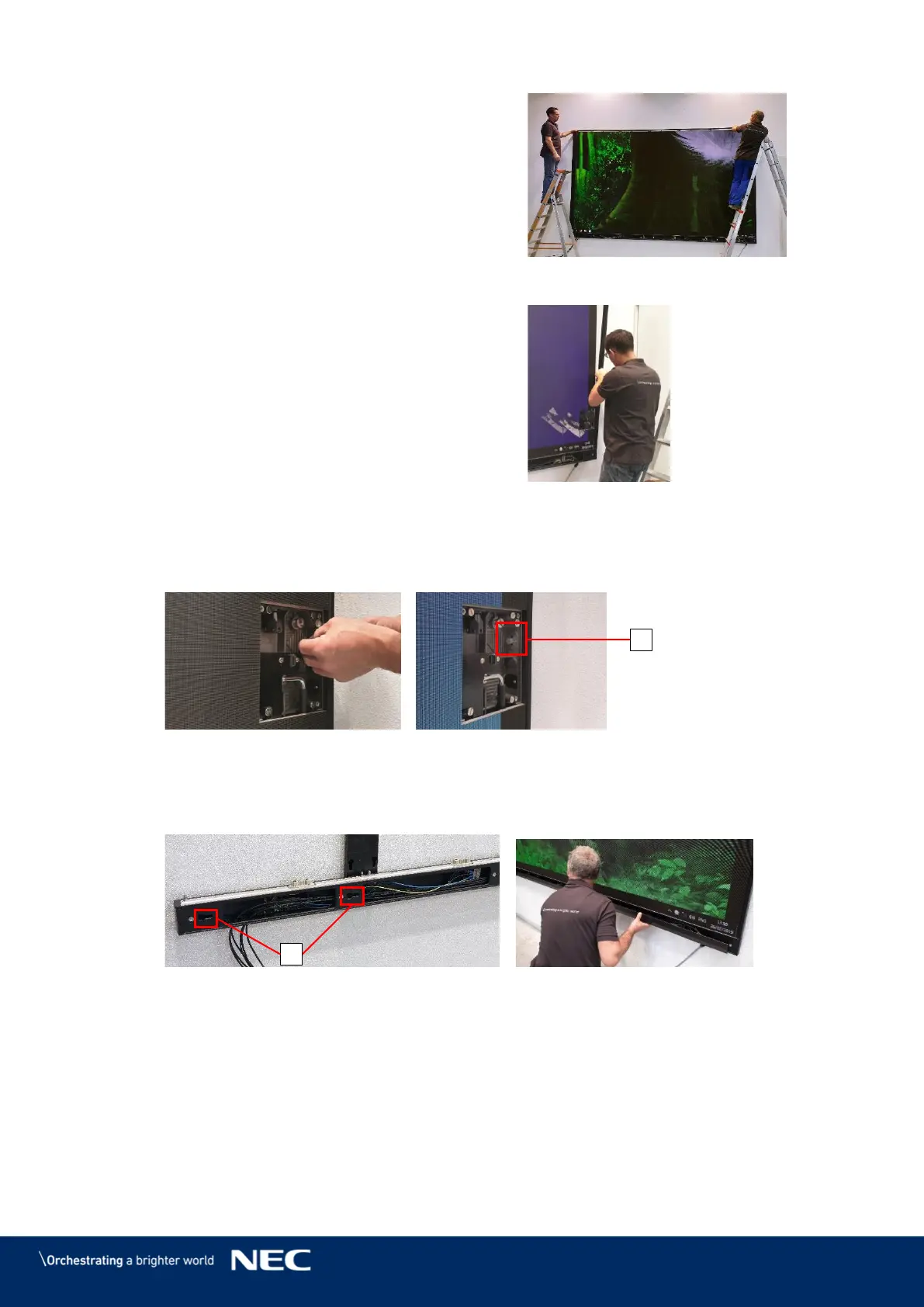
With two people, carefully lift the
Overframes and place it onto the LED Wall.
Figure 60: Installing Overframe (top)
Align the slot nuts in the Overframes with
the Cabinet interlock anchors.
Ensure there is no gap between the
Overframes (left, right) and the Corner
frame bottom (left, right).
Figure 61: Installing Overframes (left,
right)
Attach the Overframes (left, right) to the LED Wall by screwing the M8×16 screws (C)
through the Cabinet interlock anchors into the slot nuts.
Figure 62: Fastening the Overframes (left, right)
Slide the hooks on Power bar cover plate into the vertical key holes (E) on the Power
bar.
Push the Power bar cover plate firmly to the right so it stays in place.
Figure 63: Installing Power Bar Cover Plate



 To Next Page