75
8.3
Monitoring
NovaLCT supports monitoring the status of Sending cards (NovaStar Controller), Receiving cards
and Monitoring cards, as well as temperature, humidity, smoke, fan, power supply, ribbon cable,
cabinet door and smart module. NovaLCT is applicable to both ordinary screen and combined
screen.
Function Overview 8.3.1
Table 14: Monitoring – Main Functions
Check the connection of the Sending cards.
Check the wiring of the Receiving card and
the Power supplies.
Check the temperature of each module and
the Operating status of each individual
Power supply solution.
Update the monitored data.
Modify refresh period and re-read times
when reading the status "failed" at the
refresh period interface, where in the period
is the period of refreshing the monitoring
data.
Edit the contents to be monitored and set
rules for alarm.
Start Monitoring Function 8.3.2
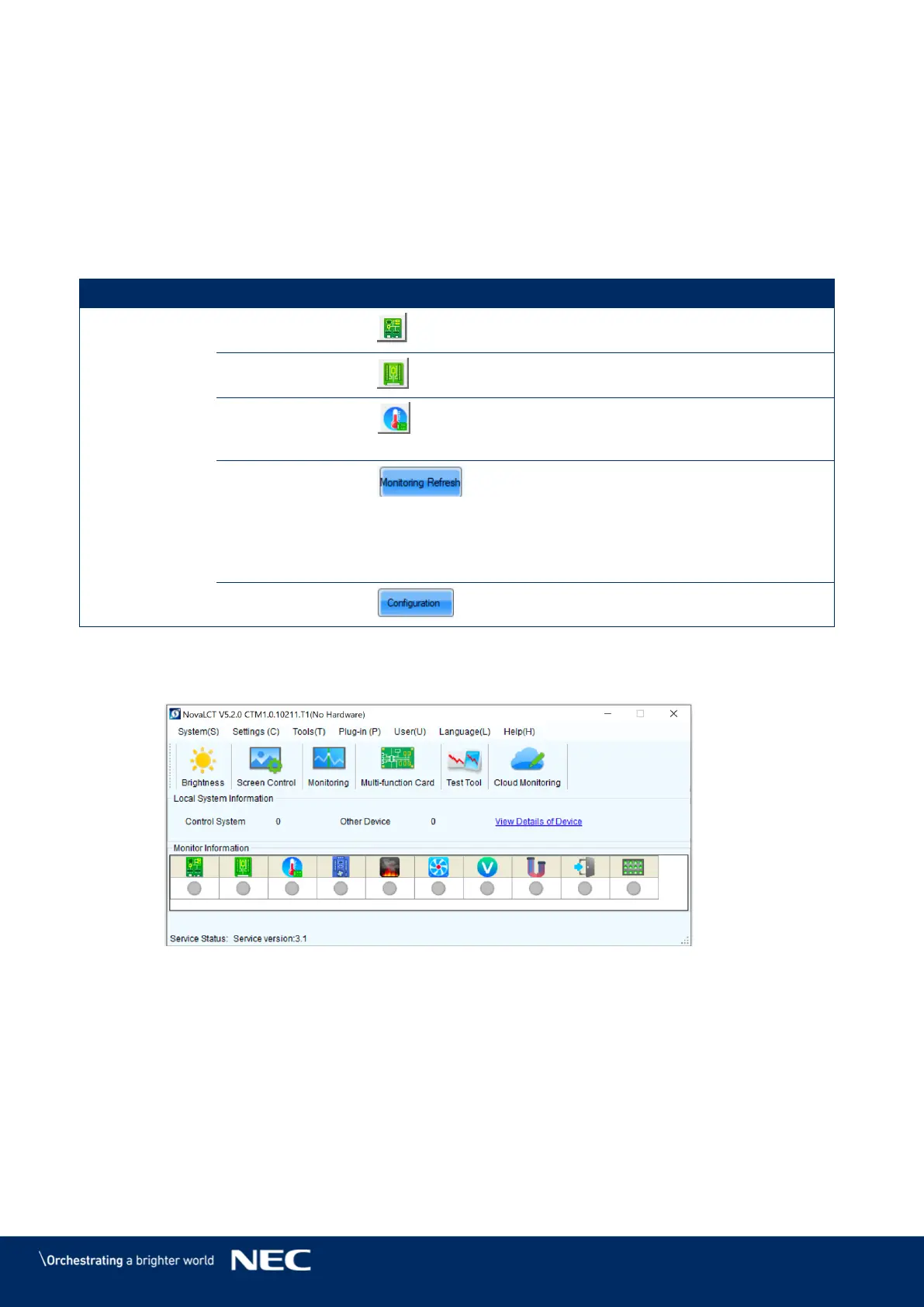
Click the Monitoring button to open the monitoring interface (see Figure 100). Step 1)
Figure 100: Starting the Monitoring function



 To Next Page