NMC-Junior Pro Installation Manual
Page 77
6. If the calibration process is completed successfully, EC Calibration OK is displayed. If it fails, EC CALIBRATION
FAIL is displayed, in this case refer to NMC-Junior Pro Irrigation – Part 2 > EC/pH >Troubleshooting.
11.5.1.2 pH Calibration
• Auto Set pH (pH Factory set)
• pH Soft Calibration
11.5.1.2.1 Auto Set pH (pH Factory set)
The Auto set procedure initializes all the previous corrections and sets the calibration according to the factory settings.
Perform Auto set on the first run and when you replace a pH electrode with a new one.
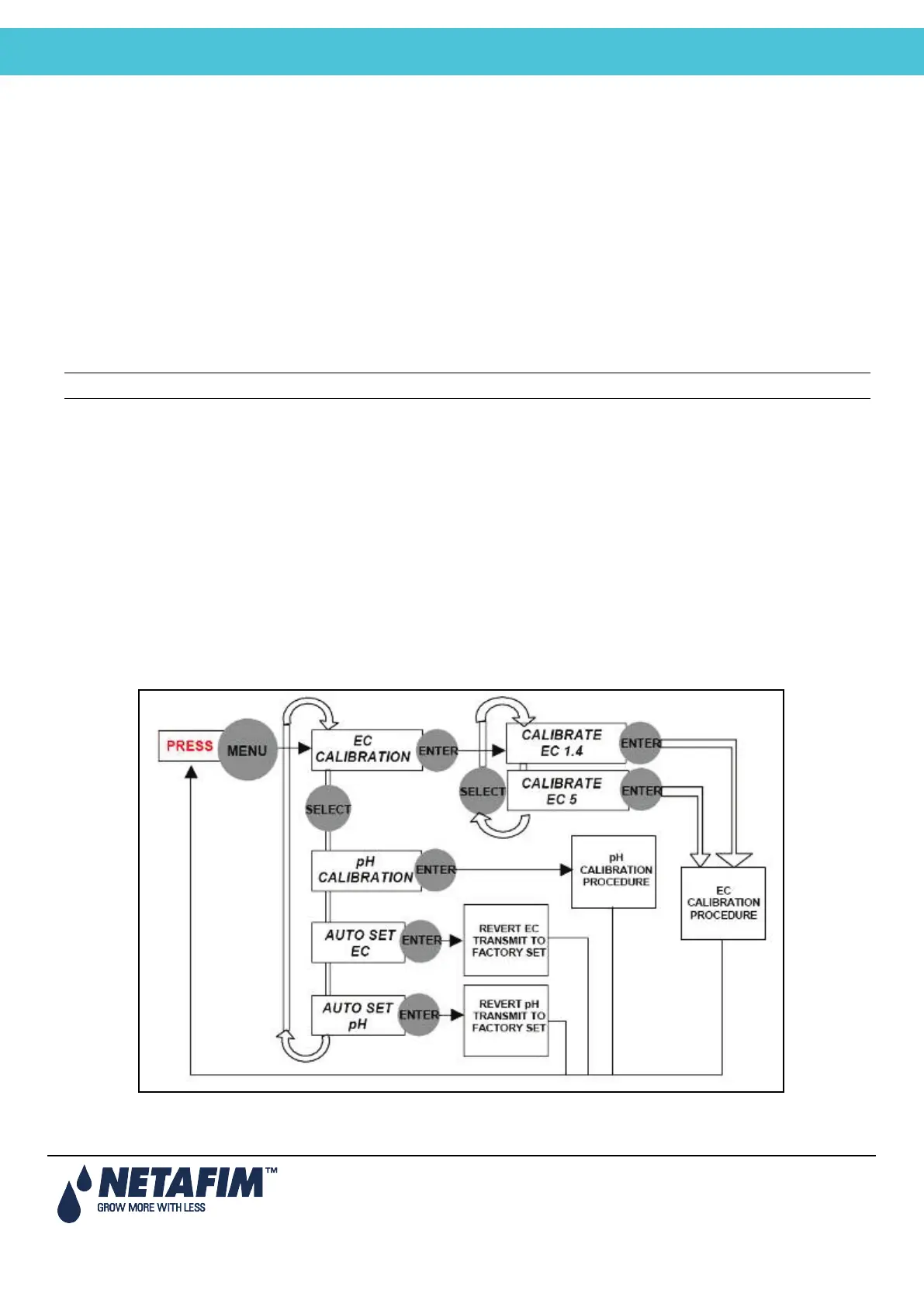
1. Press MENU and wait for the Service prompt to appear.
2. Press SELECT several times until AUTOSET pH is displayed and press ENTER. The message OK is displayed for
a while and then the display reverts back to normal.
Note: Always perform pH Soft Calibration after the Auto set pH (pH factory set)
11.5.1.2.2 pH Soft Calibration
1. Remove the pH probe and clean it by directing a stream of water towards its membrane. Do not wipe or dry the
membrane.
2. Press MENU and wait for the Service prompt to appear.
3. Press SELECT several times until the CALIB (rate) pH prompt is displayed and then press ENTER.
4. When pH 7.0 is displayed, immerse the probe in the pH 7.0 buffer, wait for approximately 10 seconds and press
ENTER. You will be asked to wait for a few seconds, while the unit performs the value correction. The Gain point is
now set.
5. When pH 4.0 is displayed, immerse the probe in the pH 4.0 buffer, wait for approximately 30 seconds and press
ENTER. You will be asked to wait for a few seconds, while the unit performs the value correction. The Offset point is
now set.
6. If the calibration process is completed successfully, pH Calibration OK will be displayed. If it fails, LOQUID IS
POOR is displayed, please refer to NMC-Junior Pro Irrigation – Part 2 > EC/pH > Troubleshooting.
Menu Navigation Schema



 To Next Page