HX4E/MX8A Series Voice Gateway User Manual
New Rock Technologies, Inc. 57
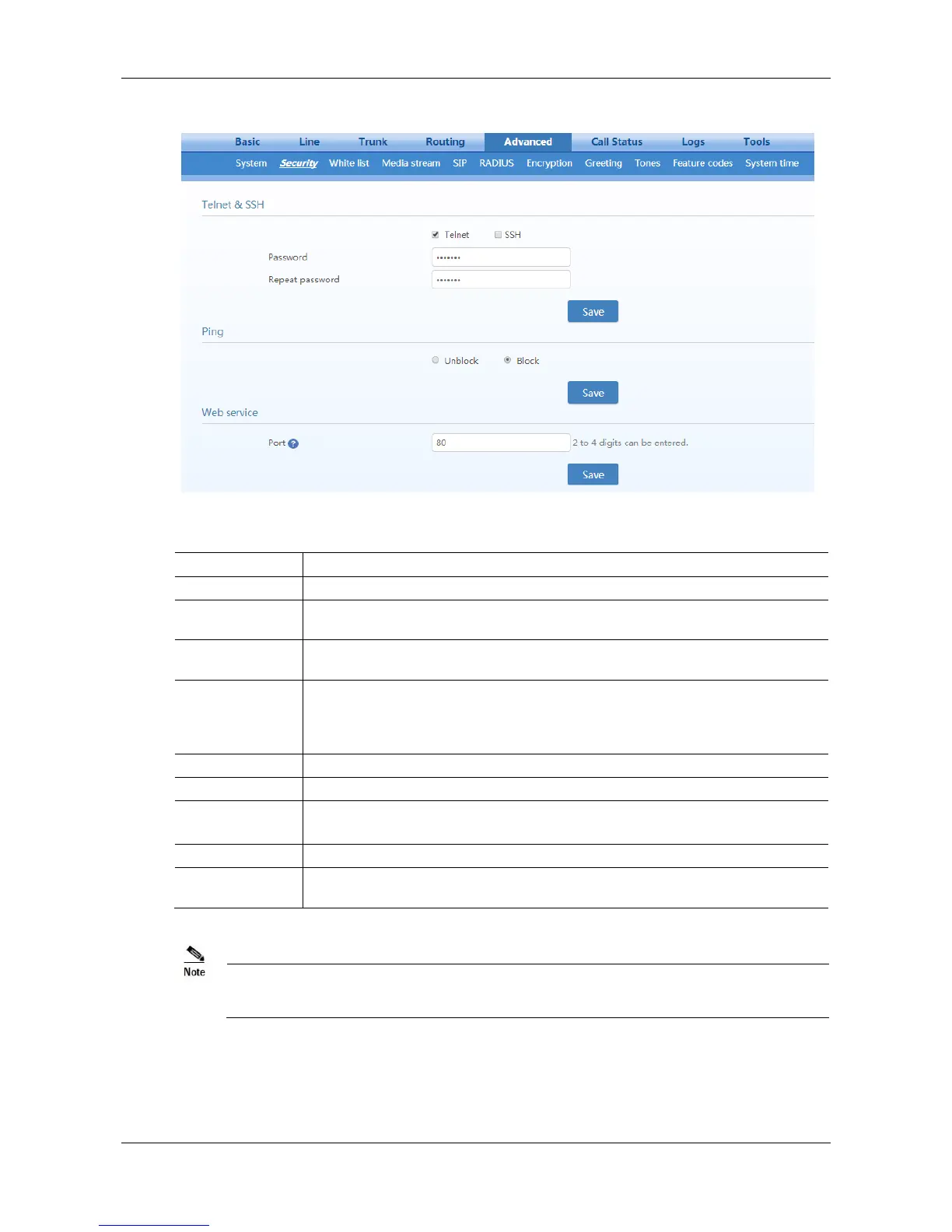
Figure 2-31 Security configuration interface
Table 2-25 Security Configuration Parameters
If this parameter is selected, the Telnet service is enabled to allow a terminal to log in
to the device through Telnet.
If this parameter is selected, the SSH service is enabled to allow a terminal to log in to
the device through SSH.
Specify the password for logging in to the device through Telnet or SSH.
If both the Telnet and SSH services are enabled, the password will be shared.
The password consists of 6 to 20 characters (letters, digits, or !@#$%^) and is
case-sensitive.
Re-enter the specified password.
Block: The device is forbidden to respond to a Ping message.
Unblock: The device is allowed to respond to a Ping message.
This parameter specifies the number of a HTTP port used for accessing the Web
management interface of the device. It is 80 by default.
If the gateway is placed in a public network environment, you should disable the Telnet function to
prevent hacker attacks.
2.7.5 White list for Accessing Web and Telnet
The white list is used to specify the IP addresses from which access to the device through Web or Telnet



 To Next Page