EasyManua.ls Logo

New Rock Technologies MX8A Series - 2.8 Status; 2.8.1 Call Status

Default Icon
94 pages
Print Icon
To Next Page IconTo Next Page
To Previous Page IconTo Previous Page
Loading...
User Manual HX4E/MX8A Series Voice Gateway
72 www.newrocktech.com
Name
Description
Primary time
server
Enter the IP address of preferred time server here. It has no default value.
Secondary time
server
Enter the IP address of Secondary time server here. It has no default value.
2.8 Status
2.8.1 Call Status
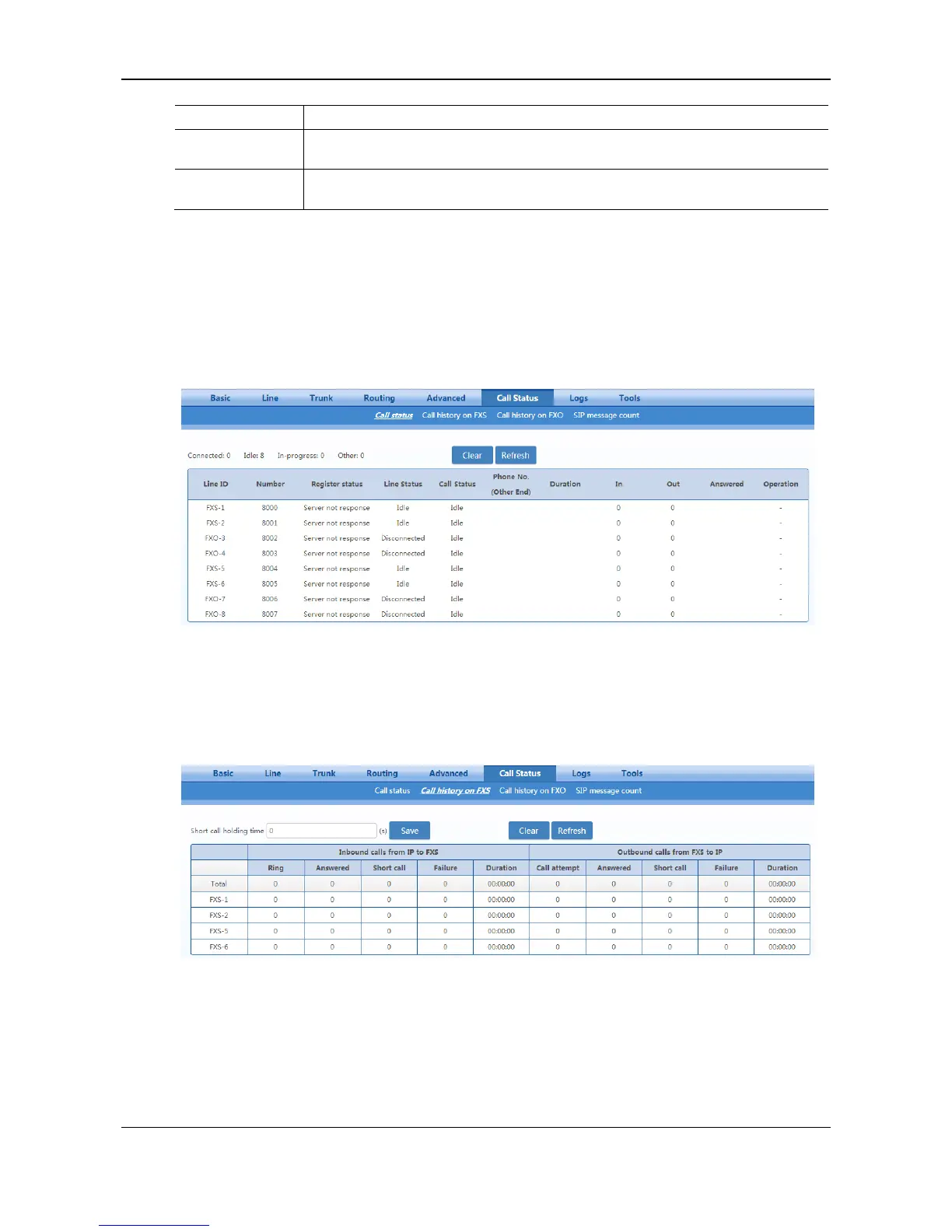
After login, click Call Status > Call Status to open this interface.
Figure 2-41 Call Status Interface
2.8.2 Call History on FXS
After login, click Call Status > Call history on FXS to open this interface.
Figure 2-42 Interface of Call history on FXS
2.8.3 Call History on FXO
After login, click the label of Call Status > Call history on FXO to open this interface.

Table of Contents

Related product manuals