EasyManua.ls Logo

New Rock Technologies MX8A Series - 2.7.6 Media Stream

Default Icon
94 pages
Print Icon
To Next Page IconTo Next Page
To Previous Page IconTo Previous Page
Loading...
User Manual HX4E/MX8A Series Voice Gateway
58 www.newrocktech.com
are allowed.
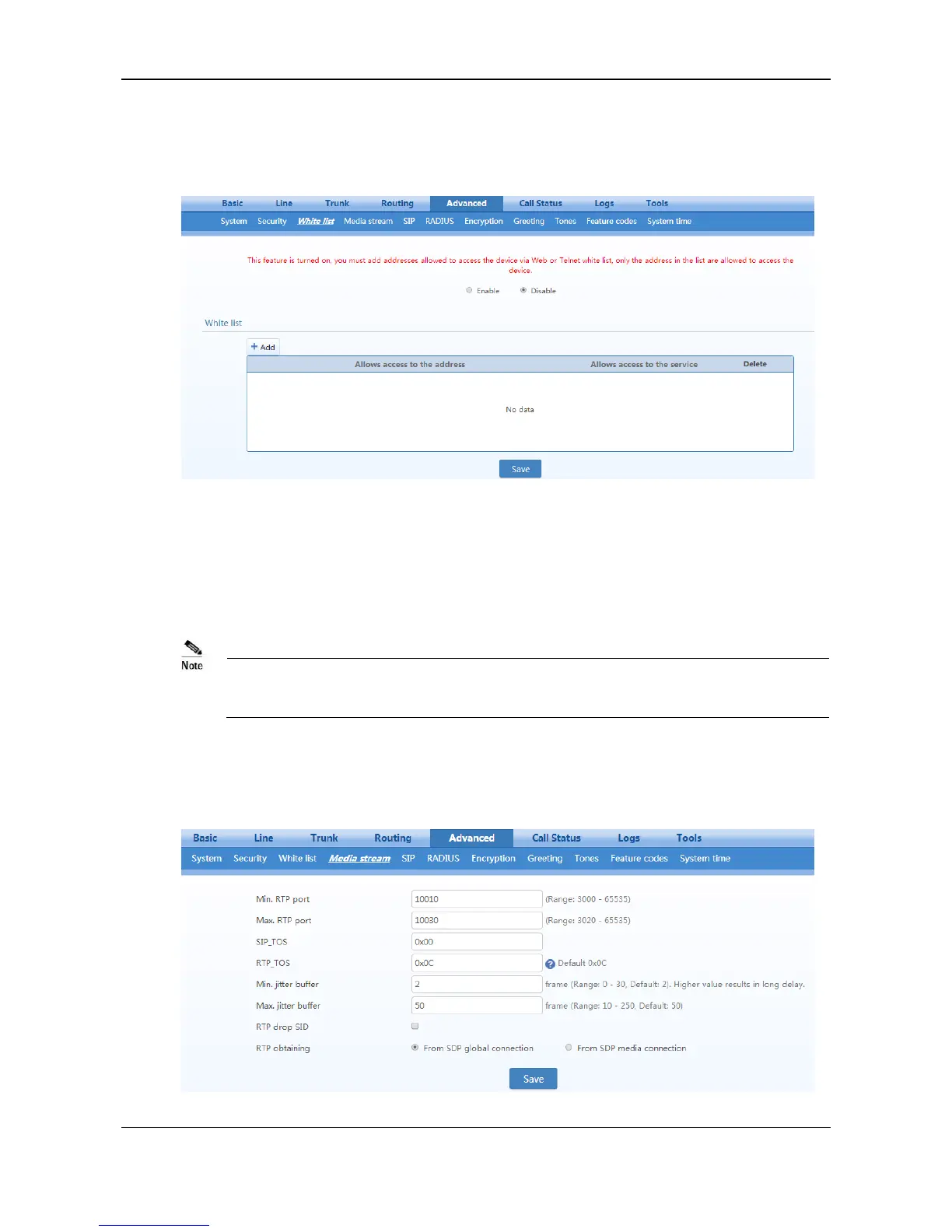
After login, choose Advanced > White list to open the white list configuration interface.
Figure 2-32 White List Configuration Interface
Step 1 Click
Add
.
Step 2 In the input box, enter IP addresses and types of services and click
Save
.
Step 3 Select
enable
.
This function takes effect after the device restarts.
The device allows a white list of 20 entries.
2.7.6 Media Stream
After login, click the label of Advanced > Media Stream to open this interface.
Figure 2-33 Media Stream Configuration Interface

Table of Contents

Related product manuals