User Manual HX4E/MX8A Series Voice Gateway
26 www.newrocktech.com
This domain name will be used in INVITE messages. If it is not set here, the gateways
will use the IP address or domain name of the proxy server as the user-agent domain
name. It has no default value.
The gateway supports three registration schemes:
Per line (default): authentication and register per line.
Per gateway: authentication and register per gateway.
Per line/GW auth: Enable registration per line. Use the number configuration per line.
Use the global account and password in authentication.
Configure the user name as part of the account for registration. It has no default value.
Note: If Per gateway or Per line/GW Auth is selected for Registrar mode, the user
name must be entered here. If per line is selected the user name should be set on “Line >
Feature” page (Refer to 2.4.2 Subscriber Line Features).
Password as part of account information is used for authentication by platform. It has no
default value. It is formed with either numbers or characters, and case sensitive.
Note: If Per gateway or Per Line/GW Auth is selected for Registrar mode, the
password must be entered here. If Per line is selected the password should be set on
“Line > Feature” page (Refer to 2.4.2 Subscriber Line Features).
Valid time of SIP re-registration in seconds. Its default value is 600.
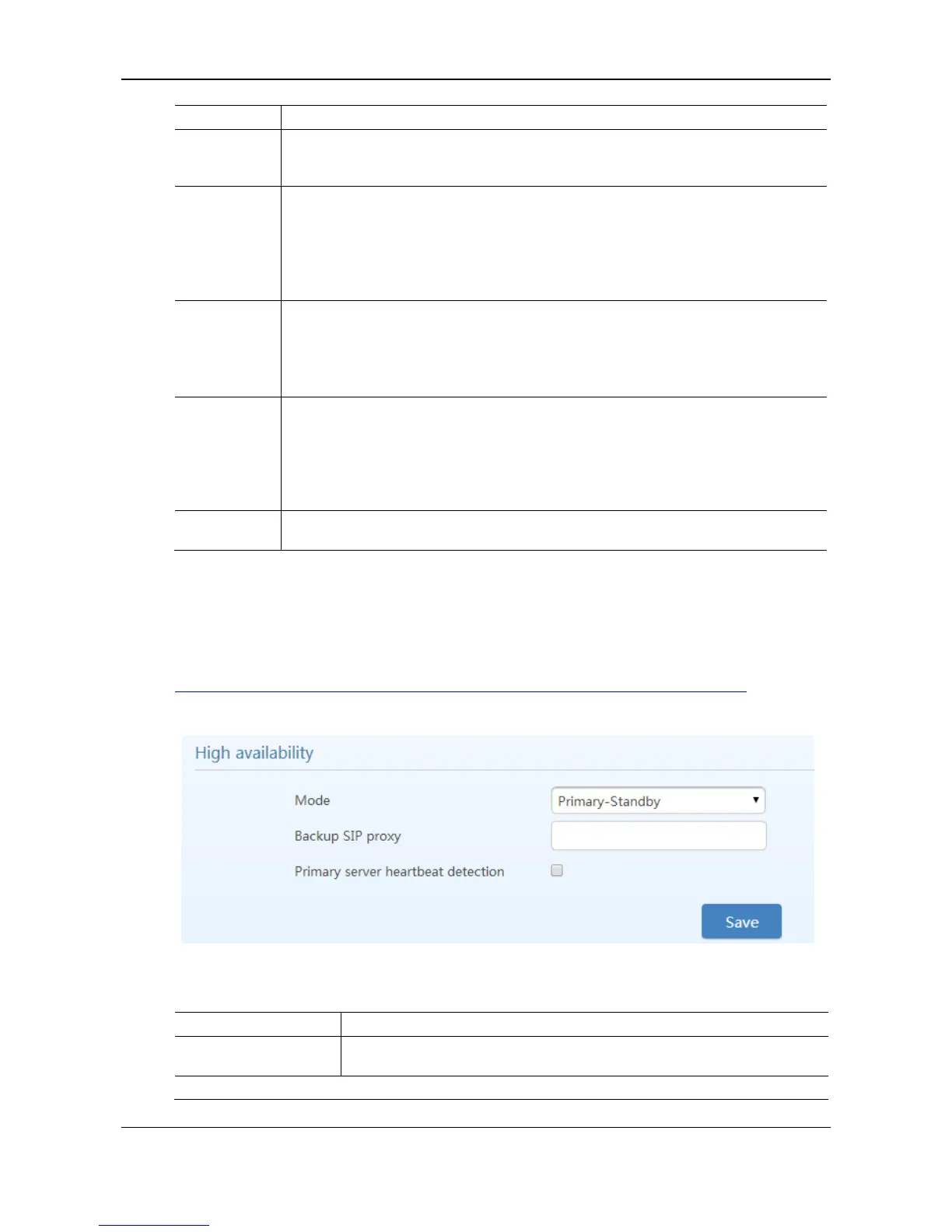
2.3.6 High Availability
After login, click Basic > SIP tab to open the configuration interface.
For details, see
http://website.newrocktech.com/Files/High%20Availability%20Configuration%20Guide.pdf.
Figure 2-13 High Availability Configuration Interface
Table 2-8 Parameters
High availability can be configured as Primary-Standby, Active-Standby or
Load Balancing mode.



 To Next Page