EasyManua.ls Logo

Newport LBP2 Series - User Manual

Newport LBP2 Series
103 pages
Print Icon
To Next Page IconTo Next Page
Loading...
LBP2 User Guide Document No: 50306-001 Rev G 3/12/2020 Page 1
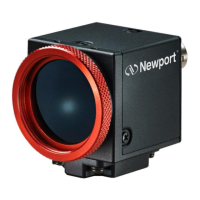
Laser Beam Profiler
User Guide for v3.x
Laser Beam Analyzer
For Windows 7
®
and Windows 10
®
LBP2 Series

Table of Contents

Questions and Answers

  • R
    Richard VelasquezAug 25, 2025
    Why is 'What’s This Help' not opening the correct topic in Adobe Reader for my Newport LBP2?
    • K
      Kim HowellAug 25, 2025
      If the 'What’s This Help' feature in your Newport Measuring Instruments isn't opening the correct topic in Adobe Reader, it's likely due to Adobe Reader's 'Protected Mode' security feature, which can prevent external applications from correctly accessing a PDF document’s bookmarks. To resolve this, disable the 'Protected Mode' in Adobe Reader.
  • B
    bryan03Nov 8, 2025
    How to fix 'The Spiricon Console Service is unavailable on the computer' error for Newport LBP2?
    • V
      Vickie CollierNov 8, 2025
      If you encounter the error message “The Spiricon Console Service is unavailable on the computer” with your Newport Measuring Instruments, it could be due to several reasons. First, the service might not be running. You can try restarting it using the Windows Service Manager, or if that doesn't work, reboot your computer. Another possibility is that the console service communication ports are either in use or blocked. Ensure that TCP ports 10100-11100 are available. If another application uses these ports, you can customize the port range by modifying the PortFinder.config.xml file in the LBP2 installation directory and then restarting the service. Lastly, the environment required to run the service might be corrupt, possibly due to a failed software installation or upgrade. In this case, u...

Newport LBP2 Series Specifications

General IconGeneral
BrandNewport
ModelLBP2 Series
CategoryMeasuring Instruments
LanguageEnglish

Related product manuals