35
NIB610/NIB620
3
1
2
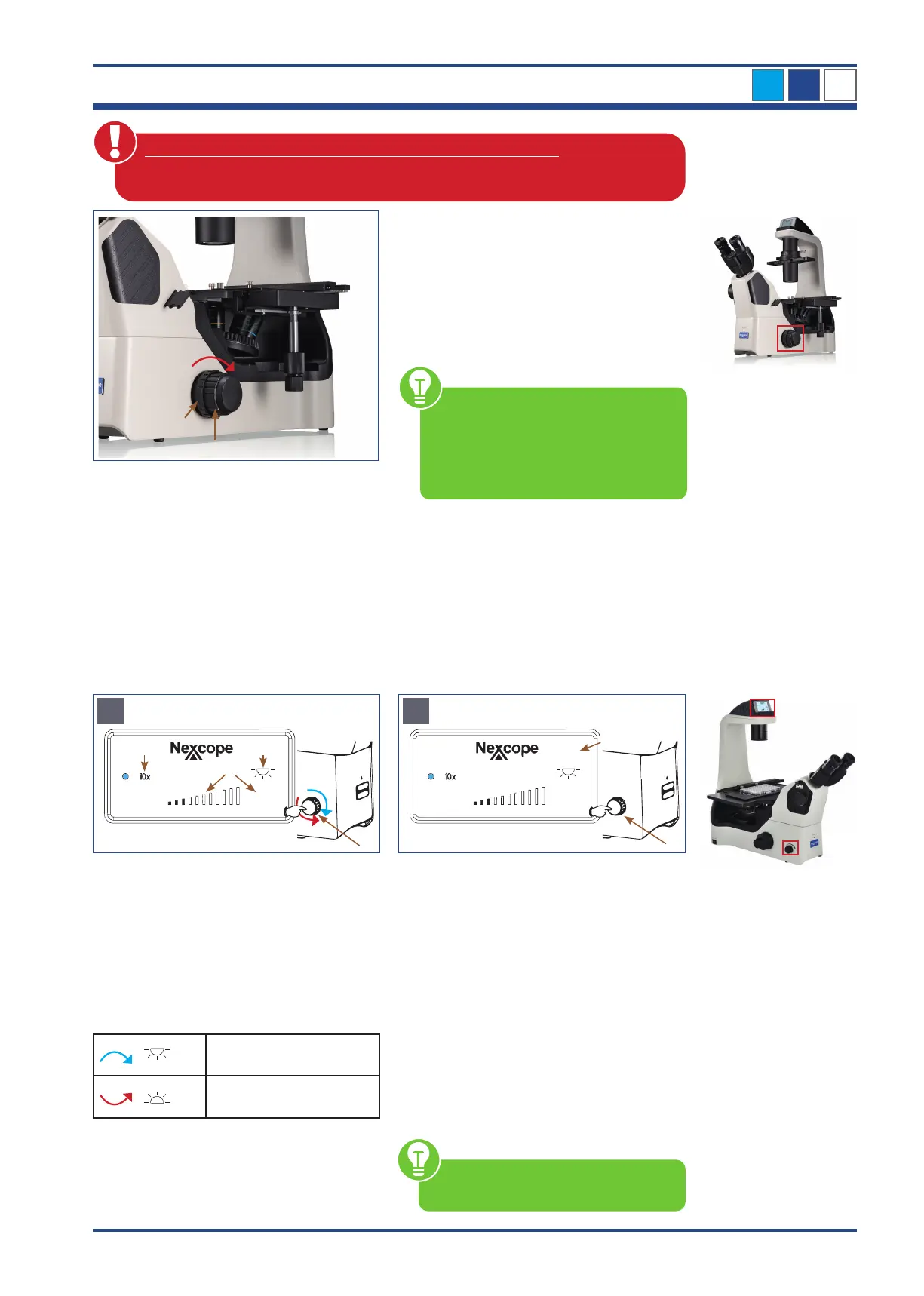
Illustration 021: NIB610/NIB620 - Tension adjustment ring.
Tension adjustment ring
The coarse focusing knob (1) on the right
side of the microscope is equipped with a
tension adjustment ring (2) for adjusting the
tightness of the coarse focus knob. To tighten
the coarse focusing knob, rotate the tension
adjustment ring in the direction of the arrow.
To loosen the knob the opposite direction.
If the tension adjustment ring is set too
loosely, the nosepiece will lower under
its own weight. This leads to a loss of
sharpness during observation. There-
fore, adjust the torque accordingly.
The following operations may cause the product to malfunction:
• Turning the left and right focusing knobs in opposite directions.
• Turning the coarse and fine focusing knobs beyond their limit.
3.4.6. The Liquid Crystal Display (LCD)
(only for NIB620)
The Liquid Crystal Display of NIB620 shows the different working modes of the microscope,
including magnification, light intensity, SLEEP mode, and so on. NIB620 can store and
automatically adjust the light intensity for each objective. This improves work efficiency and
reduces visual fatigue.
The following symbols appear on the LCD of NIB620 when you start the microscope and
the 10x objective is tilted in:
Illustration 022 A/B: LCD of NIB620 - START/WORKING mode and LIGHT LOCK/UNLOCK mode.
30
A
Press and turn
4
1 3
2
START/WORKING Mode
LOCK
30
B
Double click
4
5
LIGHT LOCK/UNLOCK Mode
The selected objective (1) is displayed next
to the blue dot.
Last used light intensity (2) is shown as num-
ber (percentage unit) and in form of bars.
Display for transmitted light switched ON or
OFF (3):
PRESS and TURN the brightness control knob
(4):
Transmitted light ON
Transmitted light OFF
Double click on the brightness control knob
(4) the display shows LOCK (5).
LOCK: This function means that you can set
and lock a desired light intensity when using
an objective with a certain magnification.
This prevents any change by another user.
When changing objectives, the system auto-
matically switches to the light intensity of the
corresponding magnification, but the bright-
ness adjustment knob (4) can no longer be
adjusted manually.
Double click again on the brightness control
knob (4) LOCK-display (5) disappears.
The light intensity can be individually adjust-
ed using the brightness control knob.
For the other display symbols, refer to
the explanation in figure A.



 To Next Page