60
4.4.2. Setting the condenser
30
5a
5b
5c
5d
3
6
4
Press and turn
2
1
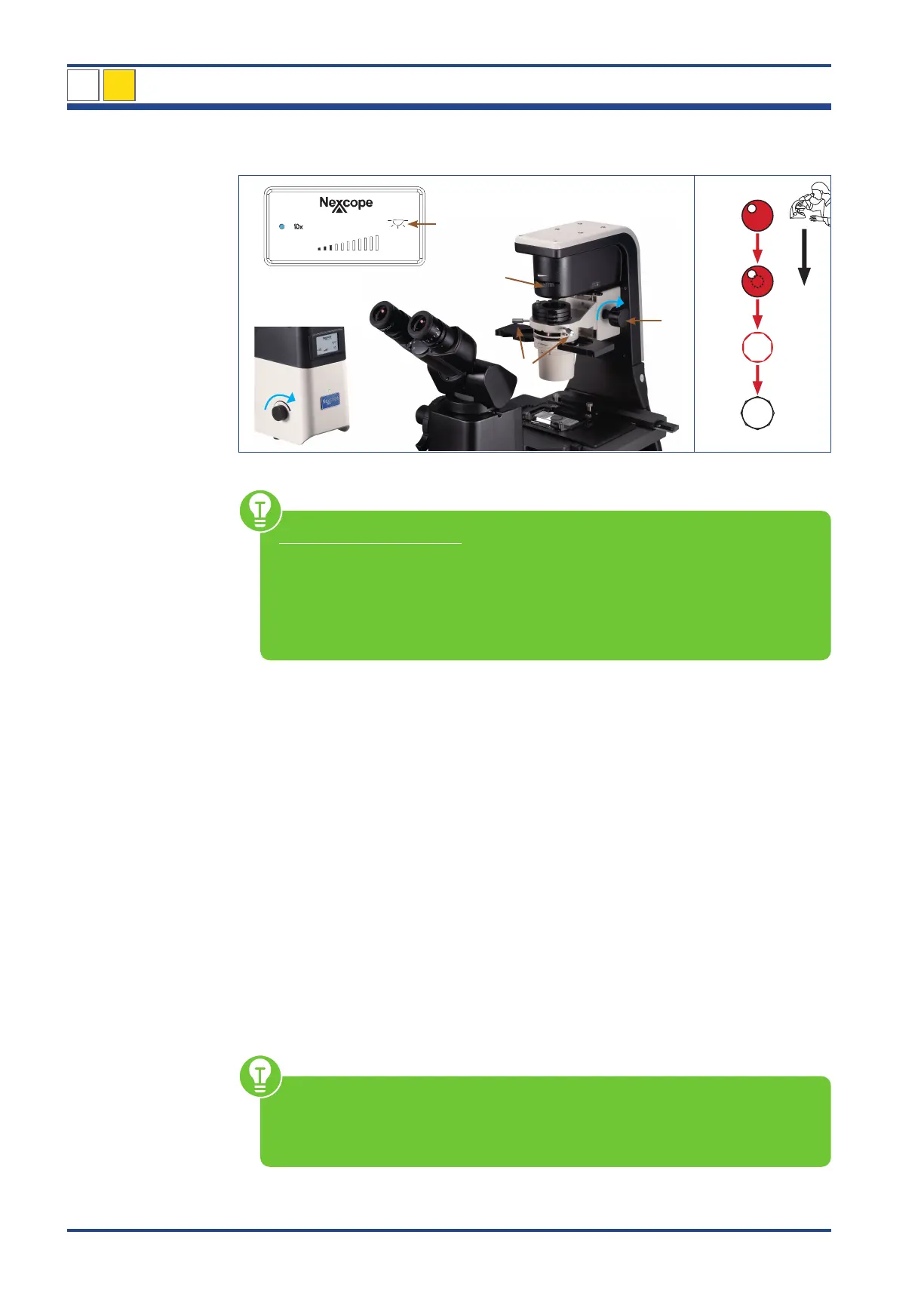
Illustration 053: NIB630 - Centering the condenser.
Before you start, check that:
• Changing lever for visual observation/photo is set to binocular part
• Universal phase contrast slider is set to bright field
• Transmitted light path is open
• No additional filters are swivelled into the beam path
• Object to be examined is placed on the stage
PRESS and TURN the brightness control knob (1) to turn transmitted light ON (2).
Place a 10x objective into the optical path and focus on the sample.
Turn the field diaphragm lever (3) all the way to the right to close the field diaphragm
completely. Look through the eyepieces.
Turn the condenser up-down knob (4) to adjust the high of the condenser until the image
of the field diaphragm shows a sharp outline.
If the condenser is out of center, you will see an image of the iris opening similar to (5a).
In order to center the iris opening in the field of view, use the two condenser centering
screws (6) at each side of the condenser holder.
Once the image is in focus and centered in the field of view (5b), open the field dia-
phragm until the image is at least as large as field of view (5c-5d).
The field diaphragm restricts the diameter of the light beam entering the objective.
This prevents the incidence of disturbing light and increases the image contrast. To
support objective performance, the diameter of the field diaphragm must be adjusted
so that its image and the field of view are the same size.
NIB630
4



 To Next Page