50
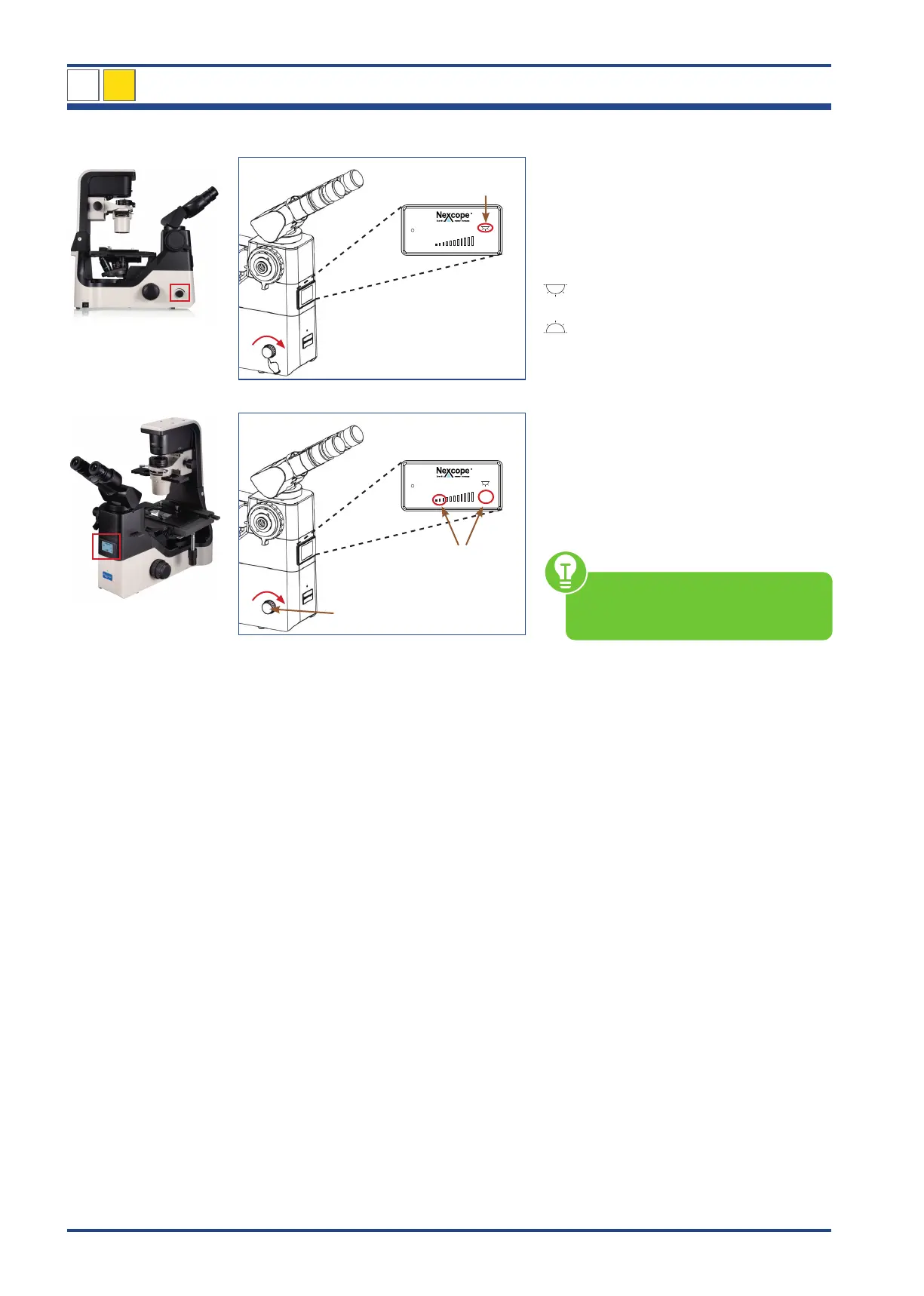
4.3.2. Turn on and adjust the illumination
2
10x
100
30
LCD
Press and turn
Illustration 041: NIB630 - Adjusting the transmitted light.
1
10x
100
30
3
Illustration 042: NIB630 – Adjust the illumination.
Set transmitted light ON
PRESS and TURN the brightness control
knob (1):
Liquid Crystal Display (LCD)
Transmitted light ON (2)
Transmitted light OFF
Adjust the illumination
Turn the brightness control knob (1) in the
direction of the arrow the light intensity
increases and vice versa.
Last used light intensity (3) is shown as num-
ber (percentage unit) and in form of bars in
the LCD.
Make sure that the optical path for
the binocular part is set to 100 %
(see chapter 4.3.9.).
1
NIB630
4
LCD



 To Next Page