69
5
OBSERVATION METHODS
5.3.4. Settings for emboss contrast observation
NIB610/NIB620
Bright field position marking
A
2
5
44
11
3
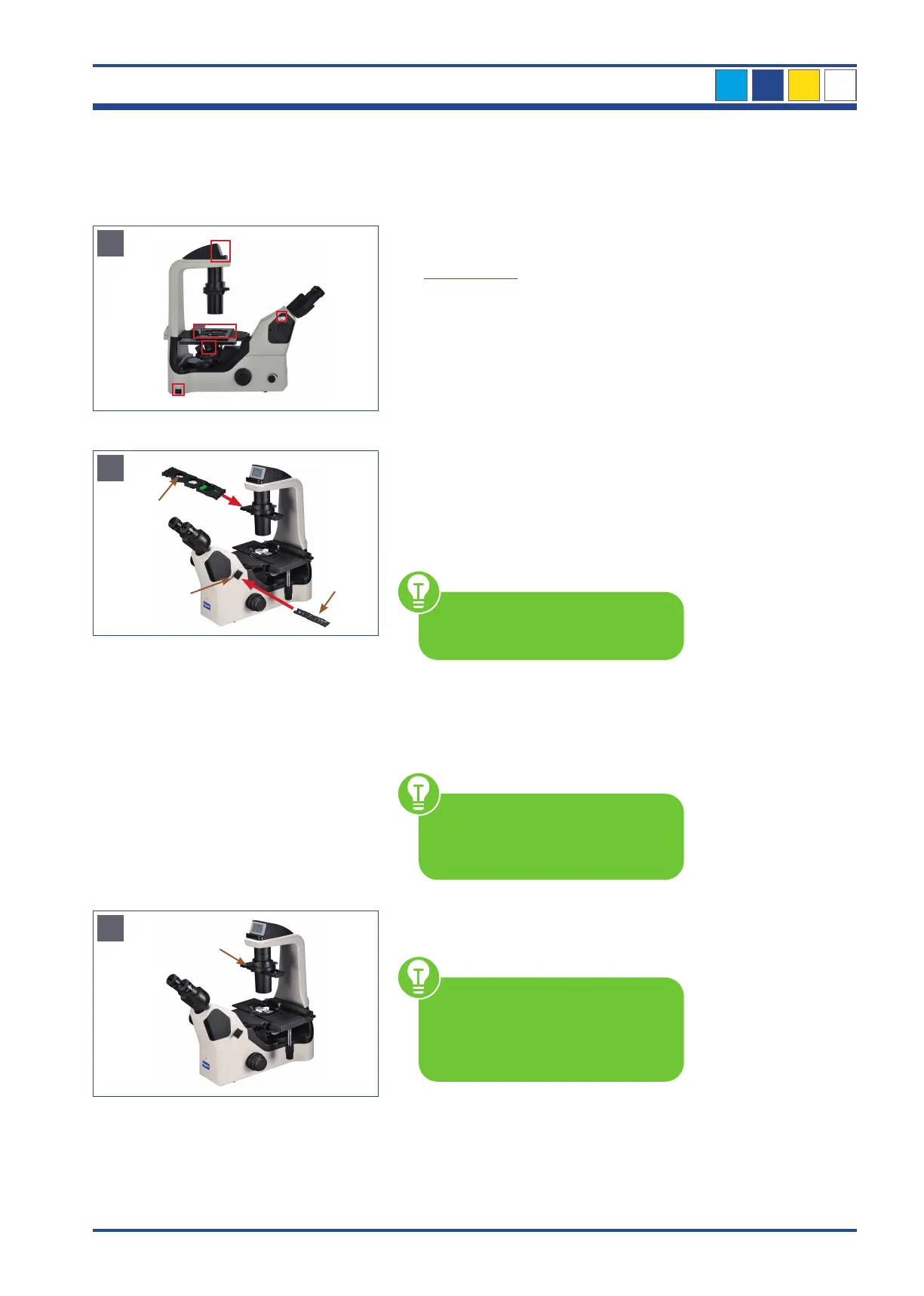
Illustration 60 A: NIB610/NIB620 - Settings before you start.
B
3
2
1
Illustration 60 B: NIB610/NIB620 - Settings for emboss contrast.
C
4
Illustration 60 C: NIB610/NIB620 - Observation with emboss contrast.
Before you start...
1. Microscope is switched on
2. Only NIB620: Transmitted light ON
3. Switching rod for visual observation/
photo is set to 100% to binocular part
4. 10x objective is swivelled in
5. Object is in focus
Focus on the specimen under bright field
microscopy conditions (see chapter 3.5.)
Settings
Insert the condenser-side emboss contrast
slider into the slot provided on the
condenser.
Set the slider to the sector diaphragm
marked 10-20-40.
Start without the green filter. This
can simply be inserted after the
basic setting.
Remove the placeholder (2) from the
right side of the eyepiece tube. Insert the
eyepiece-tube-side emboss contrast slider
(3) into the beam path.
Attaching the centering telescope
(CT) to the eyepiece tube enables
you to view the sector diaphragm
image.
OBSERVATION
Set the aperture diaphragm lever (4) to
position O (open).
If the aperture diaphragm
is closed, it hinders the sector
diaphragm of the condenser-side
emboss contrast slider and emboss
contrast effects cannot be obtained.
When replacing and observing the spec-
imen, check the focus and the brightness,
and adjust them as necessary.



 To Next Page