70
5.3.5. Settings for emboss contrast observation
NIB630
A
33
22
66
44
55
11
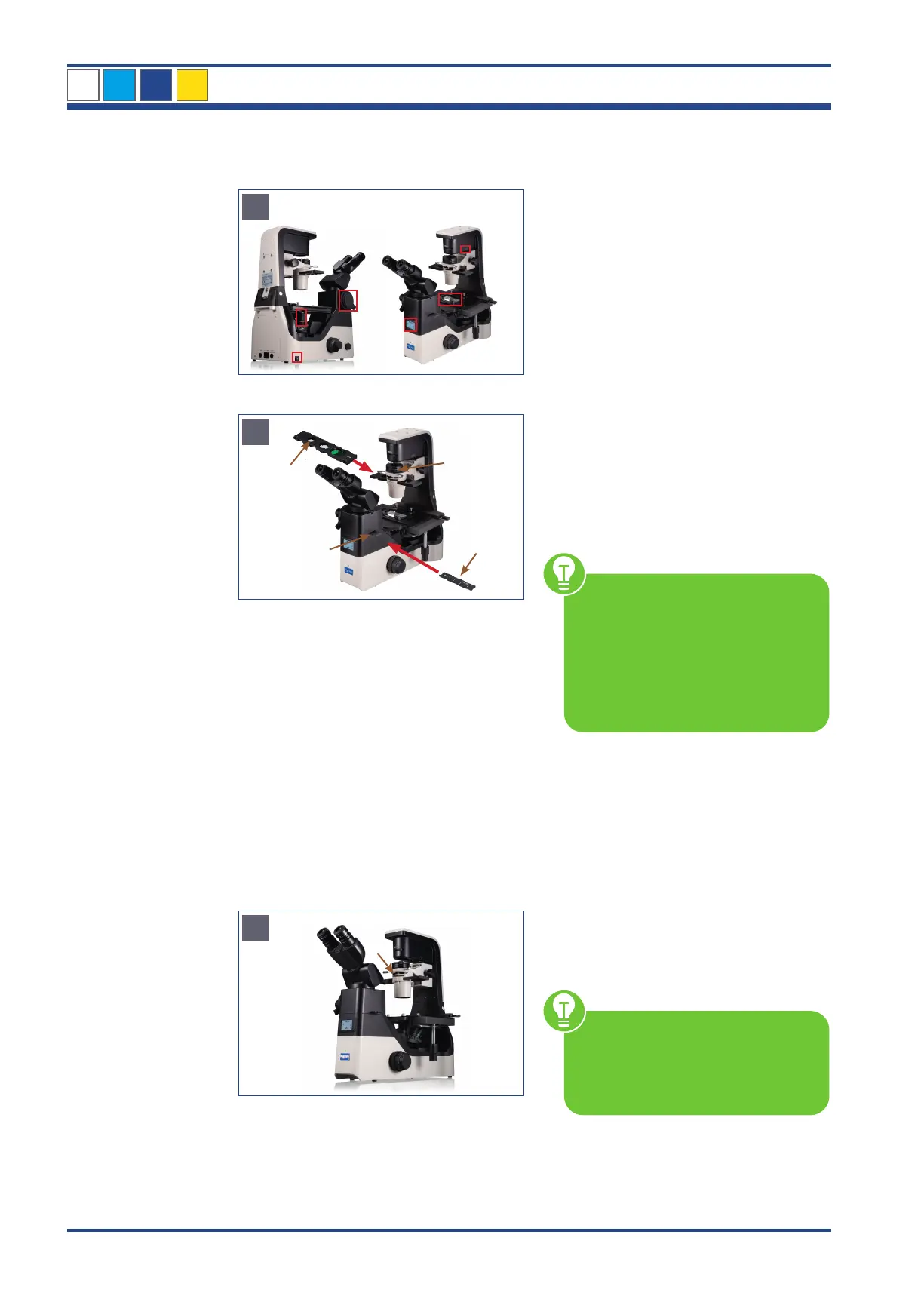
Illustration 61 A: NIB630 - Settings before you start.
B
4
2
3
1
Illustration 61 B: NIB630 - Settings for emboss contrast.
C
5
Illustration 61 C: NIB630 - Observation with emboss contrast.
Before you start...
1. Microscope is switched on
2. Transmitted light ON
3. Changing lever for visual observation/
photo is set to 100% to binocular part
4. Use the transmitted light path shutter
lever to open the shutter.
5. 10x objective is swivelled in
6. Object is in focus
Unit is set in bright field according to
Koehler (see chapter 4.5.)
Settings
Insert the condenser-side emboss contrast
slider (1) into the slot provided on the
condenser.
Set the slider to the sector diaphragm
marked 10-20-40.
• Attaching a CT to the eyepiece
tube enables you to view the
sector diaphragm image.
• Start without the green filter. This
can simply be inserted after the
basic setting.
• Check that there are no additional
filters in the beam path (2).
Remove the placeholder (3) from the right
side of the eyepiece tube. Insert the eyepiece-
tube-side emboss contrast slider (4) into the
beam path. The slider should snap into place
at the position of the same number as the
magnification of the objective.
OBSERVATION
Set the aperture diaphragm lever (5) all
the way to the left so that the aperture of
the condenser is fully opened.
If the aperture diaphragm
is closed, it hinders the sector
diaphragm of the condenser-side
emboss contrast slider and emboss
contrast effects cannot be obtained.
When replacing and observing the spec-
imen, check the focus and the brightness,
and adjust them as necessary.
5
OBSERVATION METHODS



 To Next Page