49
4.3. Start-up and explanation of the components
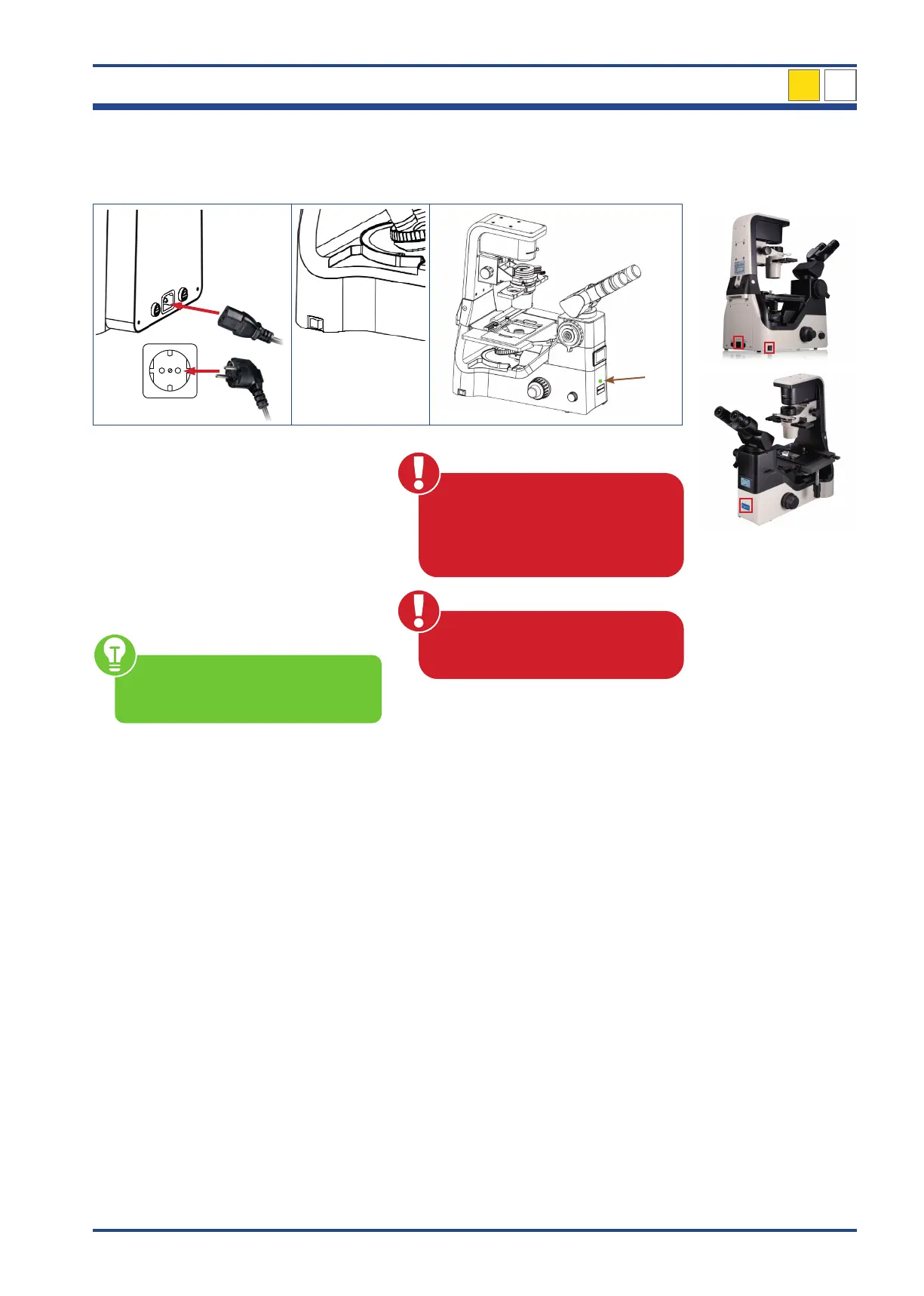
4.3.1. Setting up power supply and commissioning
1
3
4
2
5
6
Illustration 40: NIB630 - Setting up power supply and commissioning.
Connect the cold-device plug (1) to a suitable
mains in (2) on the back of the microscope.
Insert the main power plug (3) into the power
socket (4).
Switch on the device by setting the power
switch (5) to position I on the left side.
The green LED power light (6) on the front
of the microscope indicates commissioning.
Make sure the supplied voltage
matches the instruments specifica-
tions: 100-240 V, 50/60 Hz.
To avoid electric shock, connect
the cold-device plug to a properly
grounded power socket. These cold-
device plug has three-pin plugs to
ensure proper grounding.
Cables and cords are vulnerable
when bent or twisted. Never subject
them to excessive force.
NIB630
4



 To Next Page