will display up to 99 control locations on any single
memory card.
Let’s examine each of these selections and see how to best
use them.
Copy to Camera
Once you’ve transferred a Custom Picture Control from your
memory card to your camera, it will show up in the Shooting
Menu > Set Picture Control menu.
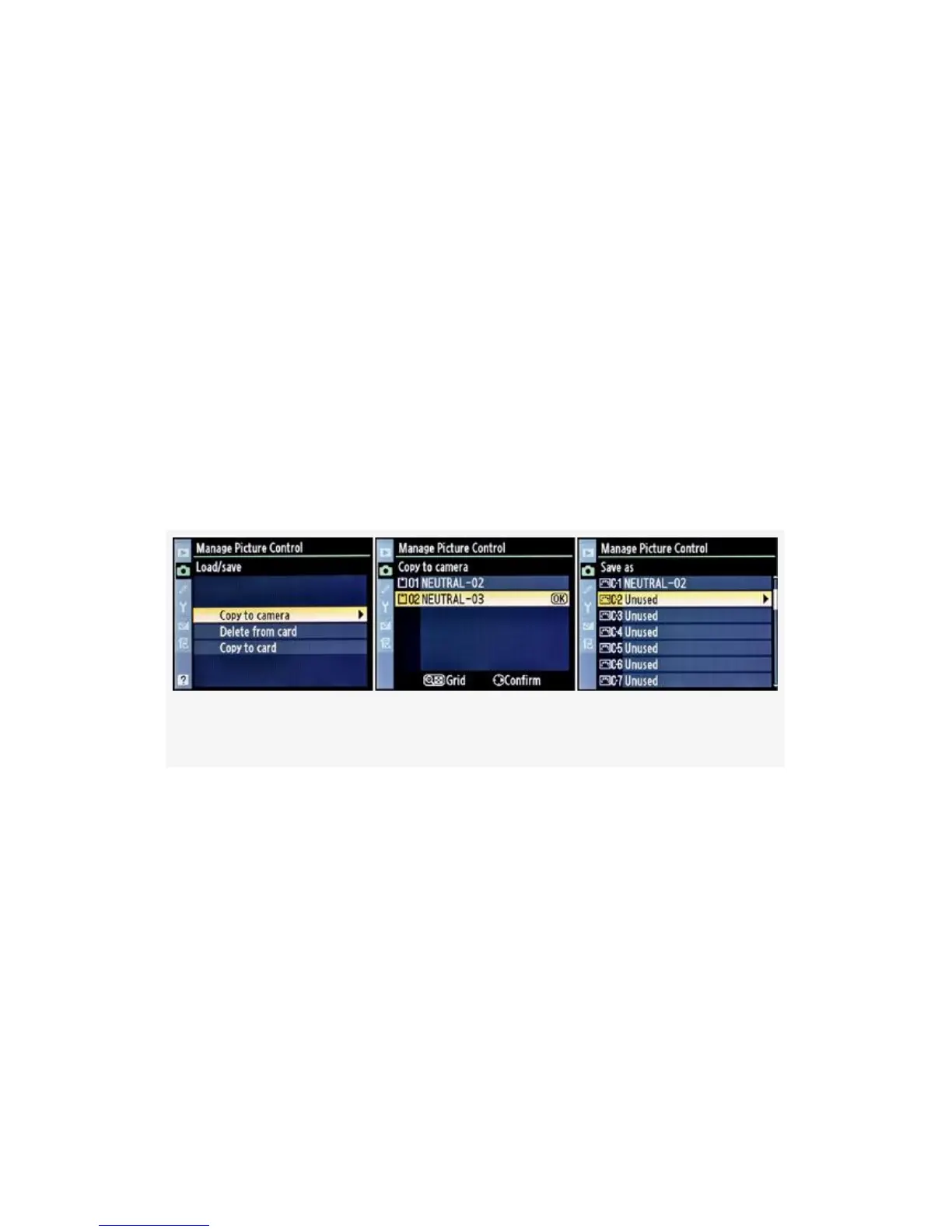
Here are the screens and steps to copy a control from the
memory card to the camera itself (see Figure 3-32):
Figure 3-32. Custom Picture Control – Copy to camera
1. Figure 3-32, image 1 continues from the last screen
shown in Figure 3-31 (Load/save on the Manage Picture
Control menu). Choose Copy to camera and scroll to the
right.
2. You’ll be presented with the list of controls that are
currently on the memory card (see Figure 3-32, image
2). If there are no controls on the memory card, the
camera will display a screen that says, No Picture
Control file found on memory card. Figure 3-32, image
2, shows two controls—NEUTRAL-02 and
182



 To Next Page