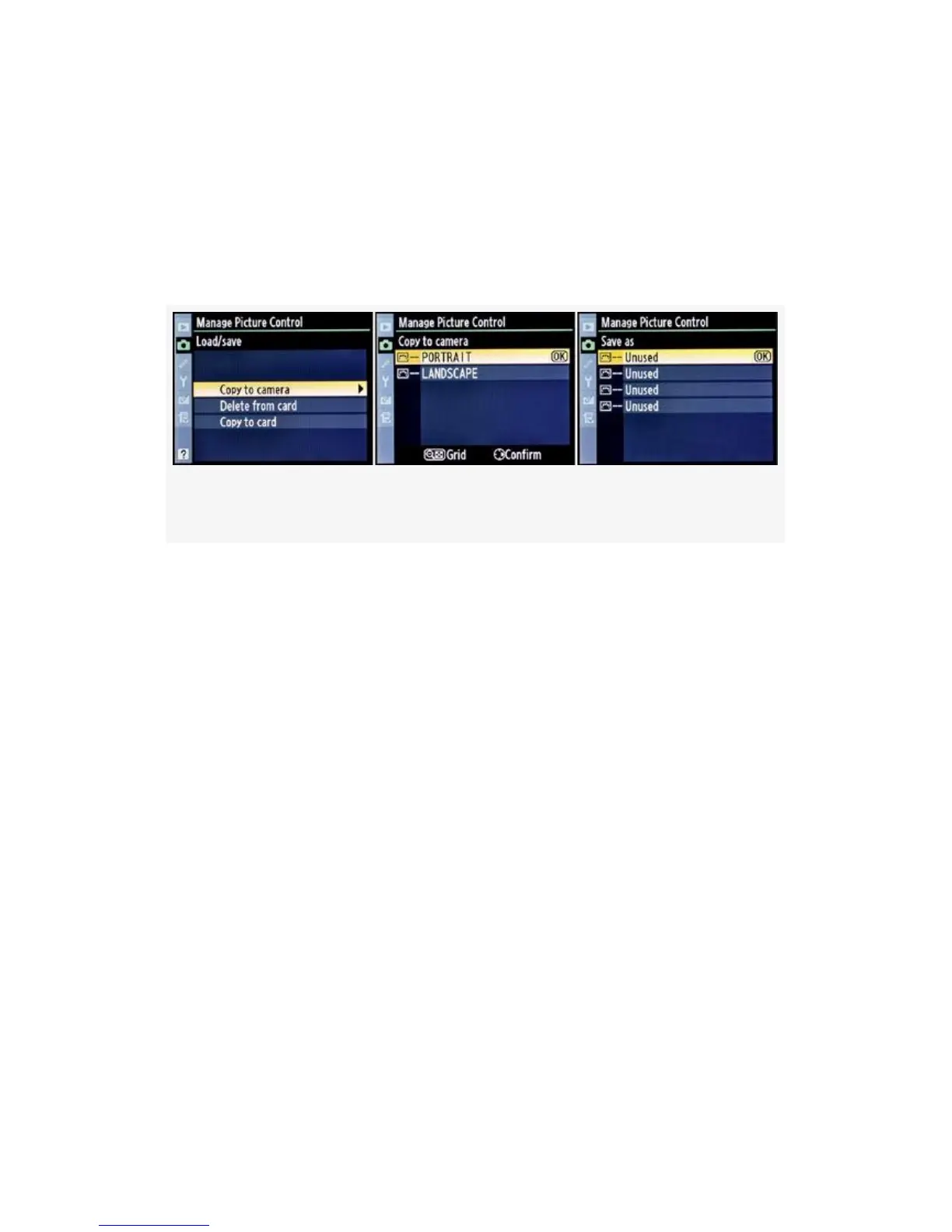
Loading Nikon’s Optional Picture Controls (Portrait and
Landscape) – To test your newfound knowledge of Custom
Picture Control management, why not download Nikon’s
optional Picture Controls and install them in your camera?
Here are the screens and six steps to do so (see Figure 3-34):
Figure 3-34. Loading Nikon’s optional picture controls
1. Download Nikon’s optional PORTRAIT (PT) and
LANDSCAPE (LS) Picture Controls and installation
instructions from the following web addresses:
▪ Get the optional Picture Controls here:
http://nikonimglib.com/opc/
▪ Microsoft Windows Installation Instructions:
http://www.nikonimglib.com/opc/manual/en/
opc_win_en_ABF.html
▪ Apple Macintosh Installation Instructions:
http://www.nikonimglib.com/opc/manual/en/
opc_mac_en_ABF.html
2. The installation instructions that you’ve downloaded will
explain how to get the optional Picture Control files
(ending in .nop) into a folder called NIKON on your
185



 To Next Page