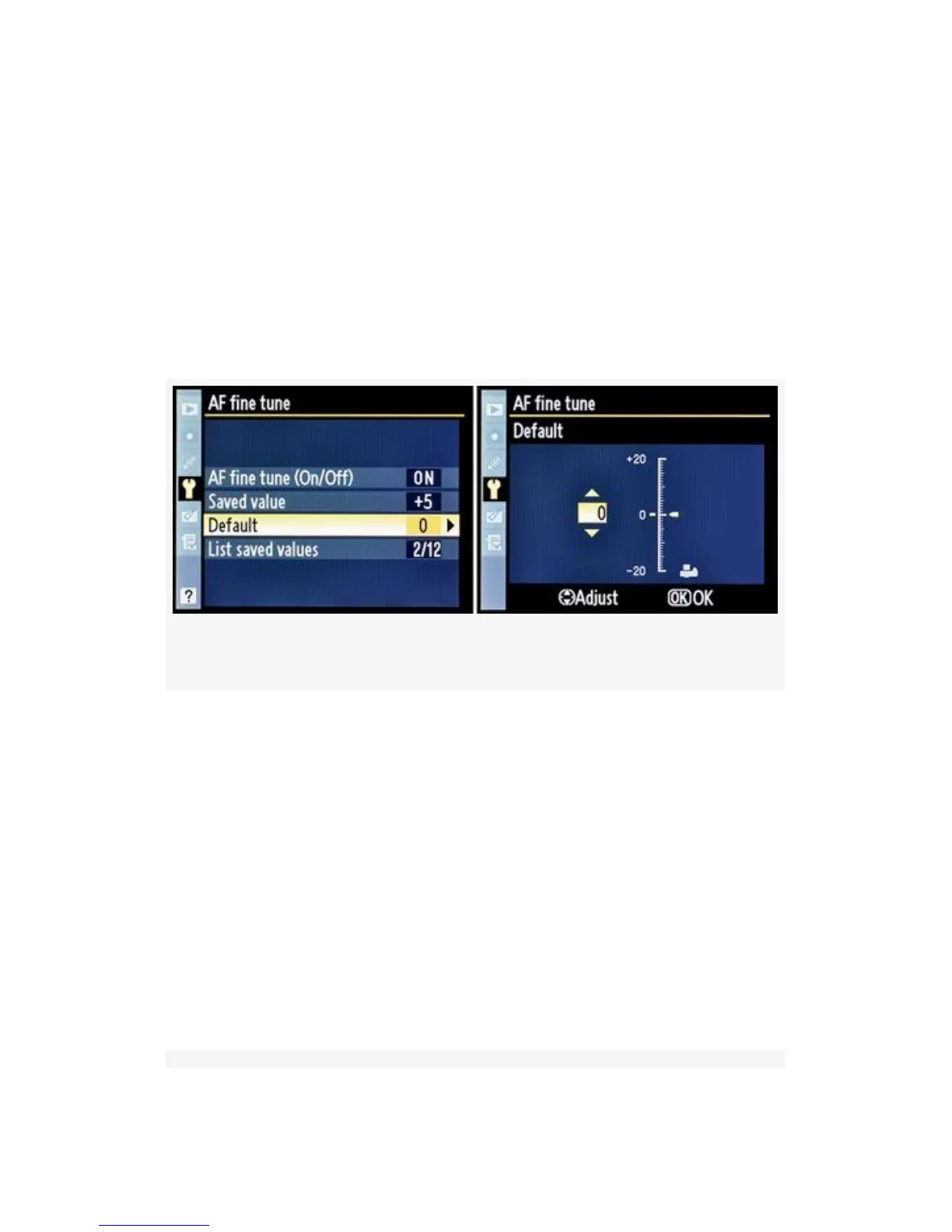
bottom. The yellow pointer starts out at o. You can move this
yellow pointer up or down to change the amount of focus
fine-tuning you want for whatever lens you currently have on
the D300(S) if no value already exists in the Saved value for
the lens. Moving the pointer up on the scale pushes the focal
point away from the camera (front focus), while moving it
down pulls the focal point toward the camera (back focus).
Once you are done, press the OK button.
Figure 5-42. Default configuration screens
It appears to me that you could use this Default value as a
value for any of your AF lenses that do not have a Saved
value. I tested this by setting a Saved value of +1 for my
AF-S Nikkor 18-70mm. While the 18-70 was still mounted, I
also set a value of -2 for the Default value. When I removed
the 18-70mm and mounted an AF Nikkor 60mm micro lens
the +1 in the Saved value field disappeared, but the -2 in the
Default field stayed put. So, it looks like you could use the
Default field either for all AF lenses that have no Saved value
or for a currently mounted AF lens that you want to adjust for
this moment without saving a value.
516



 To Next Page