2. Select Choose start point or Choose end point and scroll
to the right.
3. Choose one of the available movies and then press the
OK button.
4. The selected movie will show up on the Monitor and
await your input. Press the Multi selector center button
to start playing the movie. When you’ve
reached the point at which you want to start or end the
new movie (remove the frames before or after this
point), press up on the Multi Selector, which will pause
the movie.
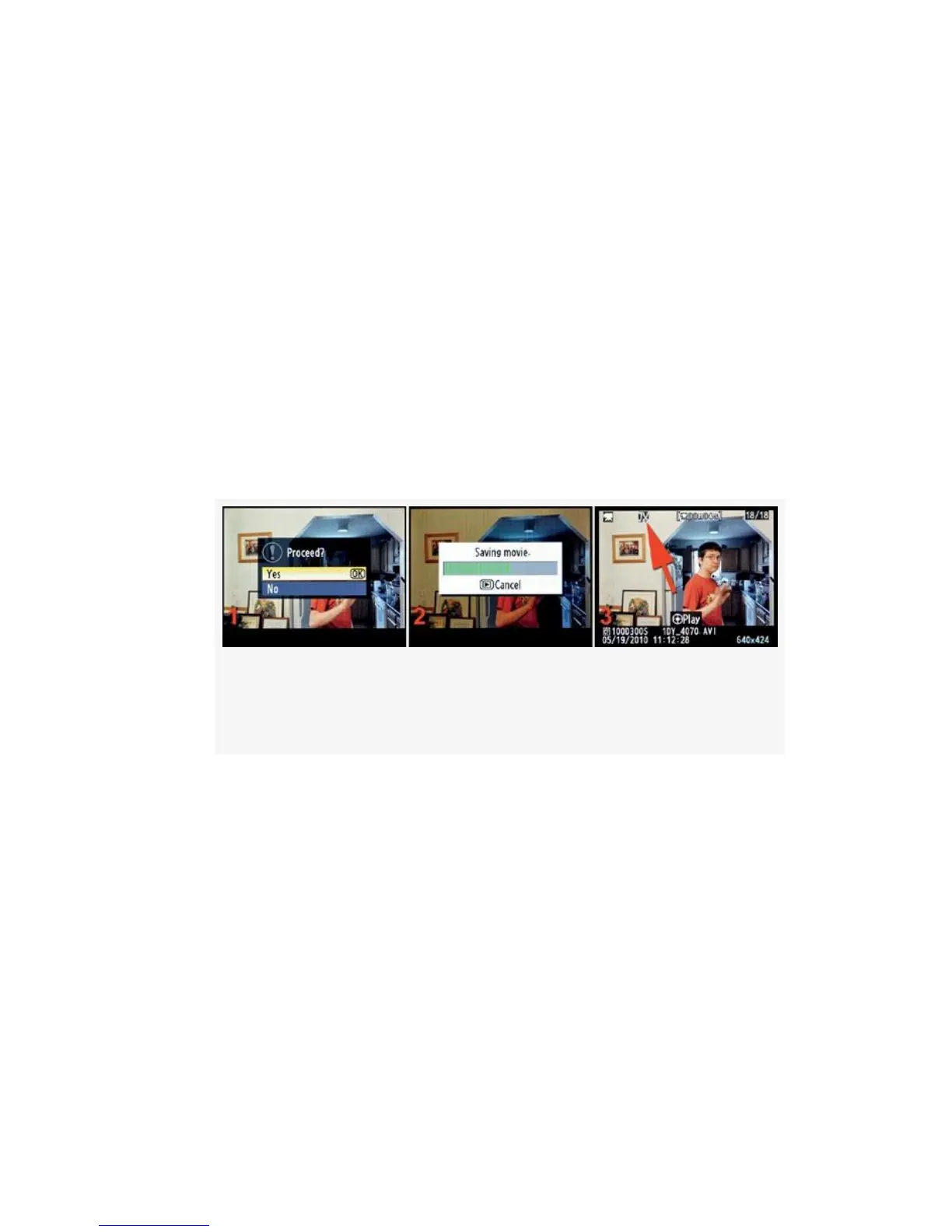
Figure 6-26. Edit movie – Removing the front end of
the movie (making the new start point)
5. A new screen will pop up a second or two after you
pause the movie to allow you to proceed with cutting the
starting or ending frames (see Figure 6-26, image 1). It
asks the question Proceed? Yes/No. Select Yes to
remove all frames up to this new start point. The new,
shorter movie will now be saved (see Figure 6-26, image
2). You’ll briefly see a screen that says Done, and then
the new movie will appear on the Monitor.
6. You’ll simply repeat the above steps for the other end of
the movie (see Figure 6-25). All steps are the same for
562



 To Next Page