shows all the menus available in the D300(S) except My
Menu/Recent Settings (see Figure 7-2, image 2). Let’s
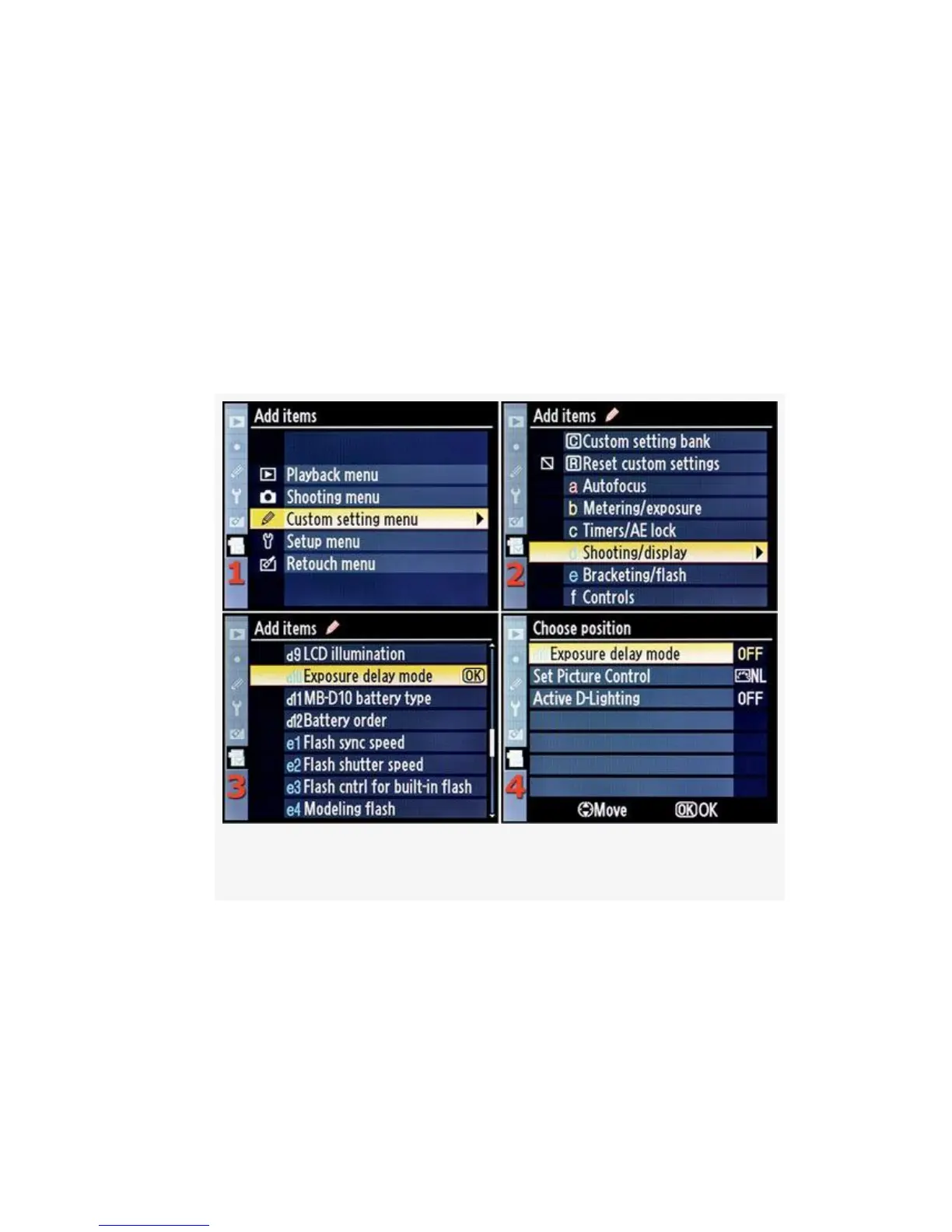
add one of my favorites, the Exposure delay mode
function (see Figure 7-3).
3. Figure 7-3 picks up where Figure 7-2 left off. I’ve
already looked and know that Exposure delay mode is
under the Custom setting menu, so let’s scroll down to it
(see Figure 7-3, image 1), then scroll to the right.
Figure 7-3. Adding Exposure delay mode
4. We now see the Custom setting bank and Custom
Settings a-f (see Figure 7-3, image 2). Scroll down to
Custom Setting d – Shooting/display, and then scroll to
the right so that we can select the actual Custom Setting
we want.
572



 To Next Page