5 Menu Key
128 Total Station NPL-322 Instruction Manual
Searching coordinate records
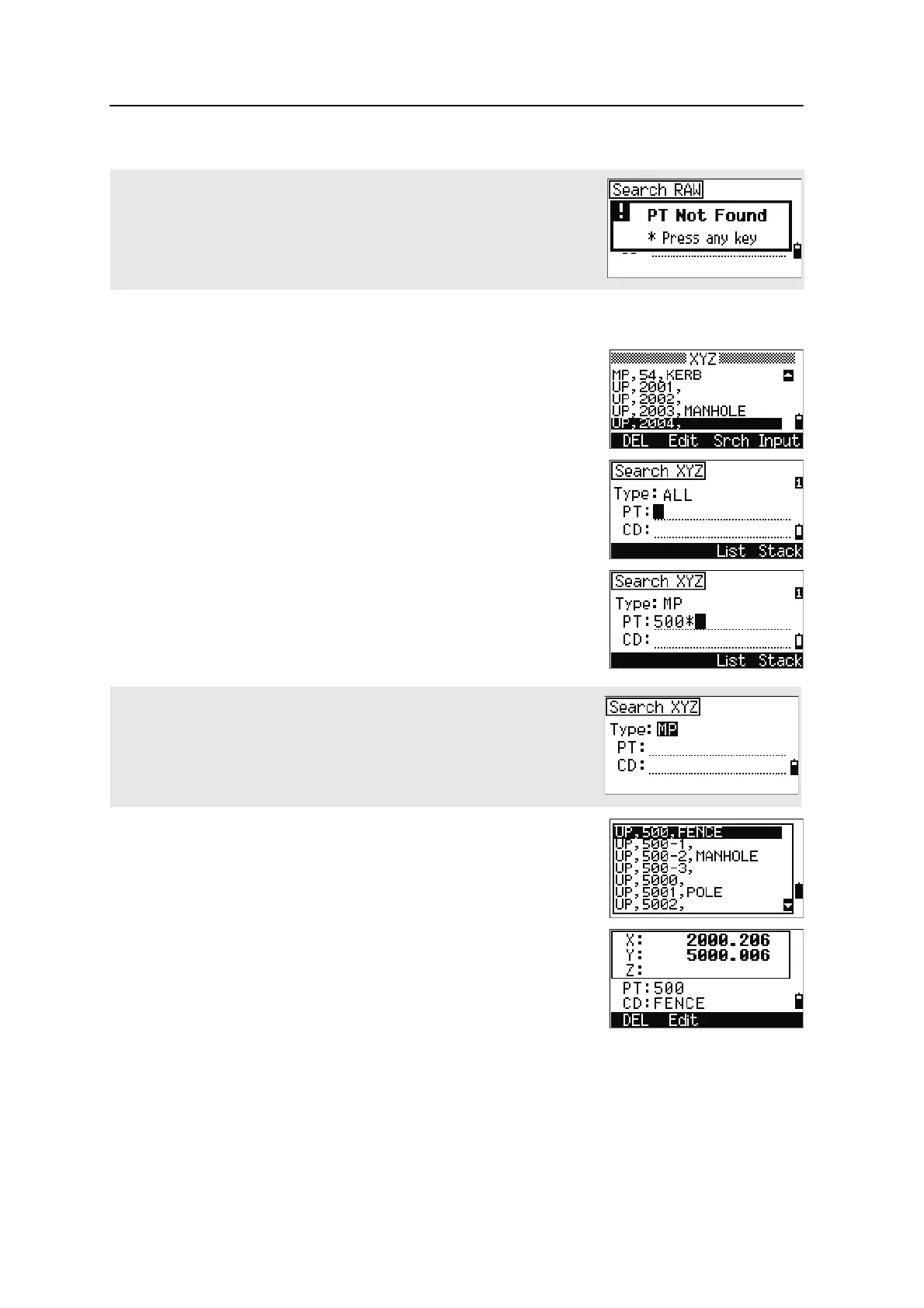
In the XYZ screen, press the
Srch softkey to access
the XYZ data search function.
To find a coordinate by name, enter the name in the PT
field and press
[ENT] twice.
You can use the asterisk (*) as a wildcard. For
example, when you enter
500* in the PT field, the
search matches the points named 500, 500-1, 500-A,
and 5000.
If more than one point matches the search criteria, the
matching points are displayed in a list.
Use
[^] or [v] to highlight the point you want to use. Press
[ENT] to select it.
Detailed data for the selected record appears. Press the
DSP softkey to change the fields shown.
Press
[ESC] to return to the list.
If no point matches the specified criteria, an error screen appears. Press any
key to return to the data screen.
To search by point type, move to the Type field and use [<] or [>] to change the
selected point type. The options are ALL, MP, UP, CC, and RE.



 To Next Page