Total Station NPL-322 Instruction Manual 85
Applications 4
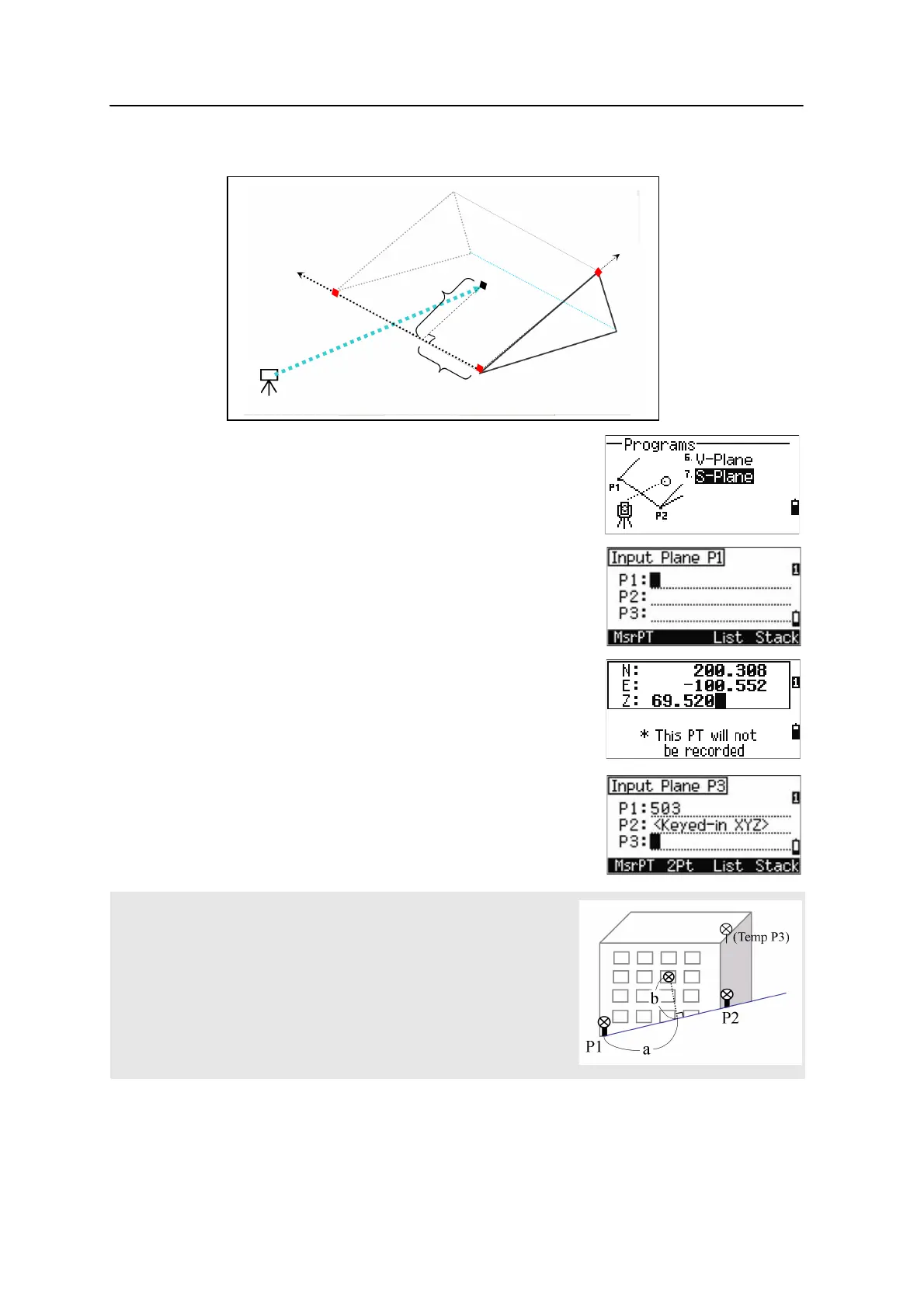
Measuring distance and offset values on the slope
1. To enter the 3-Pt Reference Plane function, press
[7] or select
S-Plane in the Programs menu.
2. Enter three points to define the slope plane. To
enter the point by direct measurement, press the
MSR softkey.
If you press
[ENT] in a blank field, an input screen
for temporary coordinates appears. These
coordinates will not be stored.
When you have entered the temporary
coordinates,
<Keyed-in XYZ> appears
instead of the PT name.
If the plane is defined by two points (by selecting 2Pt), the vertical
plane is the same as the plane used in the V-Pln function, but the
indicating factors are Sta and dZ, not a and b. For more information, see
Measuring distance and offset values on the vertical plane, page 83.
Stn
P2
(X2,Y2,Z2)
P1
(X1,Y1,Z1)
P3
(X3,Y3,Z3)
Ta r ge t
(X,Y,Z)b
a



 To Next Page