Total Station NPL-322 Instruction Manual 137
Menu Key 5
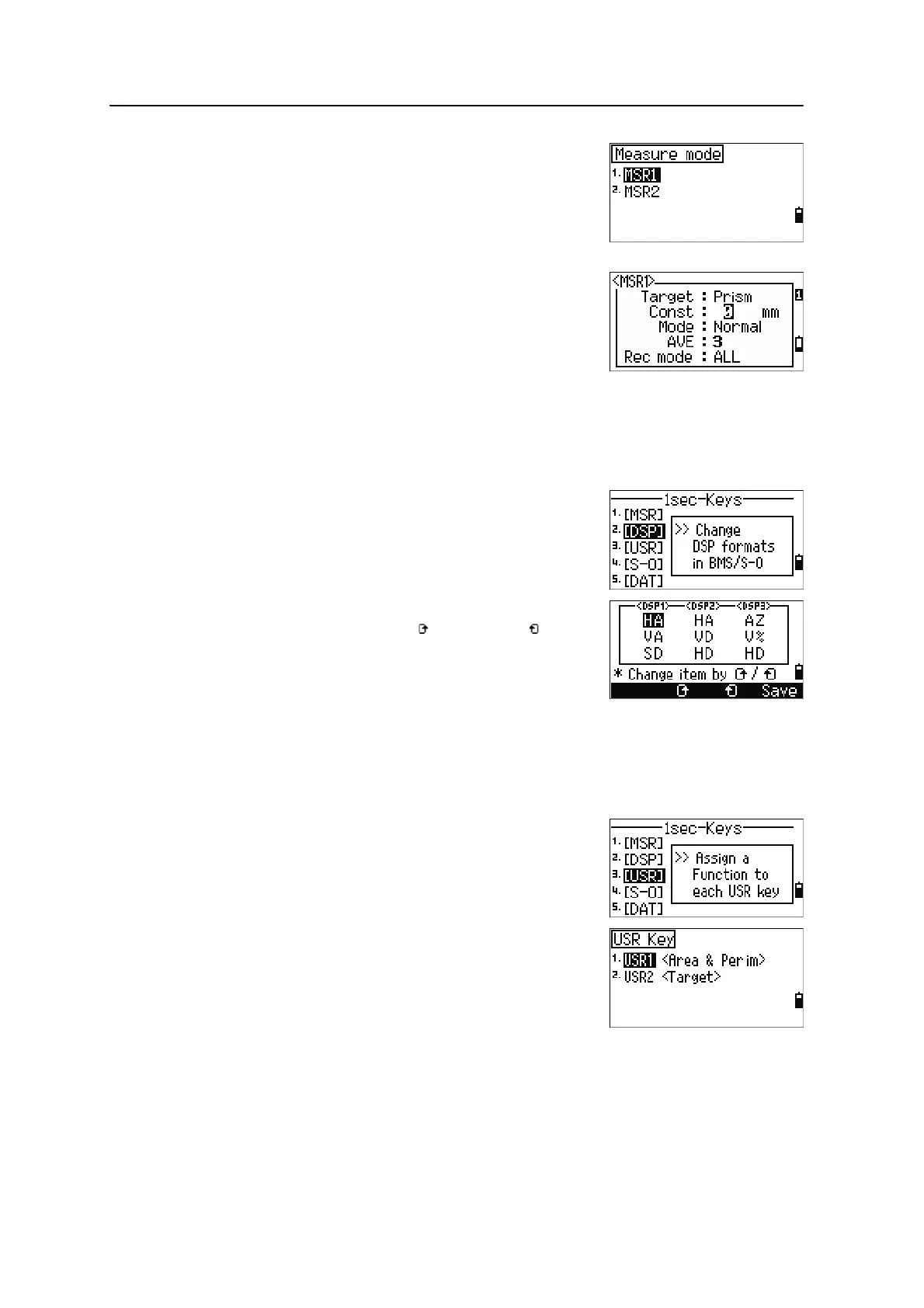
There are two [MSR] keys:
• To change the settings for the [MSR1] key, press [1]
or select
MSR1.
• To change the settings for the [MSR2] key, press [2]
or select
MSR2.
Each
[MSR] key has five settings.
In the Const and AVE fields, use the numeric keys to
enter values. In the other fields, use
[<] or [>] to change
the settings.
B
Tip – You can also access the settings screen by holding down [MSR1] or [MSR2] for one second.
[DSP] key settings
To change the display items in the BMS and in
Stakeout observation screens, press
[2] or select [DSP]
in the 1sec-Keys menu.
To move the cursor, use
[<], [>] , [^], or [v]. To change the
display item, press either the softkey or the softkey.
To save the changes, press
[ENT] at the last line of
<DSP3> or press the
Save softkey.
B
Tip – You can also access the DSP settings screen by holding down [DSP] for one second.
[USR] key settings
To change the functions that are assigned to the [USR1]
and
[USR2] keys, press [3] or select [USR] in the
1sec-Keys menu.
There are two
[USR] keys. The function that is assigned
to each key appears beside the key name.
– To change the settings for the [USR1] key,
press
[1] or select USR1.
– To change the settings for the [USR2] key,
press
[2] or select USR2.



 To Next Page