Total Station NPL-322 Instruction Manual 83
Applications 4
4. Loosen the vertical clamp, and turn the telescope
to aim at an arbitrary point.
The difference in elevation (Vh) appears.
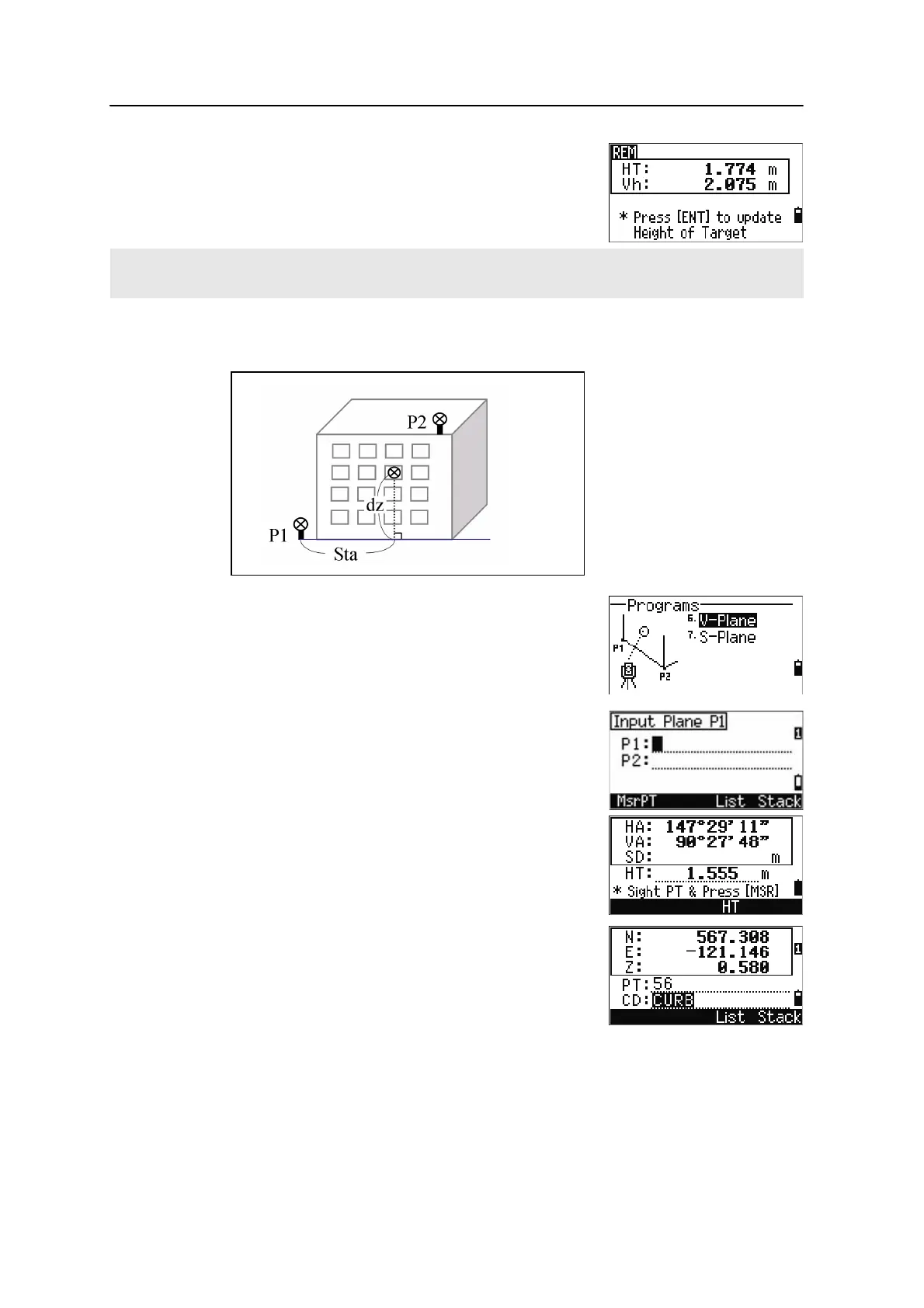
Measuring distance and offset values on the vertical plane
1. To enter the 2-Pt Reference Plane function, press
[6] or select
V-Plane in the Programs menu.
2. Enter two points to define the plane.
To enter the point by direct measurement, press
the
MsrPT softkey.
When you press the
MSR softkey, a temporary
observation screen appears.
3. Press
[MSR1] or [MSR2]. The Record PT screen
appears.
4. Enter a value in the PT and CD fields. Press
[ENT].
You can use an REM measurement to update the height of target. Take a measurement to the prism, sight the
bottom of the prism pole, and press [ENT].



 To Next Page