Total Station NPL-322 Instruction Manual 75
Applications 4
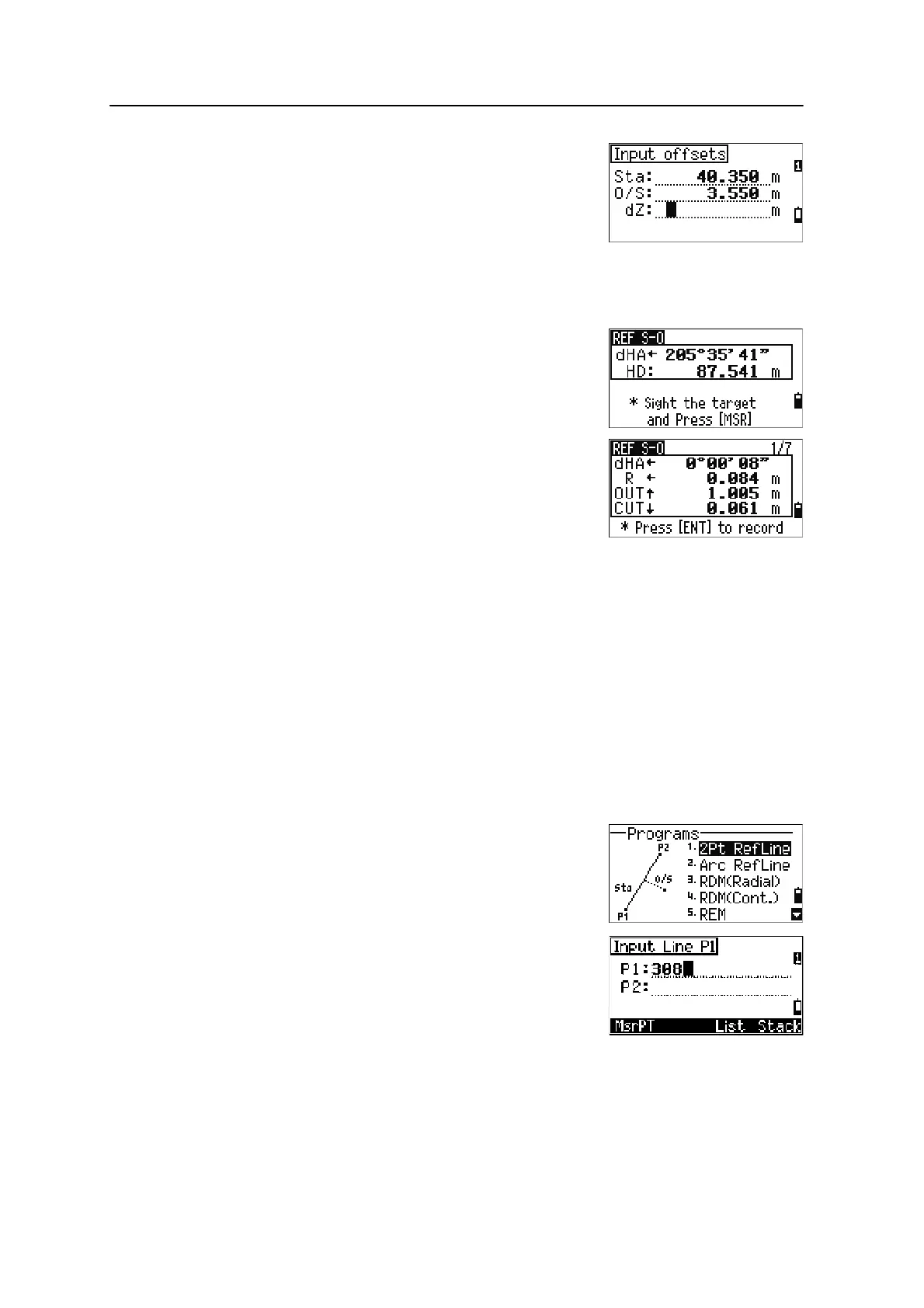
4. Enter offsets to the line.
Press
[ENT] in a blank field to enter the value
0.0000.
5. Rotate the instrument until the dHA is close to
0°00'00".
6. Sight the target and press
[MSR1] or [MSR2].
When a distance measurement is taken, the
difference from the design point appears.
7. To record the point as an SO record, press
[ENT].
Using
[DSP] to switch between display screens
You can use
[DSP] to switch between display screens. This function works as in the
angle-distance stakeout. For more information, see Using [DSP] to switch between
display screens, page 70.
Program Key
To display the Programs menu, press [PRG].
Measuring distance and offset values along a specified line
1. Press [1] or select 2Pt RefLine in the
Programs menu.
2. Enter the first point for the reference line.
Alternatively (to enter the point by measuring),
press the
MsrPT softkey.
Sta Distance from P1 along the line
O/S Distance perpendicular to the line
(+) Right side of the P1-P2 line
(-) Left side of the P1-P2 line
dZ Difference in height from the line



 To Next Page