4 Applications
76 Total Station NPL-322 Instruction Manual
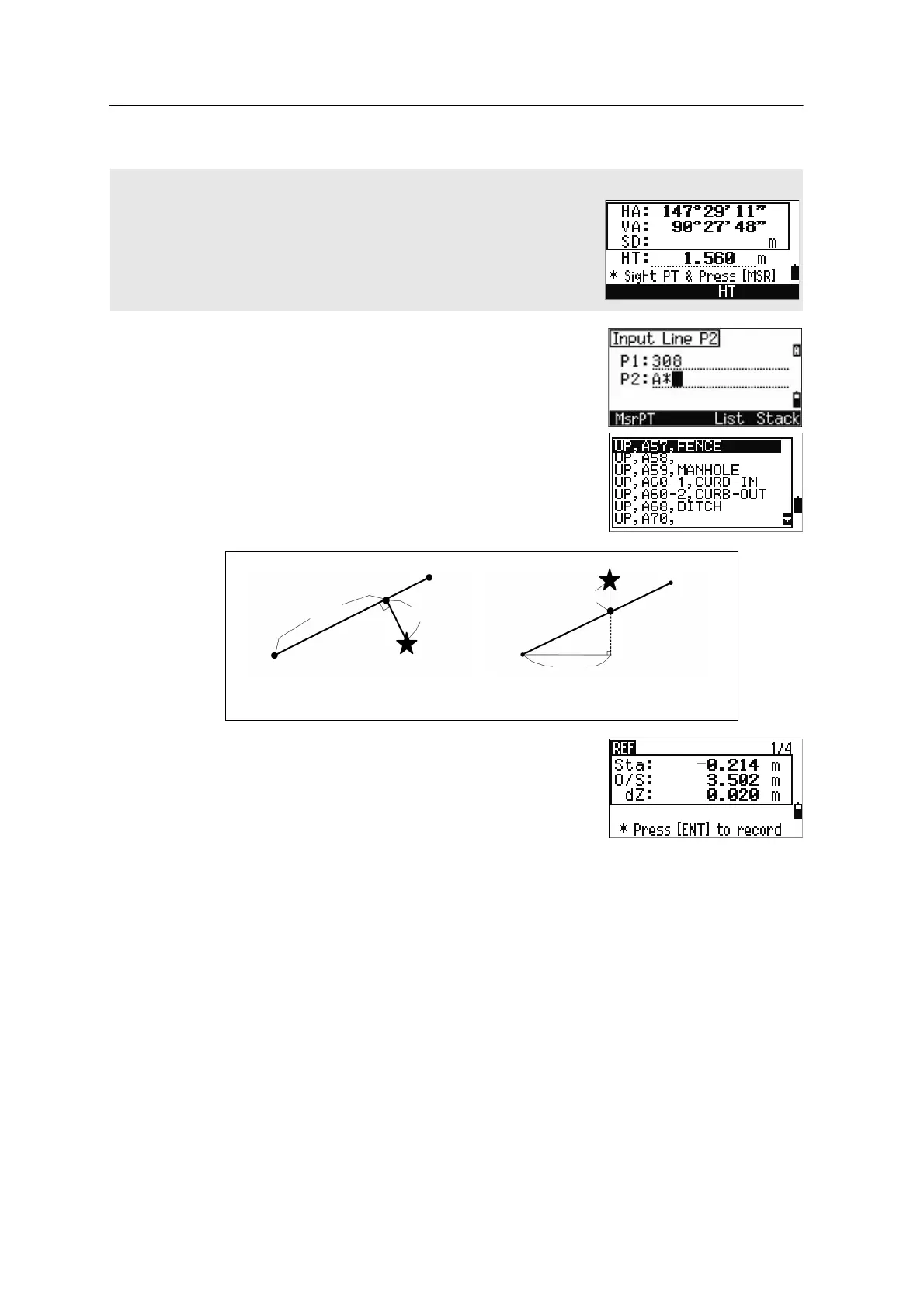
3. Enter the second point for the reference line.
4. Enter an asterisk (*) in the PT field to perform a
wildcard search. A list of matching points
appears. Highlight a point in the list and then
press
[ENT].
5. Sight the prism or reflective sheet and press
[MSR1] or [MSR2]..
Direct Measurement screen
Press the MsrPT softkey to display a direct measurement screen.
Sight the target and press [MSR1] or [MSR2]. The Record PT screen appears.
If you press [ESC] in the Record PT screen, the measured point is used but
not recorded in the job.
Sta Horizontal distance from P1 to the measure point
along the P1-P2 line
O/S Horizontal offset from the P1-P2 line to the
measured point
dZ Vertical offset from the P1-P2 line to the measured
poin
Plain view Side view
PT1
PT2
Sta
O/S
Prism
Prism
PT2
Sta
PT1
dZ



 To Next Page