Total Station NPL-322 Instruction Manual 133
Menu Key 5
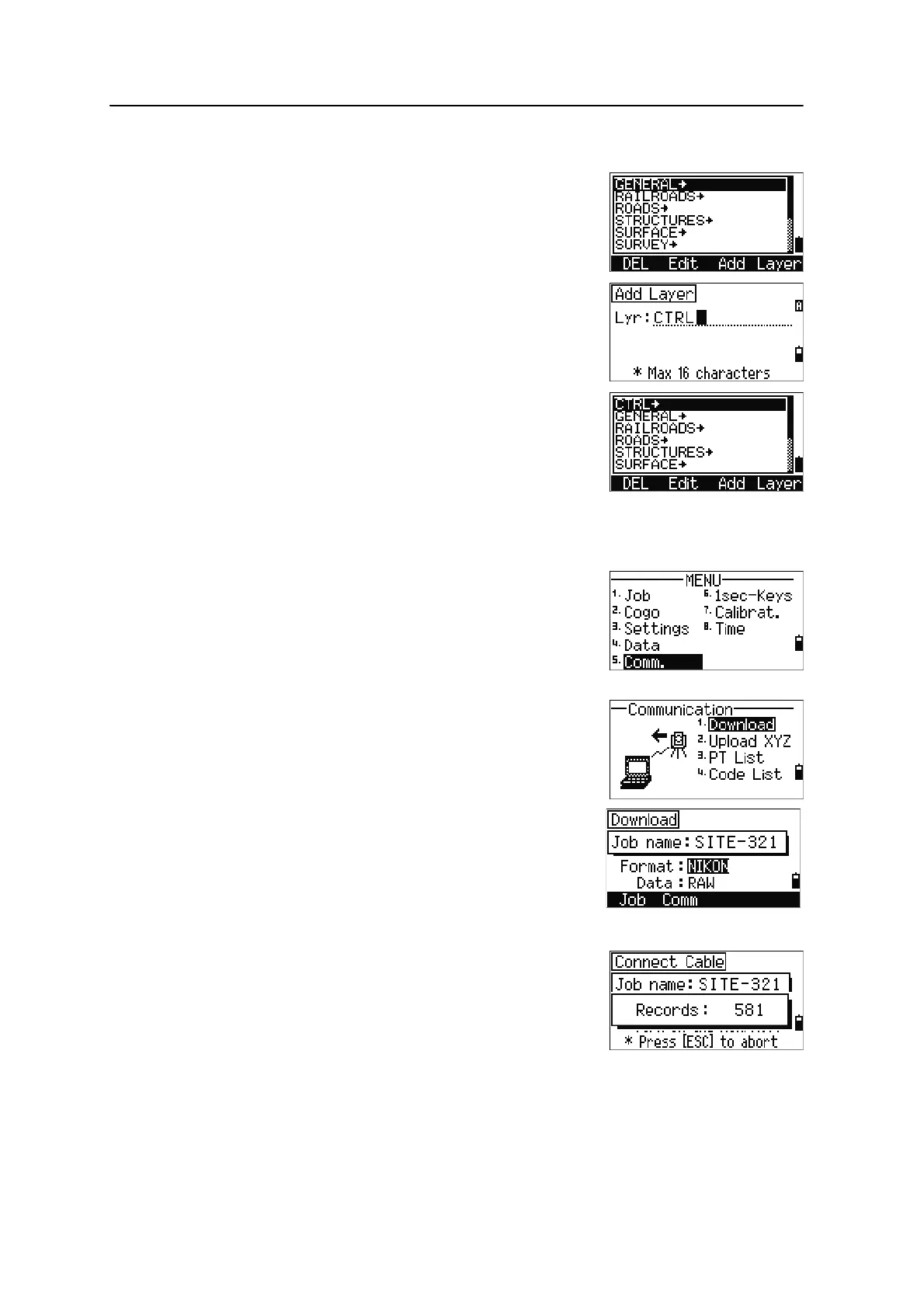
Adding a layer
1. In the point or code list, press the
Layer
softkey.
2. Enter the name of the new layer.
3. To change between alphabetic and numeric input
mode, press
[MODE]. To store the new layer, press
[ENT].
The new layer is added to the list in alphabetic
order.
Communication
Use the Communication menu to download or upload
data. To display the Communication menu, press
[5] or
select
Comm. on the MENU screen.
Downloading data
To go to the download settings screen, press [1] or select
Download in the Communication menu.
Format NIKON
SDR2x
SDR33
Data RAW
Coordinate
To display the total number of records that will be
downloaded, press [ENT] in the Data field.



 To Next Page