Total Station NPL-322 Instruction Manual 71
Applications 4
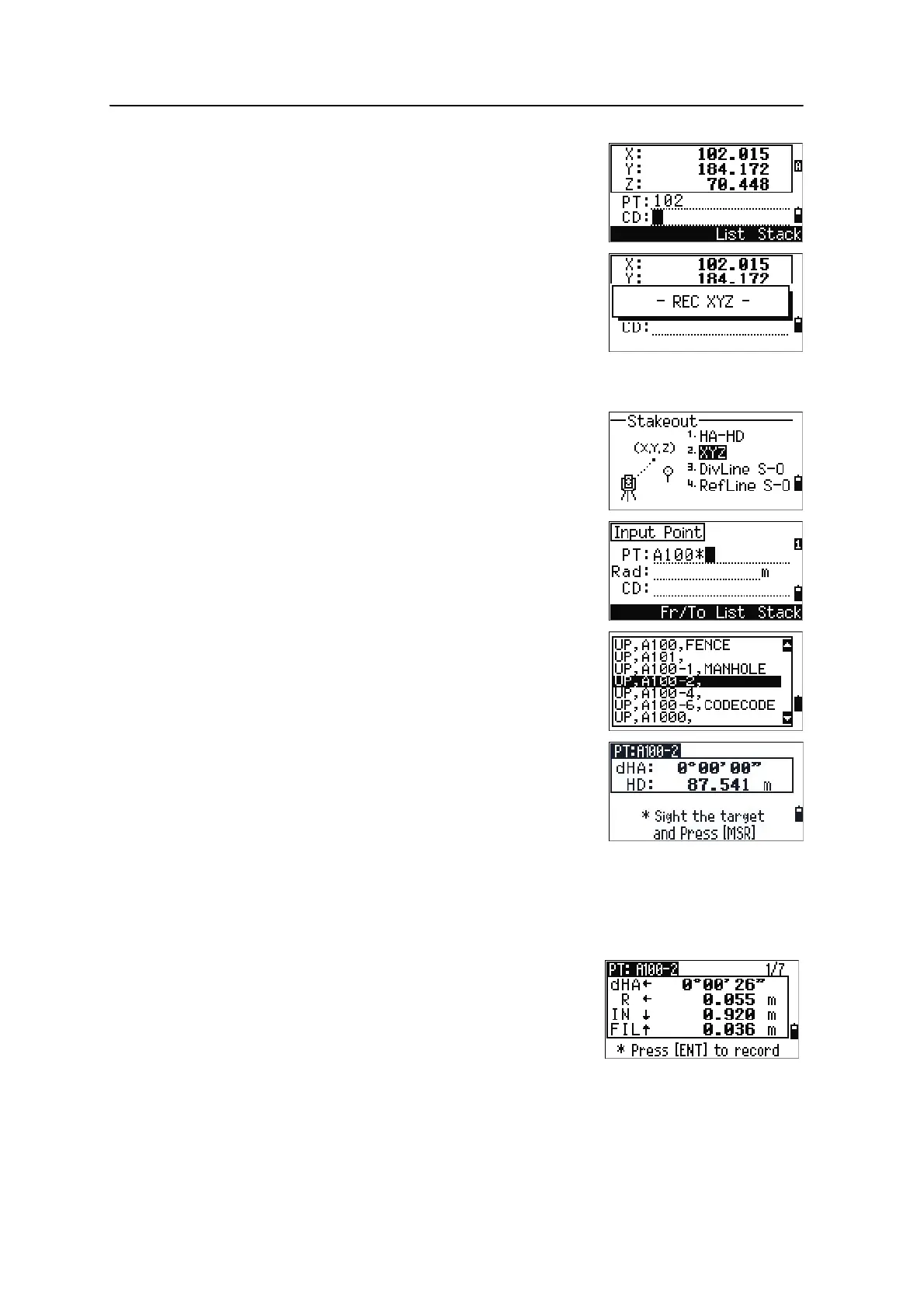
To record the stakeout point, press [ENT]. PT defaults to
the last recorded PT+1.
Press
[ENT] to record the point.
After recording the point, it returns to the observation
screen. You can continue observation, or press
[ESC] to
input another angle and distance for stakeout.
Specifying the stakeout point by coordinates
1. To start a stakeout by coordinates, press [2] or
select
XYZ in the Stakeout menu.
2. Enter the point name that you want to stake and
press
[ENT].
You can also specify the point by code or radius
from the instrument.
If several points are found, they are displayed in
a list. Use
[^] or [v] to move up and down the list.
Use
[<] or [>] to move up or down one page.
3. Highlight a point in the list and press
[ENT].
The delta angle and the distance to the target are
shown.
4. Rotate the instrument until the dHA is close to
0°00'00". Press
[MSR1] or [MSR2].
5. Ask the rodman to adjust the target position.
When the target is on the intended position, the
displayed errors become 0.000 m (or 0.000 ft).
dHA Difference in horizontal angle to the target point
HD Distance to the target point
dHA Difference in horizontal angle to the target point
R/L Right/Left (Lateral error)
IN/OUT In/Out (Longitudinal error)
CUT/FILL Cut/FilL



 To Next Page