Total Station NPL-322 Instruction Manual 61
Applications 4
2. If there is no point name for the BS, press [ENT]
on the BS field.
3. In the AZ field, enter the azimuth angle to the
BS point.
If you press
[ENT] without entering a value in the
AZ field, the azimuth is automatically set to
0°00'00".
4. Sight the BS point and press
[ENT]. ST and F1
records are stored in the job.
You can also use the
F2 softkey for F1/F2
measurements. See Advanced feature:
Measuring F1 and F2, page 60.
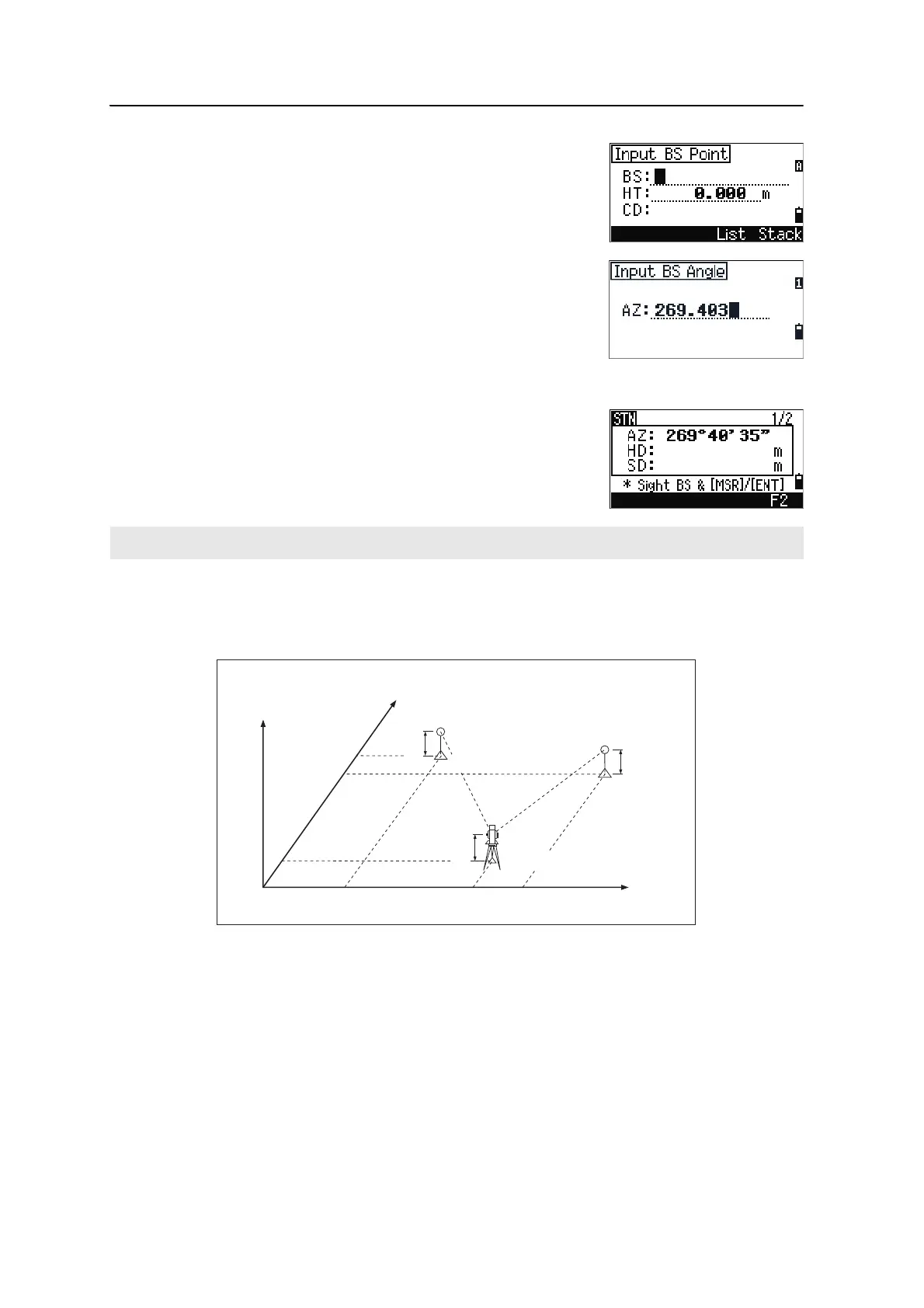
Setting up a station using multiple point resection
A resection sets up the station using angle/distance measurements to known points.
You can use a maximum of 10 points in a resection. Measurements can be distance
and angle, or angle only. Calculation starts automatically when enough measurements
are taken.
The F2 softkey is not available on the NPL-322 5" single face model.
Z
X0
X2
X1
X
Height 1
Height 2
Instrument height
Station point (Xi, Yi, Zi)
Y1 Y0 Y2
Y
Known point 1
(X1, Y1, Z1)
Known point 2
(X2, Y2, Z2)



 To Next Page