Total Station NPL-322 Instruction Manual 73
Applications 4
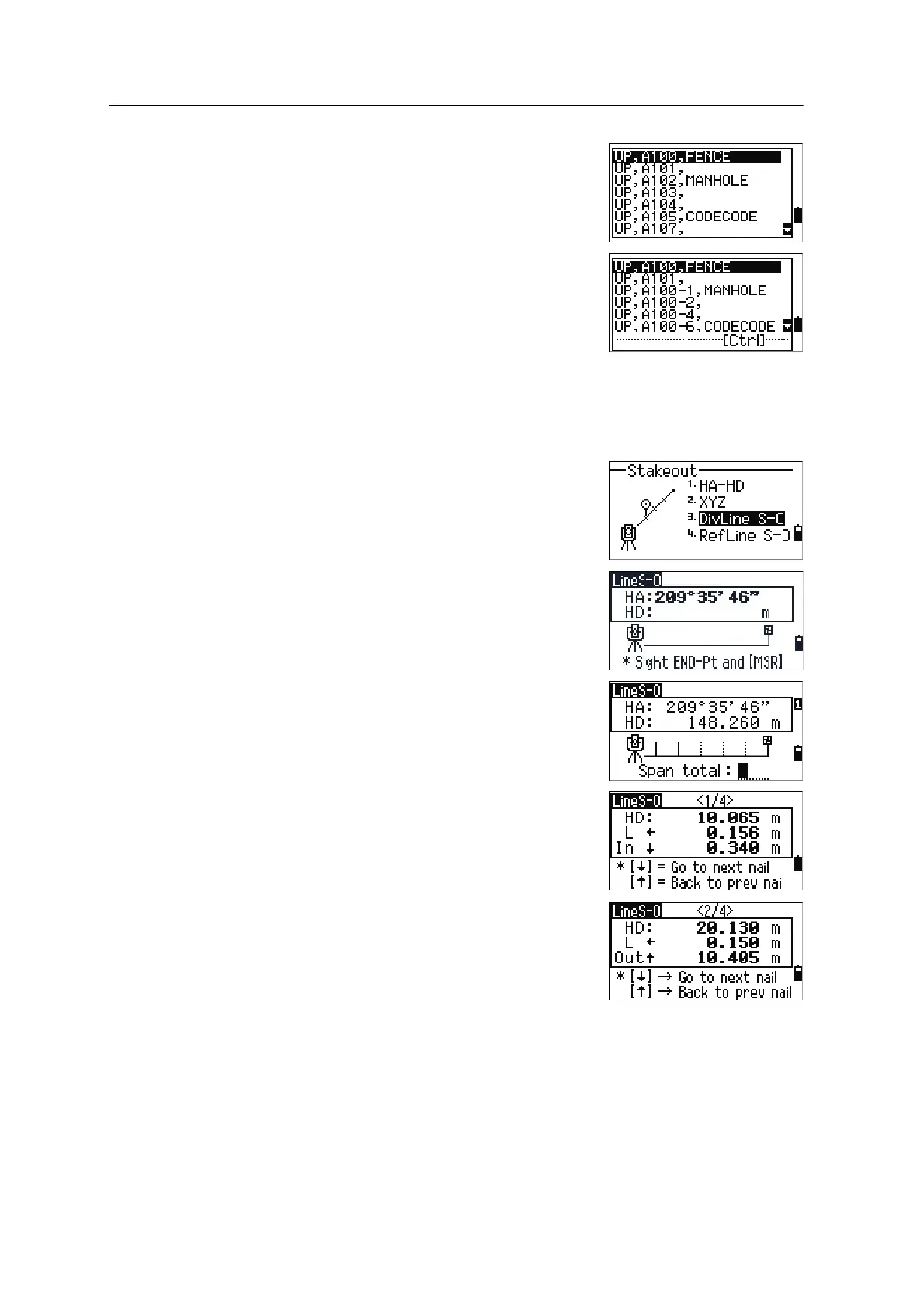
If existing points are found between Fr and To, a
point list appears.
To highlight a point, press
[^] or [v]. To go to the
stakeout observation screen, press
[ENT].
If you have assigned a control job, and
additional points are found in the control job, the
Ctrl softkey appears under the list.
DivLine S-O
This function divides the line between the instrument and the first target by an input
span number. It then guides you to stake out the points, one by one.
1. Press
[3] or select DivLine S-O in the Stakeout
menu.
2. Set up the baseline. To do this, sight the target on
the line (the end point) and press
[MSR1] or [MSR2].
3. Enter the total stake number in the Span total
field.
The observation screen for the first stake (from
the instrument) appears.
4. Sight the prism and press
[MSR1] or [MSR2].
5. Use
[^] or [v] to change the guide point. You can
calculate and guide up to double the number of
the stakes.



 To Next Page