3 Getting Started
52 Total Station NPL-322 Instruction Manual
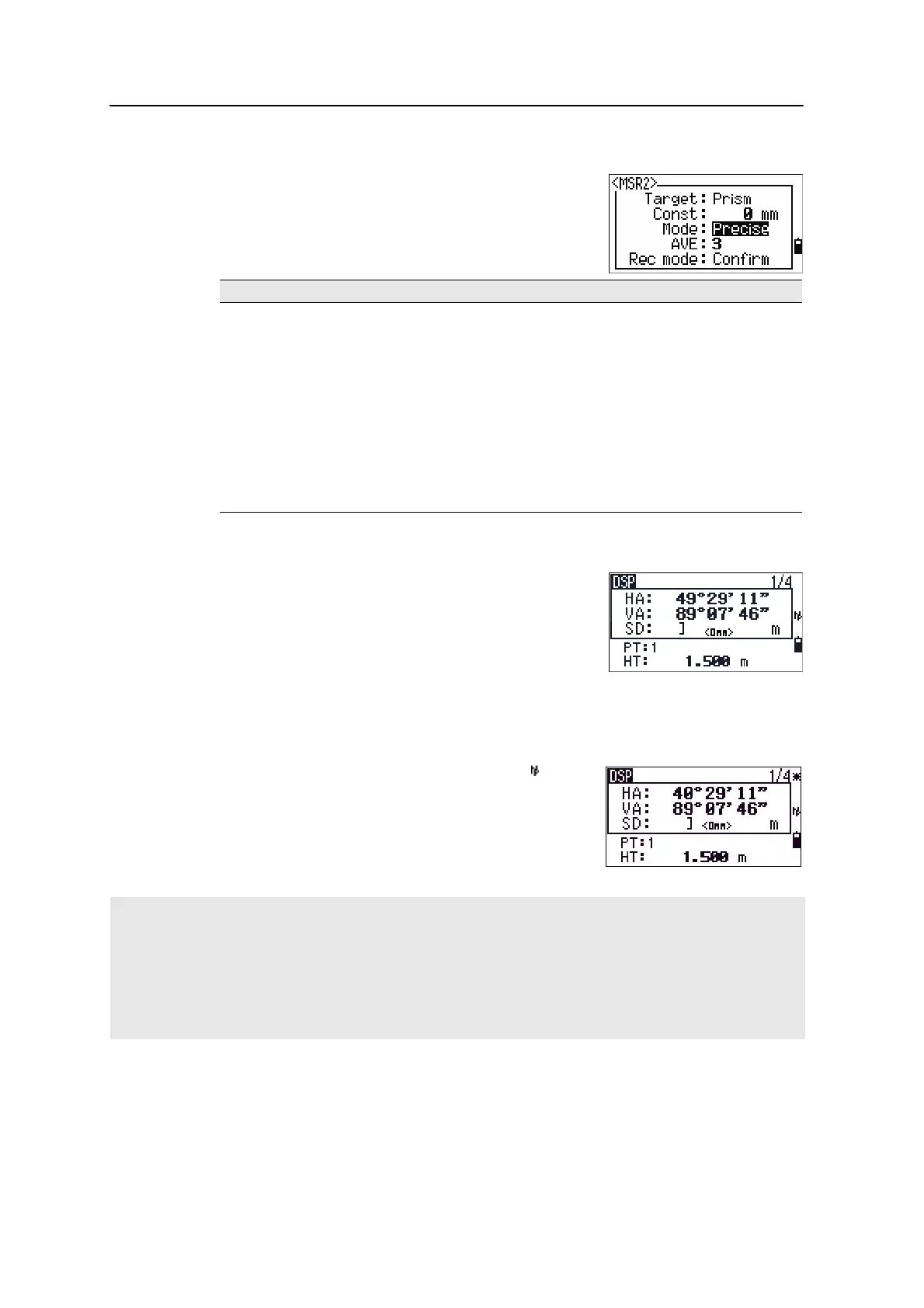
Measurement settings
To view the measurement settings,hold down [MSR1] or
[MSR2] for one second.
Use
[^] or [v] to move the cursor between the fields. Use
[<] or [>] to change the value in the selected field.
Target field
If the measurement is started with the Target field set
to Prism, there is a dash “–” in front of the prism
constant.
If the measurement is started with the Target field set
to N-prism, there is a square bracket “]” in front of the
prism constant.
The symbol then constantly runs from left to right over the prism constant in the
display.
When an N-prism measurement is taken, the icon
appears in the status bar (above the battery icon).
Field Values
Ta r g et • Pr i s m
• N-prism
Const (prism constant) –999 mm through 999 mm
Mode • Precise
•Normal
AVE (Average count) 0 (Continuous) through 99
Rec mode One of the following:
•MSR only
•Confirm
•ALL
Incorrect Target settings may result in measurements outside the precision and intervals specified for the
instrument.
If a prism target is aimed in the N-prism mode, the warning message “Signal High! → Try Prism Mode” will be
displayed because of the excessive light reflection.
A measurement made immediately after changing the target setting may take a longer time than usual.The
Target setting is used to apply better cyclic-error adjustment in distance measurement. It efficiently eliminates
multipath reflection.


 To Next Page