Total Station NPL-322 Instruction Manual 129
Menu Key 5
Entering coordinates
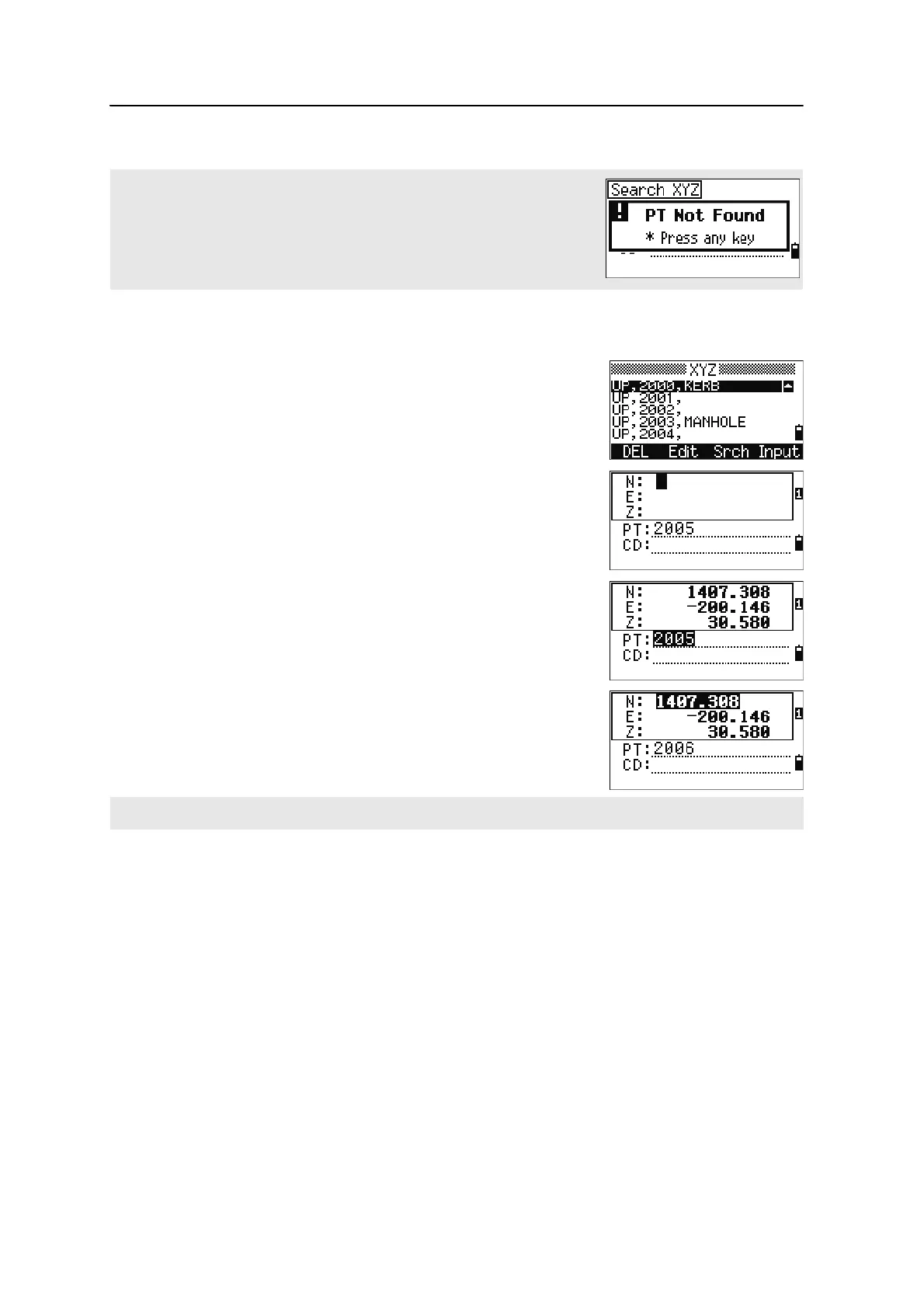
In the XYZ screen, press the Input softkey to display
a new input point screen.
The PT field defaults to the last recorded PT + 1, but
you can change the value shown.
Enter the PT and CD and then press
[ENT] to enter
coordinates.
Use the numeric keys to enter the coordinates. Press
[ENT] or [v] in each field to move to the next field.
When you press
[ENT] in the CD field, the point is stored
as an MP record.
After you have recording a point, the next point input
screen is shown with the updated default PT.
Point name list and code list
The instrument stores two list files: a list of PT names and a list of CD names. The
structure and functionality of these files is the same.
• The PT name list is useful if you have to handle more than one patterns of
point names in the field. For example, you may need to use points named 1, 2,
3 …, as well as points named A1, A2, A3 ….
• The code list is a prepared list of feature codes. You can use it to store your
own codes.
If no point matches the specified criteria, an error screen appears. Press any
key to return to the data screen.
You can record NE, NEZ, or Z-only data to the database.



 To Next Page