2 Preparation
12 Total Station NPL-322 Instruction Manual
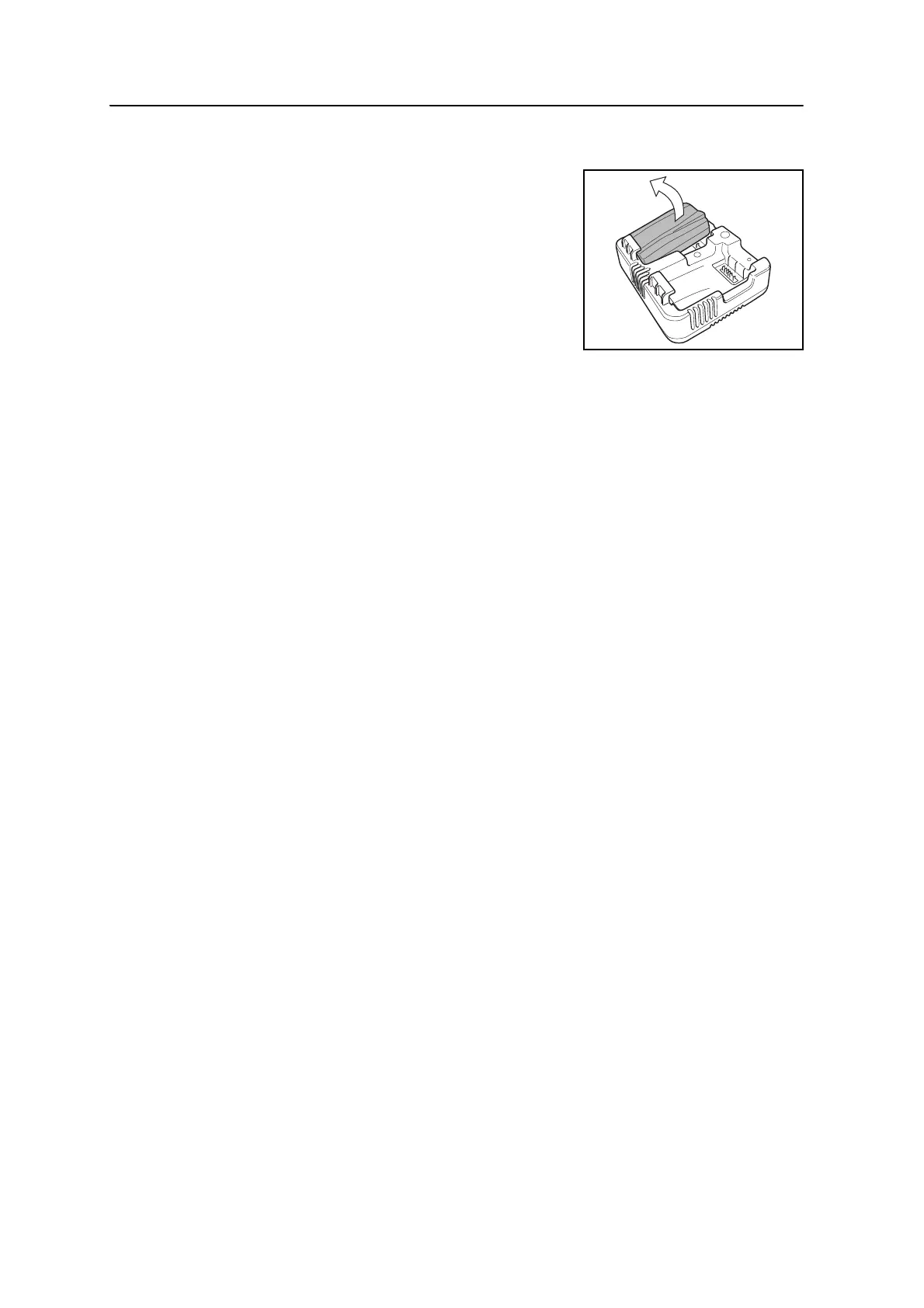
Removing a battery from the battery slot
1. Pull up the battery.
Conditioning / calibrating a battery
• Battery calibration is necessary about once every 6 months or more often if
desired. Calibration insures the reported battery charge remaining is accurate.
• Hold down the calibration button on the unit and then insert a battery while
holding the calibration button to begin a battery calibration. Only the battery
which was inserted while the button was depressed will begin calibration.
During a battery calibration the battery will be charged, discharged completely,
and then recharged before finishing. Calibration should complete in roughly 17
hours and the charger vents should not be covered during a calibration cycle.
• The blue calibration indicator light(s) will blink slowly (on 1.5 sec, off 2 sec)
while a calibration is in progress and the charge light(s) may be on or off
during the calibration cycle.
• When a calibration cycle is completed, the calibration light will stop blinking
remain on until the corresponding battery is removed.
• The bottom case temperature may continue to climb up to approximately 43 °C
before temperature regulation is enabled to keep the case from getting warmer.
As the battery voltage drops, the case will cool down and the automatic
temperature limiting will no longer be necessary which minimizes the time it
takes to discharge a battery.
• If the case temperature continues to get too hot internally even after
temperature regulation is enabled, there is a secondary failsafe which will abort
the calibration completely. If an abort occurs, the calibration light(s) will blink
rapidly and battery charging will be re-enabled.


 To Next Page