Total Station NPL-322 Instruction Manual 31
Getting Started 3
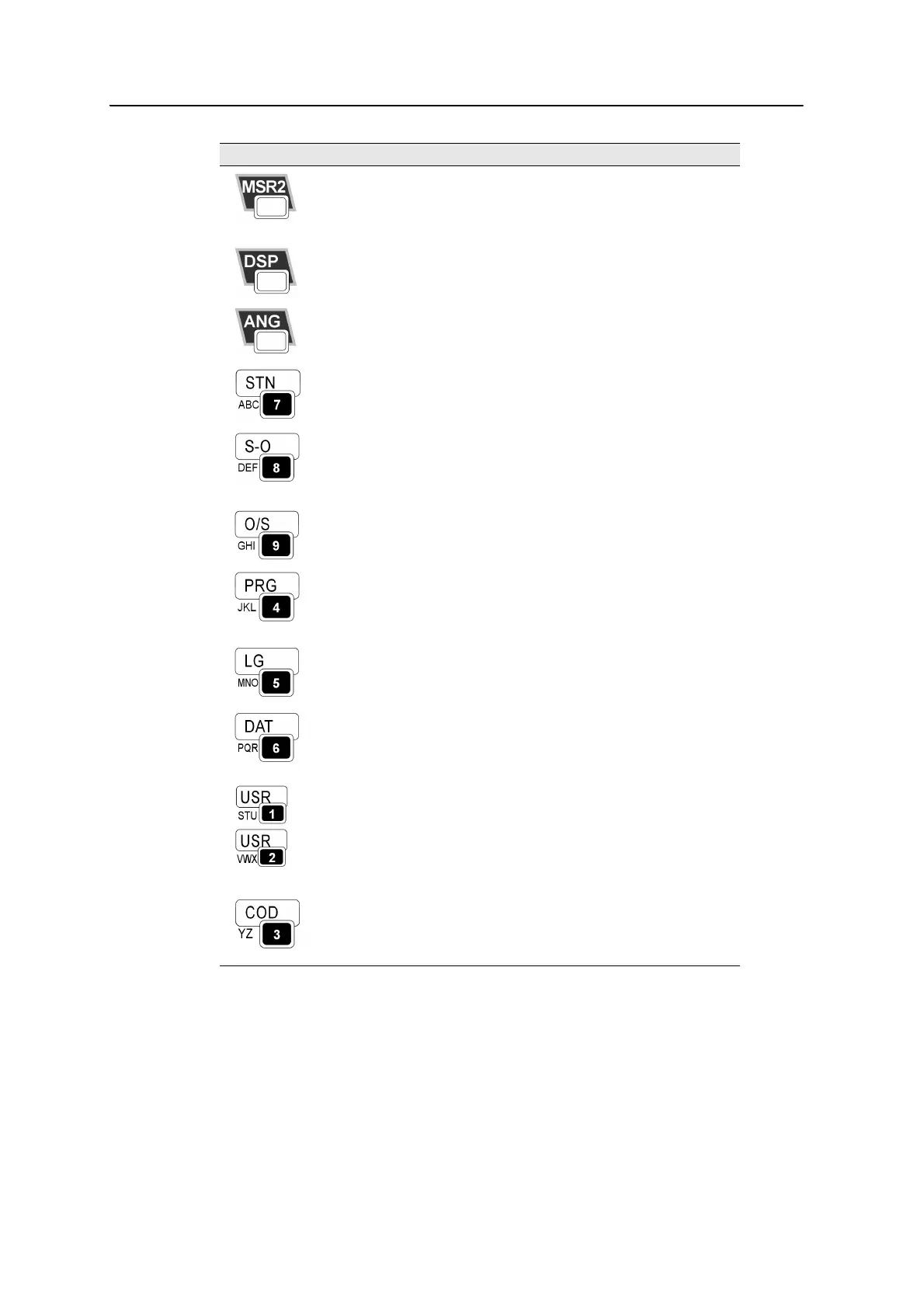
Starts distance measurement, using the measure mode
settings for the
[MSR2] key.
Displays measurement mode settings, if held down for one
second.
page 50
Moves to the next available display screen.
Changes the fields that appear on the DSP1, DSP2, and
DSP3 screens, if held down for one second.
page 52
Displays the Angle menu. page 56
Displays the Station Setup menu.
In numeric mode, enters 7. In alphanumeric mode, enters
A, B, C, or 7.
page 58
Displays the Stakeout menu.
Shows stakeout settings, if held down for one second.
In numeric mode, enters 8. In alphanumeric mode, enters
D, E, F, or 8.
page 69
Displays the Offset Point Measurement menu.
In numeric mode, enters 9. In alphanumeric mode, enters
G, H, I, or 9.
page 88
Displays the Programs menu, which contains additional
measuring programs.
In numeric mode, enters 4. In alphanumeric mode, enters
J, K, L, or 4.
page 75
In numeric mode, enters 5. In alphanumeric mode, enters
M, N, O, or 5.
Displays RAW, XYZ, or STN data, depending on your
setting.
In numeric mode, enters 6. In alphanumeric mode, enters
P, Q, R, or 6.
page 41
Executes the function that is assigned to the
[USR1] key.
In numeric mode, enters 1. In alphanumeric mode, enters
S, T, U, or 1.
Executes the function that is assigned to the
[USR2] key.
In numeric mode, enters 2. In alphanumeric mode, enters
V, W, X, or 2.
page 40
Opens a window where you can enter a code. The default
code value is the last code entered.
In numeric mode, enters 3. In alphanumeric mode, enters
Y, Z, a space, or 3.
page 37
Key Function Details



 To Next Page