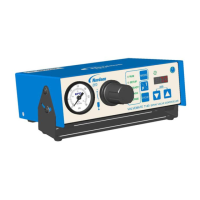
PICO Toµch Controller
16 www.nordsonefd.com info@nordsonefd.com 800-556-3484 Sales and service of Nordson EFD dispensing systems are available worldwide.
User Interface (continued)
Entering Values
A numeric or alphanumeric keypad appears whenever data entry is required, such as for password entry.
Example of a numeric data entry screen
Current field name
Current field value
OK (check)
Press to submit the
current eld value
CLR
Press to clear the
current eld value
CANCEL
Press to discard any entered data
and return to the previous screen
BACKSPACE
Press to delete one
character.
INCREMENT (+) or
DECREMENT (-)
Press to increase
or decrease in the
current eld value
(increments vary based
on the setting being
modied).
Example of an alphabetic data entry screen
NUMERIC ENTRY
Press to change to
the number keypad
UNDERSCORE



 To Next Page
 Loading...