A-42
StatStrip Glucose Hospital Meter
A.9.4 WiFi Radio Option Operation
Prior to enabling the WiFi radio, an appropriate radio setup
packet, as a component of the
StatStrip Glucose Hospital
Meter with wireless option
conguration,mustbedownloaded
to the meter via the device manager. See Section 1.10 of this
manualformeterassignmentandconguration.Thecongu-
ration of the
StatStrip Glucose Hospital Meter with wireless
option
can only be accomplished through the device manager
by a Trained Nova Biomedical Service Representative, or an
authorized and trained system administrator.
WARNING: If you suspect that the meter’s wireless radio
may be interfering with other nearby devices, or if
other devices may be interfering with the meter,
discontinue the use of the meter and remove it from
the patient care area. Nova Biomedical recommends
you contact your local Information Technology Sup-
port for assistance in determining the problem and
the appropriate resolution.
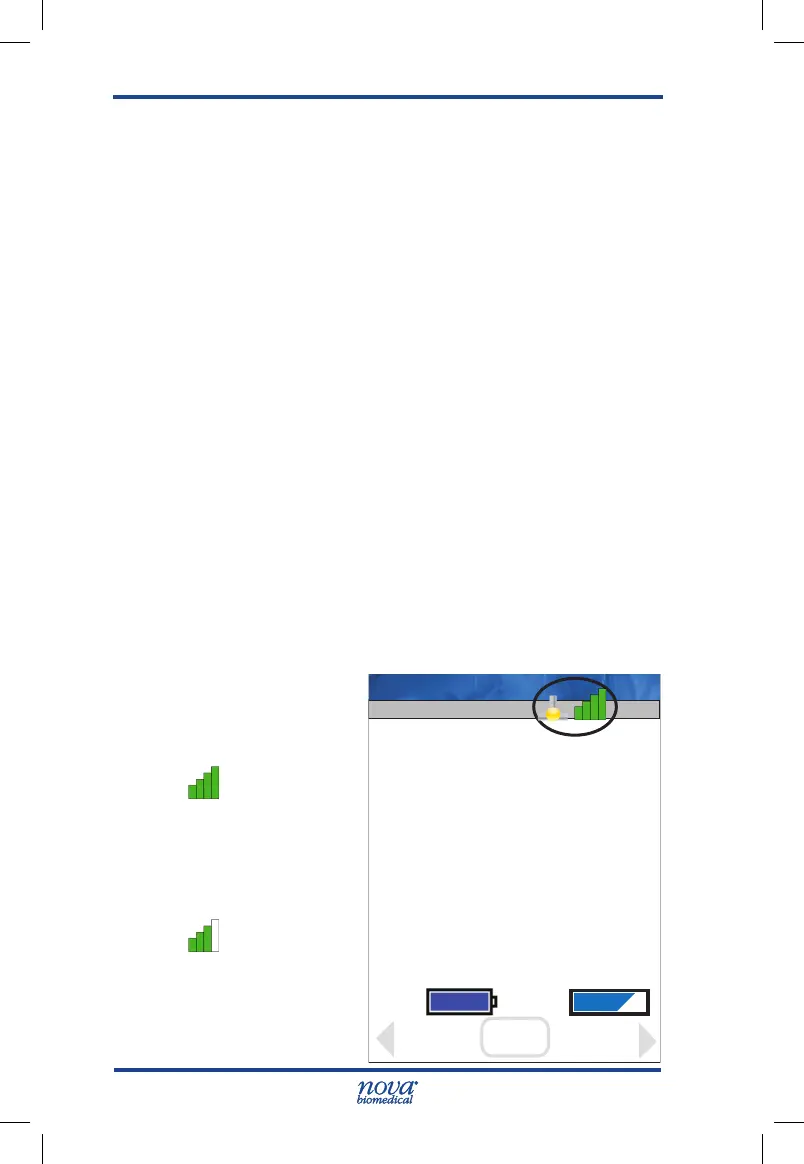
Radio and Network Connection status on meters equipped
with the wireless option is displayed via icons on the Screen
Title Bar.
Radio status is dis-
played as follows:
Radio is ON
and connect-
ed to the WAP
with the stron-
gest signal
strength.
Radio is ON
and connected
to the WAP with
approximate-
ly 3/4 signal
strength.
13:42
Name: Meter
OK
Meter
Batt: Mem:
Review
Login
Press OK to begin testing
location: Your Location
Facility: Your Facility
View
Setup
StatStrip Glu IFU 1.86 PN55848E EN 510K.indd 42 9/13/18 8:29 AM



 To Next Page