1-21
1. Intro.
Instructions for Use Manual 1 Introduction
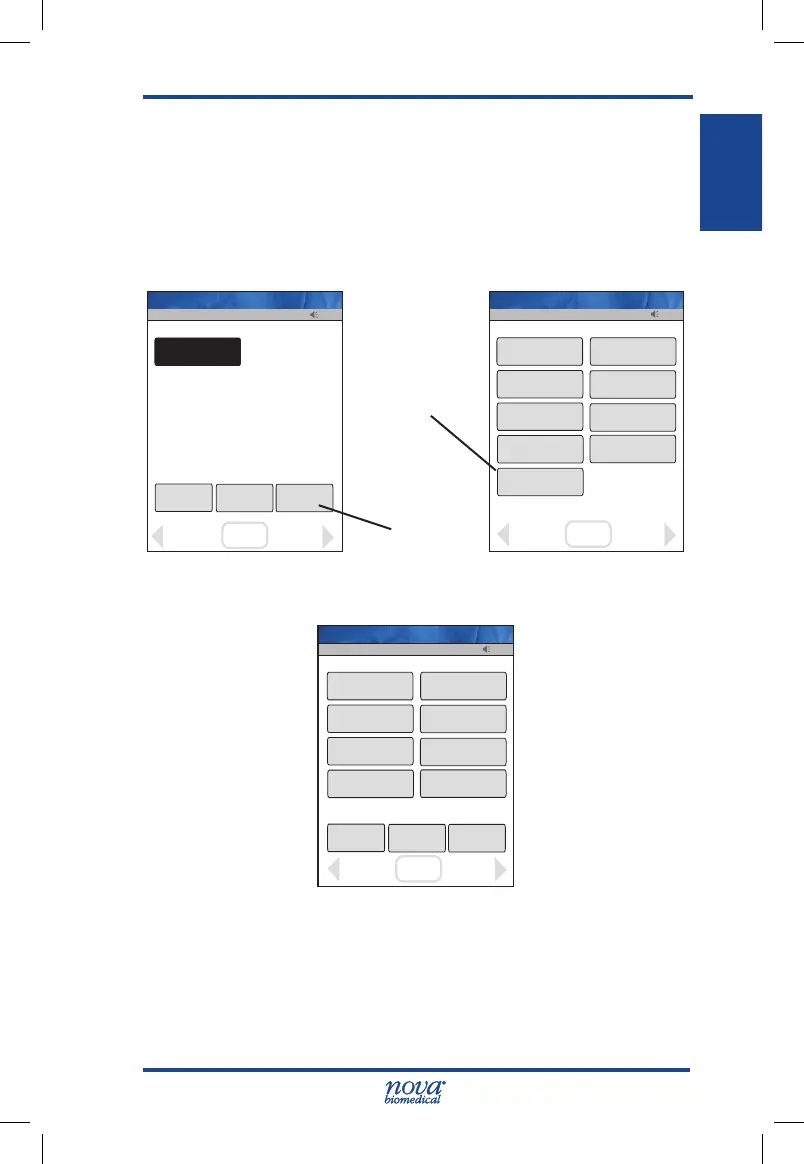
1.12 Administration (Admin) Screen
This screen has soft keys to perform a number of non-
patient functions: give the meter a name, set the time and
date, reset the facility, etc. From the Patient Test screen,
press the Menu soft key then the Admin soft key: the Admin
screen displays.
Figure 1.7 Patient Test Screen and MENU Screen
Figure 1.8 The Admin Screen
13:42
Review
Glu
Manual
QC
MENU
Logout
OK
Accept
Op: ****
Name: A Unit-1
13:42
Sound Off
Network
View Setup
Set Time
Unarchive
QCPatient
Menu
Meter Name
Reset Facility
Review
Assign Location
OK
Welcome
Logout
Op: ****
Admin
Name: A Unit-1
13:42
Proficiency
QC
Linearity
Manual Test
Correlation
Patient Test
Maintenance
Review
Training
OK
Welcome
Admin
Logout
Op: ****
Name: A Unit-1
Admin Soft Key
MENU Soft
Key
StatStrip Glu IFU 1.86 PN55848E EN 510K.indd 21 9/13/18 8:29 AM



 To Next Page