2-6
StatStrip Glucose Hospital Meter
2.4 Add Comment to a Result (Patient, QC, Linearity)
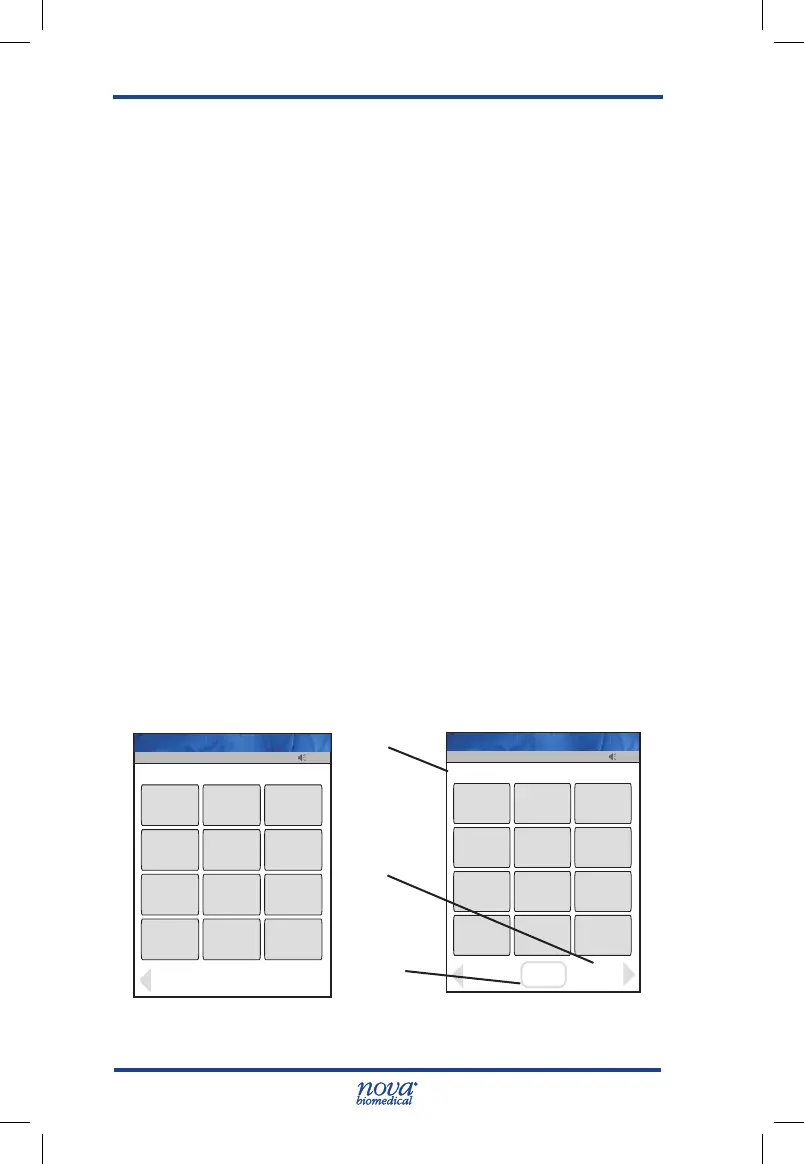
To add a comment to a result, press the Comment soft key
on the Result screen.
The Add Comment screen displays with preformed com-
ments.
1. If appropriate, select one of the comments from the
comments list on the Add Comment screen.
2. There are Page Up and Page Down soft keys to scroll
through the comments.
3. Once selected, press the Accept soft key to place
the comment onto the QC result.
There is also a Free Text soft key to add a unique new
comment.
1. From the Free Text Comment screen add a comment,
i.e.,NotiedDr.Smith,RepeatLevel1,Operator
Error Repeat, etc.
2. Press the Accept soft key to place the comment
onto the QC result.
All comments to the result are transferred to the data manager.
Figure 2.6 Add Comment Screens
13:42
_________________
/+-.!,
1
ABC
2
DEF
3
GHI
4
JKL
5
MNO
6
PQRS
7
TUV
8
WXYZ
9
Flag
space
0
Chart
Back
Op: ****
Free Text Comment
Name: A Unit-1
13:42
OK
_________________
Clear
/+-.!,
1
ABC
2
DEF
3
GHI
4
JKL
5
MNO
6
PQRS
7
TUV
8
WXYZ
9
Flag
space
0
Chart
Accept
NOTIFIED DR SMITH
List
Op: ****
Name: A Unit-1
Data Entry
Field
List Soft
Key
Accept Soft
Key
StatStrip Glu IFU 1.86 PN55848E EN 510K.indd 6 9/13/18 8:29 AM



 To Next Page