5-1
5. Linearity
Instructions for Use Manual 5 Linearity Test
5 Linearity Test
This section describes how to perform Linearity tests with
the StatStrip Glucose Hospital Meter. There are 5 levels in
the StatStrip Glucose Linearity kit.
Refer to the StatStrip Linearity Kit package insert
sheet for complete instructions, indications, pre-
cautions, and limitations of the system.
5.1 Running a Linearity Test
1. From the Patient Test screen, press the Menu soft key.
2. From the Menu screen, press the Linearity soft key.
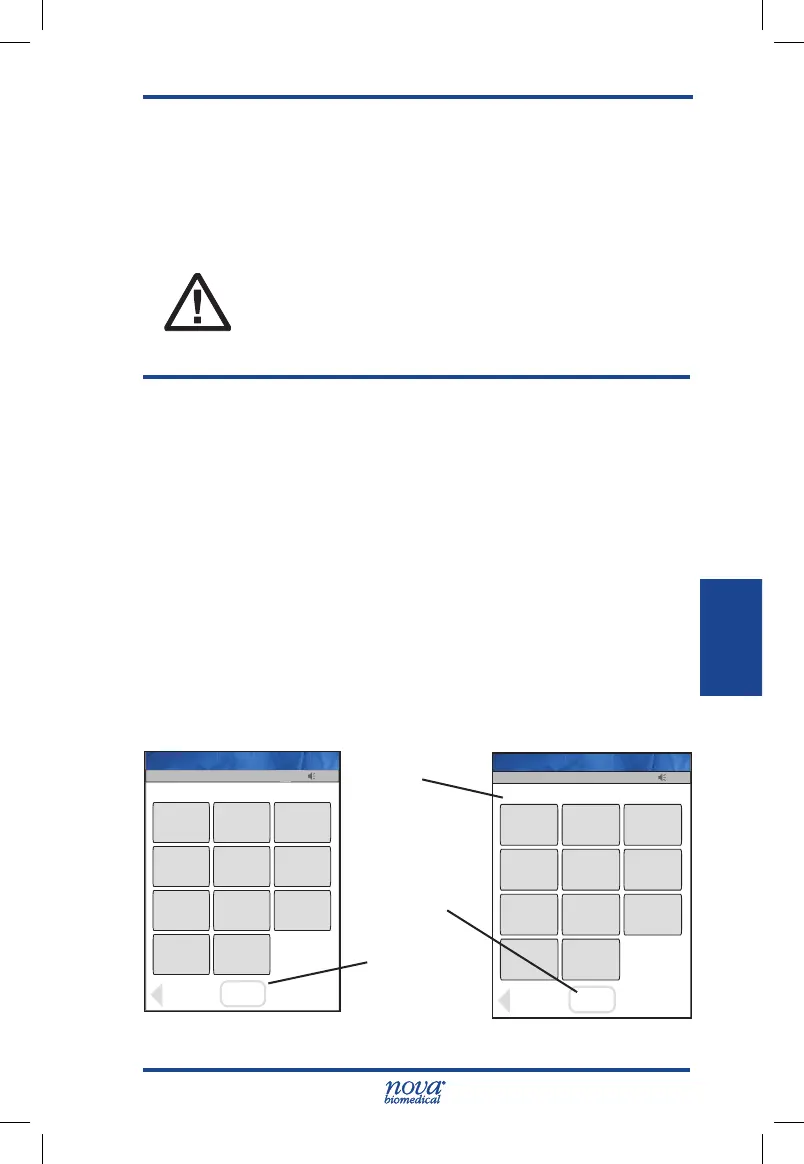
3. The Enter Strip Lot screen displays. Enter the Strip
Lot Number or scan the barcode. To scan the bar-
code, press the Scan soft key.
NOTE: If the Strip Lot Number is invalid, the screen displays
the invalid number with "is not a valid Strip Lot Try
again."
4.
Press the Accept soft key if the lot number is correct.
Figure 5.1 Enter Strip Lot Screens
13:42
OK
_________________________
Back
1
2
3
4
5
6
7
8
9
0
Scan
Scan
Op: ****
Enter Strip Lot
Name: A Unit-1
13:42
OK
_________________________
Clear
1
2
3
4
5
6
7
8
9
0
Erase
Accept
0206506089
Op: ****
Enter Strip Lot
Name: A Unit-1
Accept
Soft Key
Scan
Soft Key
Data Entry
Field
StatStrip Glu IFU 1.86 PN55848E EN 510K.indd 1 9/13/18 8:29 AM



 To Next Page