3-2
StatStrip Glucose Hospital Meter
http://www.fda.gov/Medicaldevices/Safety/AlertsandNo-
tices/ucm224025.html.
4. "CDC Clinical Reminder: Use of Fingerstick Devices
on More than One Person Poses Risk for Transmitting
Bloodborne Pathogens." (2010) http://www.cdc.gov/
injectionsafety/Fingerstick-DevicesBGM.html.
3.2 Running a Patient Sample
The meter shows graphically a step-by-step procedure to
run a glucose test.
Read the Test Strip package insert sheet for
complete instructions, indications, precautions,
and limitations of the system.
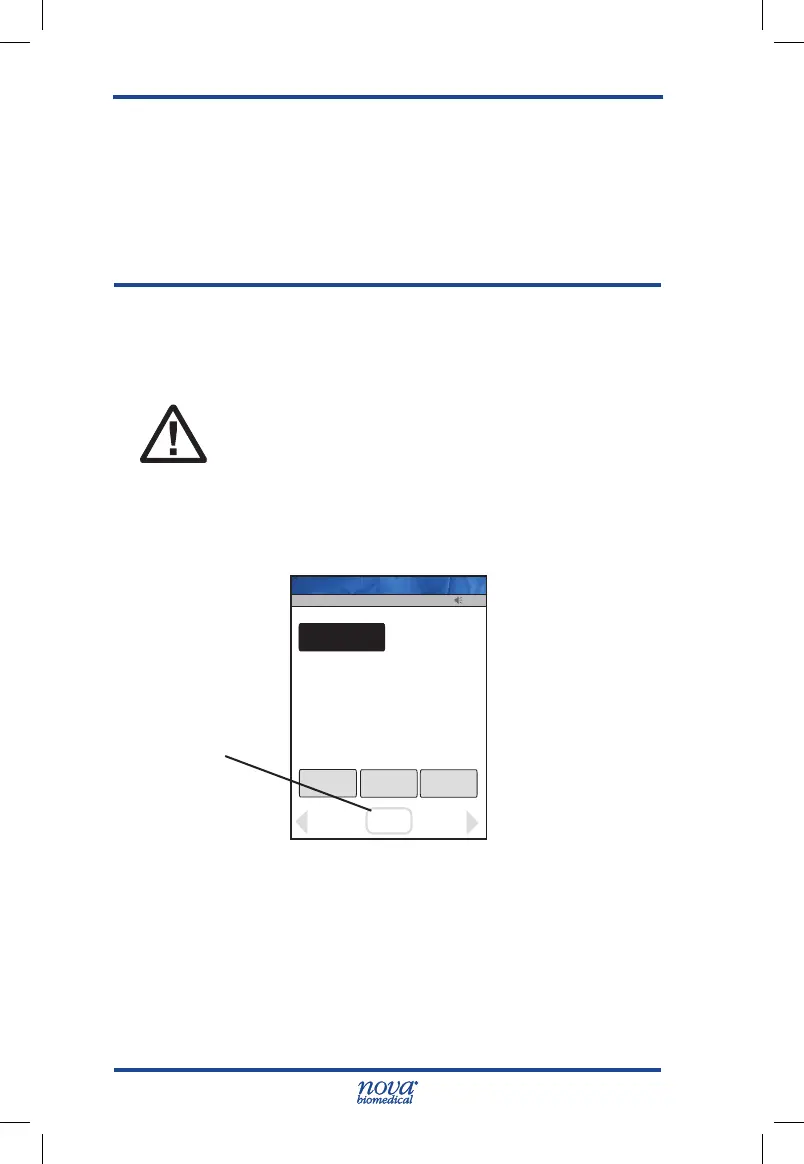
1. From the Patient Test screen, press the Accept soft
key.
Figure 3.1 Patient Test Screen
2. The Enter Strip Lot screen displays. Enter or scan
the strip lot number.
3. Once the Lot Number has been added, press the
Accept soft key.
13:42
Review
Glu
Manual
QC
MENU
Logout
OK
Accept
Op: ****
Name: A Unit-1
Accept
Soft Key
StatStrip Glu IFU 1.86 PN55848E EN 510K.indd 2 9/13/18 8:29 AM



 To Next Page