3-3
3. Pat.Sam.
Instructions for Use Manual 3 Patient Samples
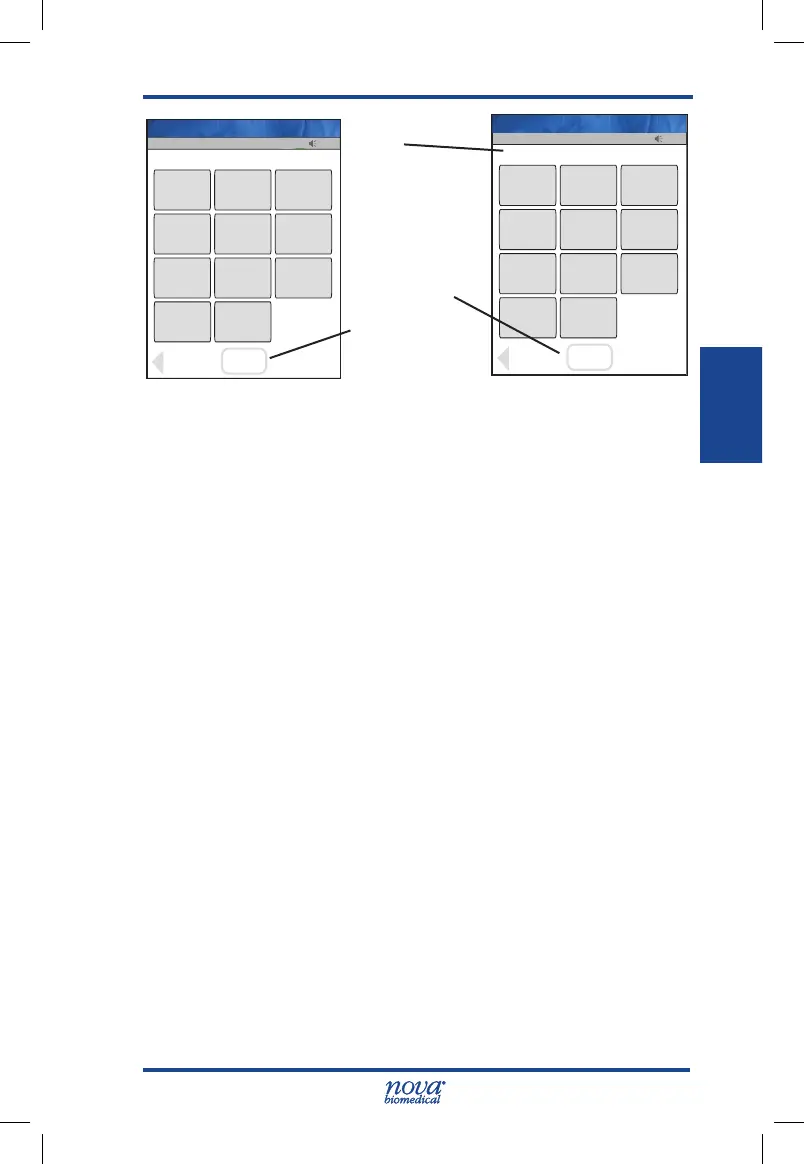
Figure 3.2 Enter Strip Lot Screens
4. If the Physician's ID is enabled, the Enter Phys ID
screen displays next. Enter the Physician's ID: from
Phys ID List screen (press List soft key), by pressing
numeric/alphanumeric soft keys (press the ABC...
soft key), or by scanning the barcode ID.
5. If the diagnosis code is enabled, the Enter Diagnosis
Code screen displays next. Enter the code: from
Diagnosis Code List screen (press List soft key),
by pressing numeric/alphanumeric soft keys (press
the ABC... soft key), or by scanning the barcode
ID.
6. Depending on what is enabled to the meter, one of
three screens will display: Enter Patient ID, Enter
Accn Num, or Sample ID Type.
7. If Sample ID Type is enabled, select (soft keys) Enter
Accn Num (Accession Number) or Enter Patient
ID: either the Enter Accn Num screen or the Enter
Patient ID screen will display.
13:42
OK
_________________________
Back
1
2
3
4
5
6
7
8
9
0
Scan
Scan
Op: ****
Enter Strip Lot
Name: A Unit-1
13:42
OK
_________________________
Clear
1
2
3
4
5
6
7
8
9
0
Erase
Accept
0206506089
Op: ****
Name: A Unit-1
Scan
Soft Key
Accept
Soft Key
Data Entry
Field
StatStrip Glu IFU 1.86 PN55848E EN 510K.indd 3 9/13/18 8:29 AM



 To Next Page