7-1
7. TrShoot.
Instructions for Use Manual 7 Troubleshooting
7 Troubleshooting
7.1 Meter Screen Alerts
The meter displays a number of alerts:
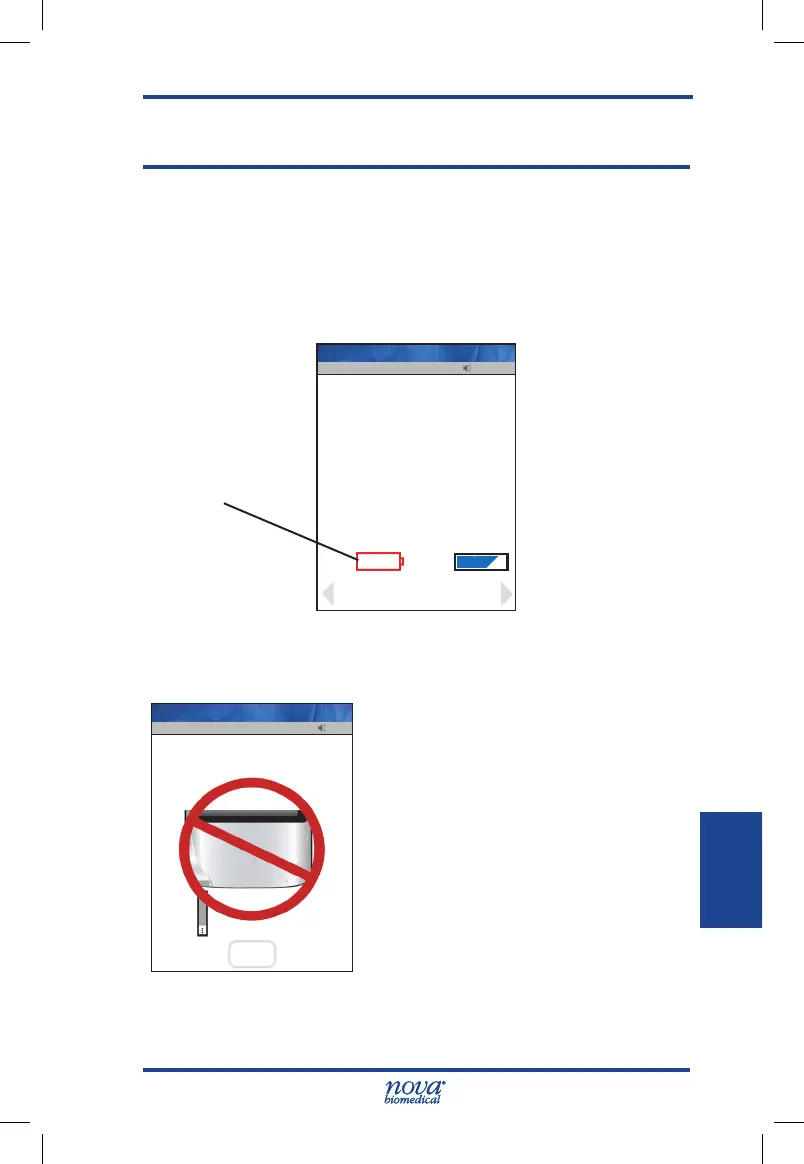
1. Battery Low - Change the battery or place the
meter onto the Charging/Docking Station.
Figure 7.1 Battery Low: Charge/Replace Battery Screen Alert
2. Analysis Cancelled - The test has been cancelled,
repeat the test with a new test strip.
Leave the test strip in place until the
result is displayed on the screen.
Figure 7.2 Analysis Cancelled screen alert
13:42
Name: Meter
Meter
Batt: Mem:
Review
Battery Low
Charge/Replace Battery
Location: Your Location
Facility: Your Facility
View
Setup
Battery Low Icon
Op: 8636
13:42
Analysis Canceled
OK
Continue
Op: 8636
Name: A Unit-1
StatStrip Glu IFU 1.86 PN55848E EN 510K.indd 1 9/13/18 8:29 AM



 To Next Page