4-2
StatStrip Glucose Hospital Meter
4. Connect the Docking/Charging Station to the net-
work through the Ethernet connection at the back
of the station. The connection is marked with the
Ethernet symbol.
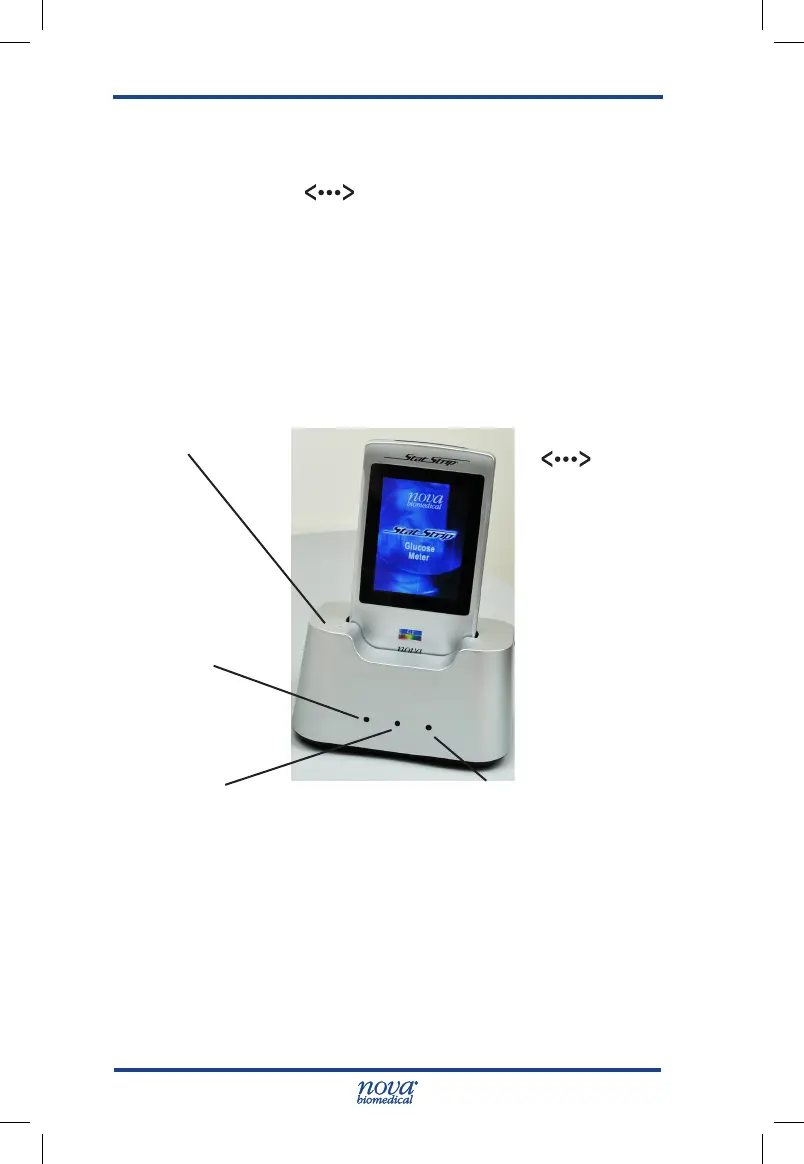
• The green left light is on if the station is con-
nected to the network.
• The green middle light is on if data is transfer-
ring.
• The right light is green for fully charged or amber
for charging.
Figure 4.1 The Meter in the Docking/Charging Station
Charging Light:
Amber = Charging
Green = Fully Charged
Charging Light for
Spare Battery
Green light on
when connected
to the network
(Ethernet)
Green light on when
dataisowing
The Ethernet
connection is
at the back of
the station
StatStrip Glu IFU 1.86 PN55848E EN 510K.indd 2 9/13/18 8:29 AM



 To Next Page