1-20
StatStrip Glucose Hospital Meter
NOTE: When an invalid ID is entered, the screen displays
the invalid ID number with a message "is not a valid
ID Try again."
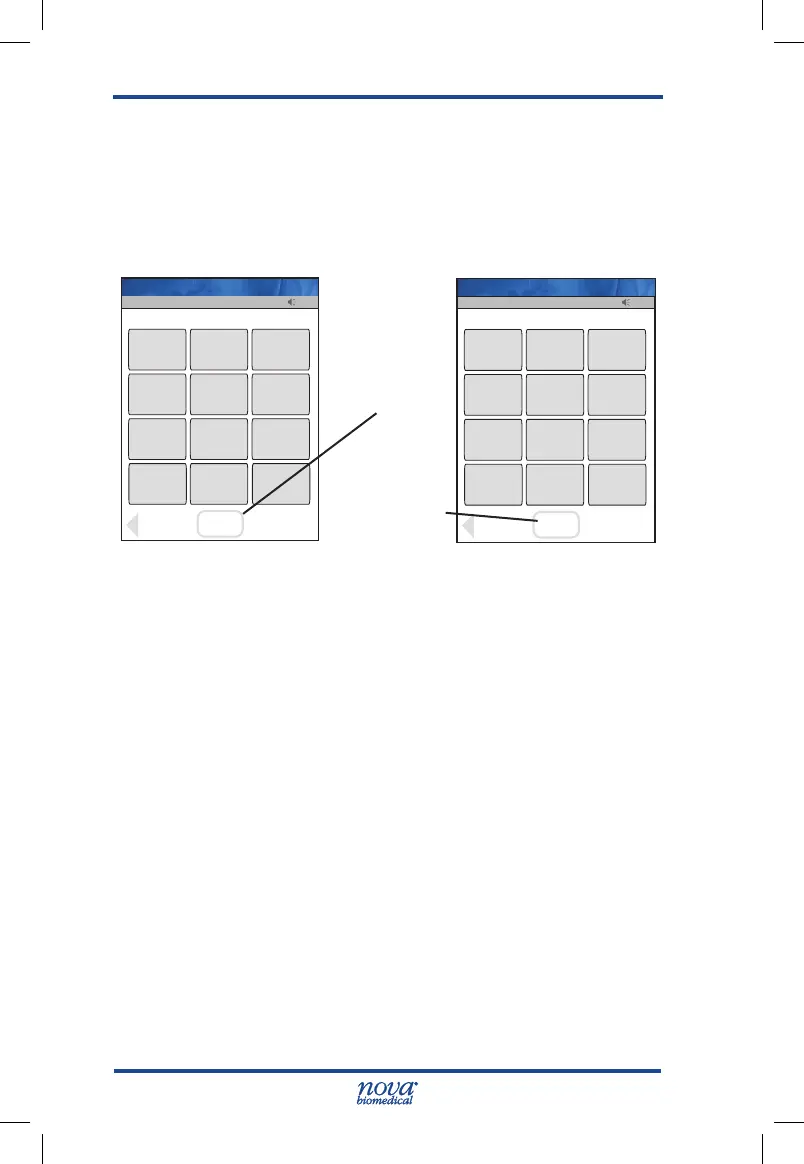
3. Press the Accept soft key at the bottom of the
screen..
Figure 1.6 Enter Operator ID Screens
4. After the Operator ID is accepted, the Patient Test
screen displays. The meter is now ready to
run Patient tests, QC tests, Linearity tests, review
results, set the time, etc.
13:42
OK
_________________________
Back
1
2
3
4
5
6
7
8
9
ABC...
0
Scan
Scan
Name: A Unit-1
13:42
OK
_________________________
Clear
1
2
3
4
5
6
7
8
9
ABC...
0
Erase
Accept
08636
Name: A Unit-1
Scan Soft Key
Accept Soft
Key
StatStrip Glu IFU 1.86 PN55848E EN 510K.indd 20 9/13/18 8:29 AM



 To Next Page