15
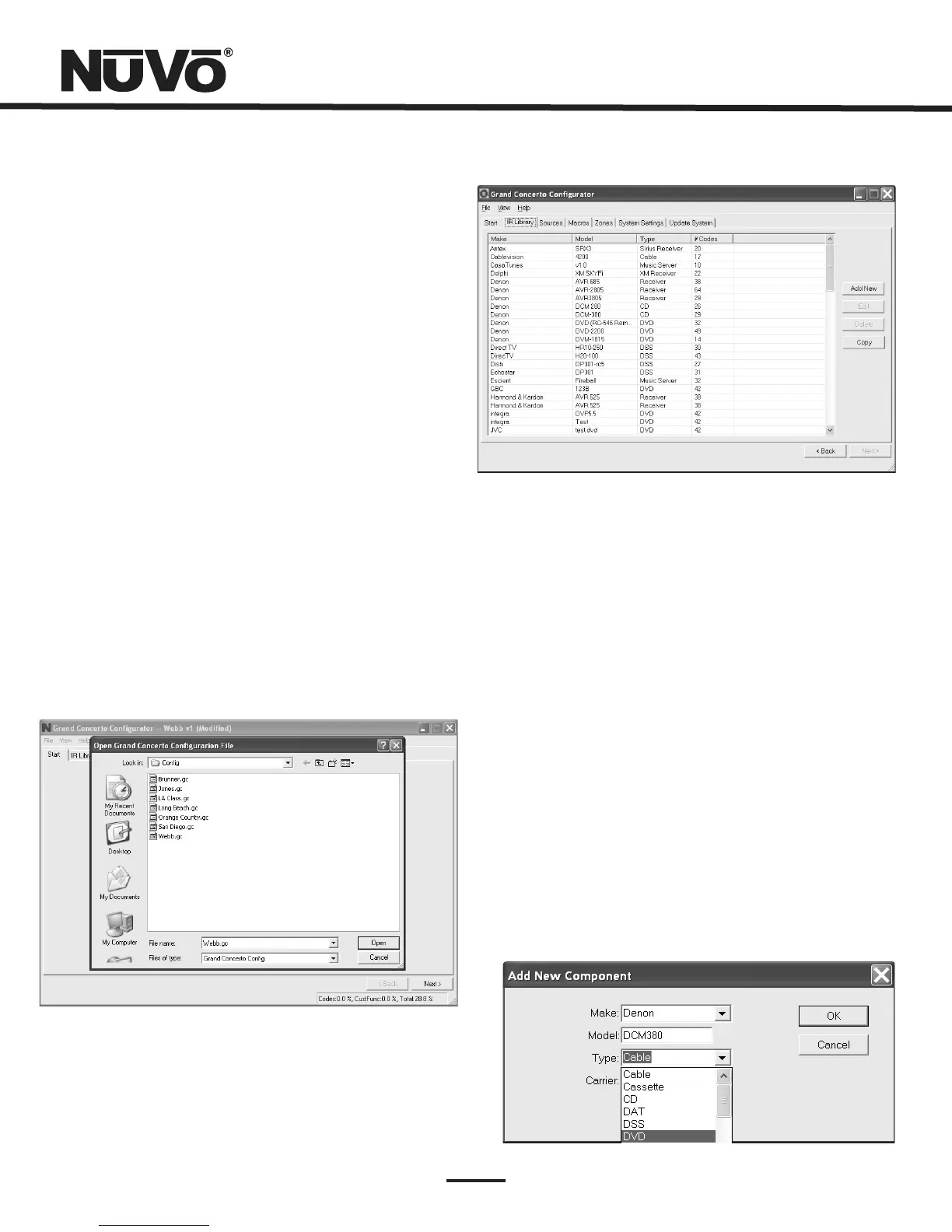
1.1OpenorCreateGrandConcertoConfiguratorFile(fig.10)
1.2RetrieveConfigurationfromGrandConcerto
Whenyouclickonthisbutton,theprogramgoestoaConfig.
File.Thereyoucaneitheropenoneoftheexisting
configurationsorspecifythenameofanewfile.
Configurationsaresavedwitha.cfgextension.
ToretrieveaconfigurationfromanexistingGrandConcerto
installation,launchtheConfiguratorSoftware.Makesure
yourcomputerisconnectedtotheRS232portontheback
paneloftheGrandConcertoamplifier.TheStartupscreen
hastwobuttons.Thefirstisusedtoopenanexisting
configurationortocreateanewone.Thesecondasksto
“RetrieveExistingConfigurationFromGrandConcerto.”
Whenyouclickonthe “Retrieve” button,aprogresswindow
willappear.
Ifyouhavethisconfigurationalreadystoredonyour
computer'sharddrive,youwillseeadialogboxaskingif
youwishtooverwritetheexistingfile.Ifthisfileisnot
storedinyourcomputer,thisboxwillnotappear.
Fig.10
Fig.12
2.IRLibraries(Fig.11)
TheIRLibraryisalistofavailablecomponentsandtheirIR
functioncodes.TheConfiguratorSoftwarestorescapturedIR
codesinasingledirectory.Oncecapturedordownloaded,
theConfiguratorSoftwarewillpermanentlystoreitasan.irc
file.
Fig.11
2.1AddingaNewComponenttotheIRLibrary(Fig.12)
NewcomponentIRfilesareeasilyaddedbyclickingonthe
AddNewbutton.ThisbringsupanewwindowtitledAddNew
Component.Inthiswindow,youmustfirstenterthe
manufacturernameandmodel.TheTypedrop-downmenu
containsalargelistofcomponents.Eachisatemplateof
commonfunctionsforthattypeofequipment.Clickingon
thetypethatmatchesthecomponentwilladdthetypename
inthatfield.Ifdesired,youcanaddatypenamethatisnot
inthedrop-downmenu.
ClickingonOKwillautomaticallyaddtheselected
componentandassociatedfunctionstotheIRLibrary.



 To Next Page