18
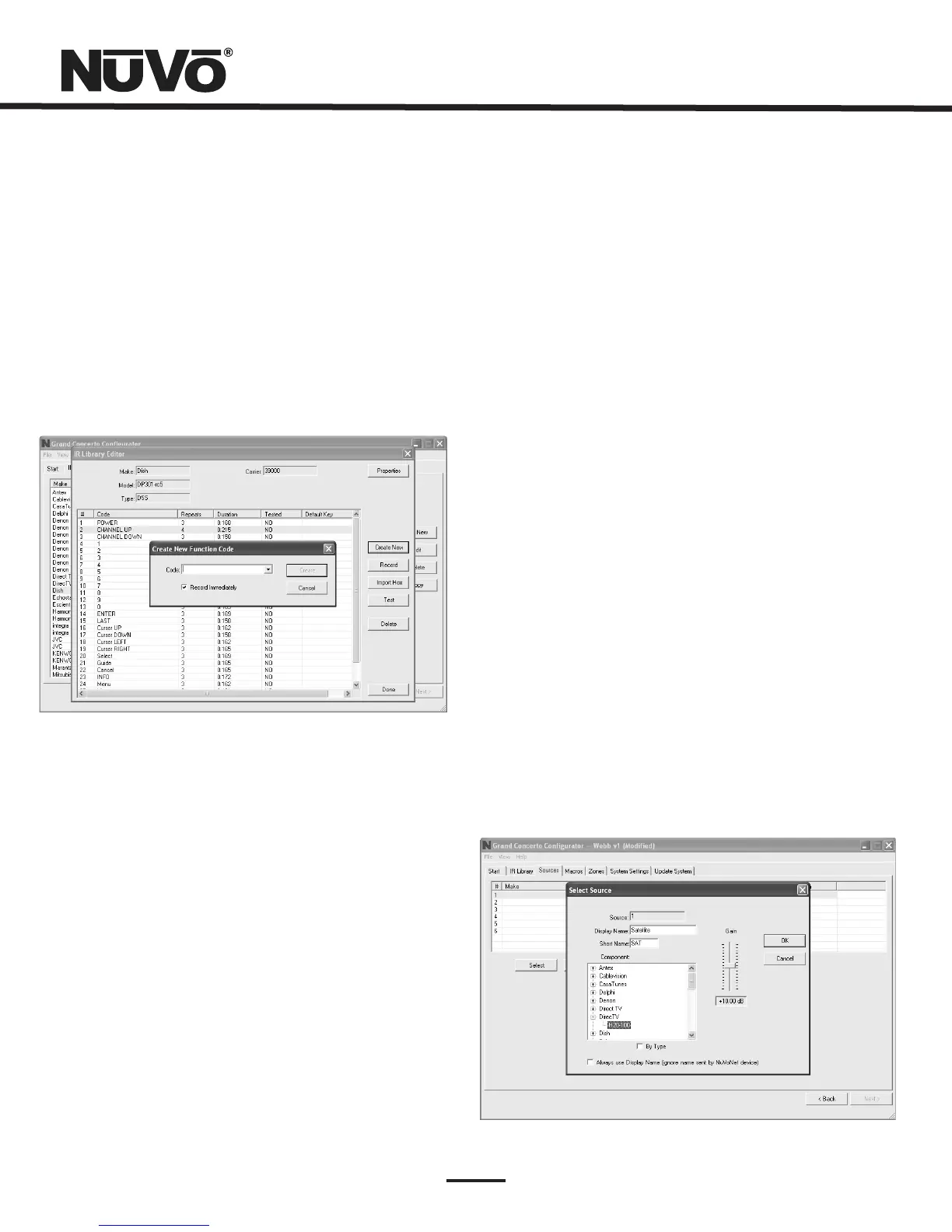
2.5AddingaFunctionCode(Fig.17)
IfarequiredIRfunctionisnotinthelistofthoseprovidedin
thelibrarytemplate,itispossibletoaddacodetothelist
byclickingthe “CreateNew” button.Thepull-downmenu
containsalistofallstandardIRcodes.Anamenotfoundin
thelistcanbetypedin,butitisrecommendedthatyouuse
thenamesprovidedinthelist.Thisconservesmemoryinthe
GrandConcerto.Clickingonthe “OK” buttonproceeds
directlytotheIRrecordingprocess.
Fig.17
2.6CleaningUpanIRLibrary
UnusedIRcodescanbedeletedfromthelistbyhighlighting
thecodeandeitherclickingthe ”Delete” buttonorright-
clickingandselecting “Delete.”
Whenyouarefinishededitingthelibrary,select “Done.”
3.DefiningSources
The “Sources” taballowsyoutodefinethesource
componentattachedtoeachofthesixsourceinputs.Allsix
sourcesarenotneeded,butatleastonesourcemustbe
defined.
3.1SelectorEditSource(Fig.18)
Double-clickingonablanksourcewillopenthe “Select
Source” window.Thiswindowassignstheappropriatesource
numberinput.The “DisplayName” isthetextthatwillbe
readontheControlPadwhenthatsourceisselectedinany
zone.Thedisplaynamecancontainonlycapitalletters,
numbers,andsomepunctuation.Ifaninvalidkeyistyped,it
willbeignored.
The “Make” fielddefinesthemanufacturerofthe
equipment.Adrop-downmenuallowsyoutochoosea
sourcefromtheIRLibrary.The “Model” fieldprovidesa
drop-downmenuthatallowsyoutochoosethespecific
pieceofsourceequipmentfromtheselectedmanufacturer.
Animportantfeatureofthe “SelectSource” windowisthe
“Gain” levelcontrol.Differentpiecesofsourceequipment
tendtohavedifferentlevelsofaudiooutputsignal.This
slidercontrolallowsyoutocompensateforequipmentthat
hasaninherentlylowervolumelevel.Byusingthis
adjustment,whenswitchingbetweensources,relative
volumelevelsremainconstant.
Whentheappropriateinformationhasbeencompleted,click
“OK.” Thiswilladdtheupdatedsourceinformationtothe
“Source” window.Whenallthedesiredsourceshavebeen
defined,goto “Next” andproceedtothe “Macros” setup.
Fig.18



 To Next Page