Re-OrderingMacroCodes
Macros(updated)
Afteracodeisaddedtoamacro,highlightingacodeand
clickingonthe or buttonwillreorderthecodes.
Aftereditingamacro,themacrolistisupdatedtoshowthe
numberofIRcodesandthedisplayname.
NotethattheMacrotabhasanadditionalbuttonatthe
bottomthatsays “UpdateMacrosFromLibrary.” Ifcodes
wereeditedinanywayinanIRlibraryafterasourcehas
beendefinedintheSourcetab,thisbuttonwill
automaticallypullthosechangesintotheMacroDefinition
window.
Ý ß
4.1.3ControlMacros
4.1.1CreatingaPresetMacroString
AnadditionaloptionwithintheMacrotabistheabilityto
establishmultiplecontrolmacros.Thesemacrosare
intendedforinstantaccesstocontrolfunctionsandarean
optionalfeature.Ifacontrolmacroiscreated,anadditional
sourcemenuitemisalsocreatedtitled “Control” preceded
bythethreecharacter “shortname” assignedintheSource
tab.
Creatingacontrolmacroisthesameprocessoutlinedin
onpage17.
21
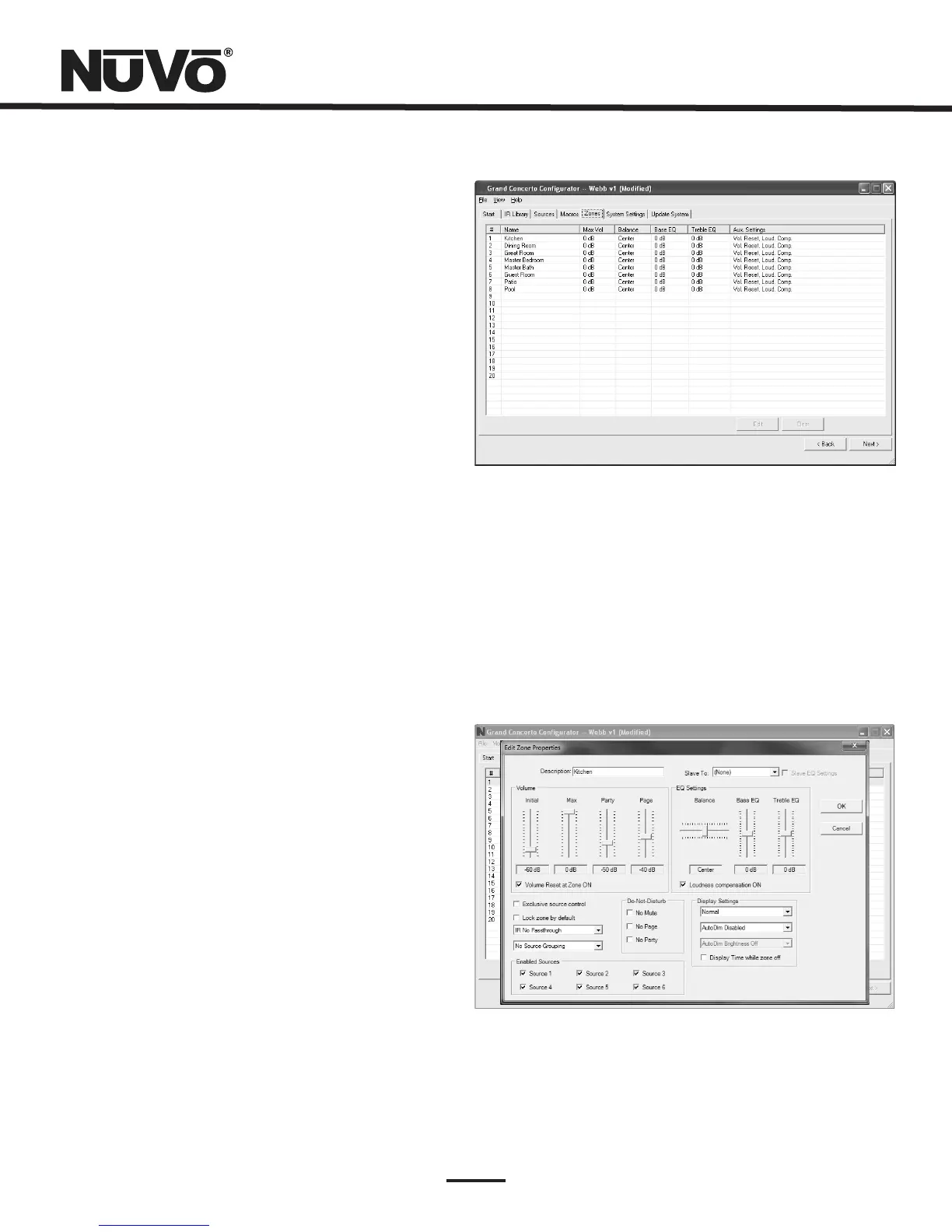
5.Zones(Fig.24)
Upto20zonescanbedefinedwiththeGrandConcerto.Each
zonecanbedefinedwithuniqueproperties.
Youwillnoticethatthezonetabcontains20entriesforzone
ControlPads.Thesystemcanaccommodateatotalof
20ControlPadsbyusingtheslavefunctioninthe “EditZone
Properties” window.AslaveControlPadishomeruntotheEZ
Port,butautomaticallysharesthesamefunctionsandworks
intandemwiththemainzoneControlPad.Uptothreeslave
ControlPadscanoperateonasinglezone.
Fig.24
5.1EditZoneProperties(Fig.25)
Double-clickingonazonenumberopensthe “EditZone
Properties” window.Specificpropertiesdefiningthatzone
aresethere.
Fig.25



 To Next Page